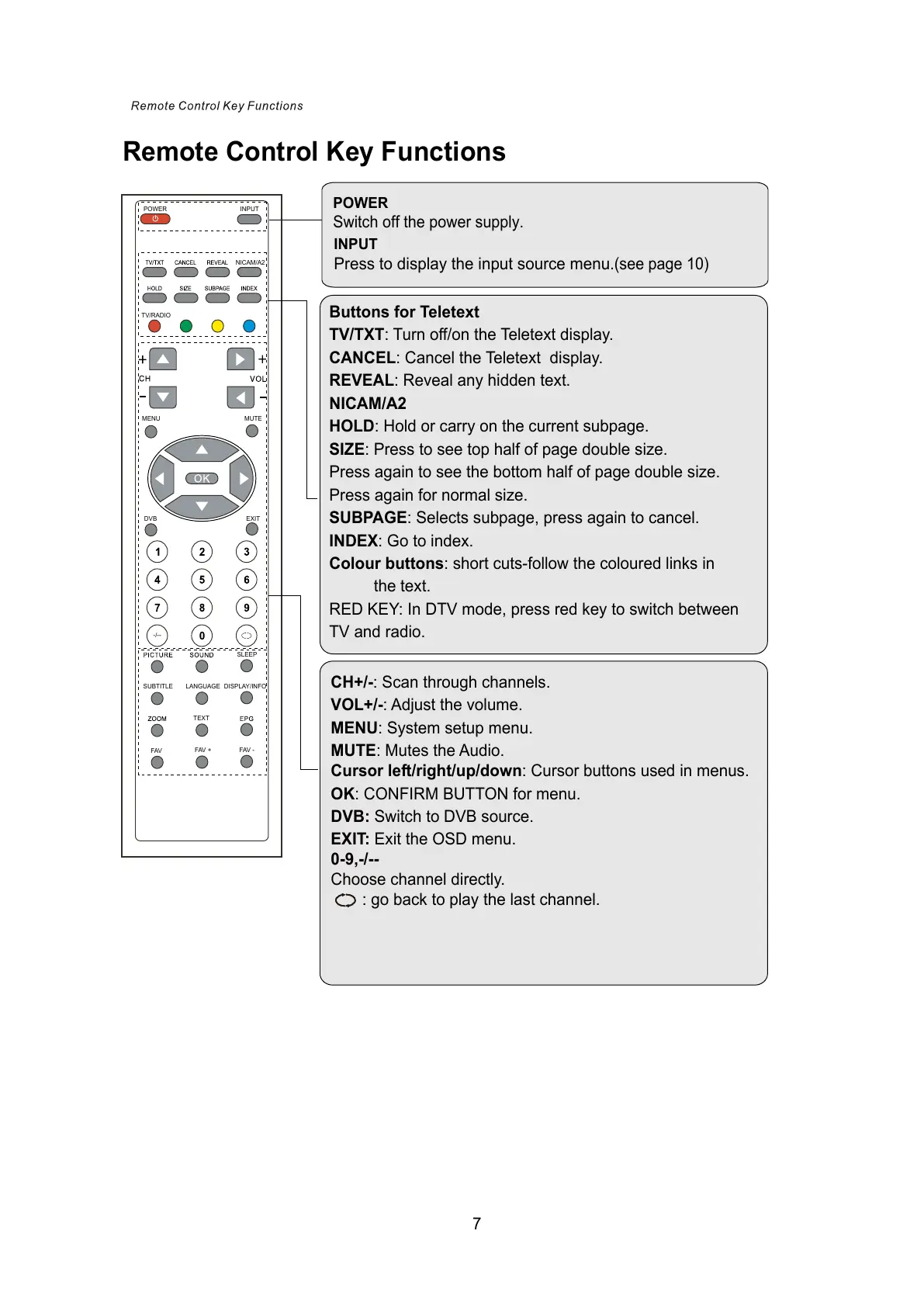
Remote Control Key Functions
POWER
Switch off the power supply.
INPUT
Press to display the input source menu
.(see page 10)
INPUT
POWER
NICAM/A2
TV/RADIO
MENU
MUTE
DVB
EXIT
-/--
SLEEP
SUBTITLE LANGUAGE
DISPLAY/INFO
TEXT
FAV
FAV +
FAV -
Buttons for Teletext
TV/TXT: Turn off/on the Teletext display.
CANCEL: Cancel the Teletext display.
REVEAL: Reveal any hidden text.
NICAM/A2
HOLD: Hold or carry on the current subpage.
SIZE: Press to see top half of page double size.
Press again to see the bottom half of page double size.
Press again for normal size.
SUBPAGE: Selects subpage, press again to cancel.
INDEX: Go to index.
Colour buttons: short cuts-follow the coloured links in
the text.
RED KEY: In DTV mode, press red key to switch between
TV and radio.
CH+/-: Scan through channels.
VOL+/-: Adjust the volume.
MENU: System setup menu.
MUTE: Mutes the Audio.
Cursor left/right/up/down: Cursor buttons used in menus.
OK: CONFIRM BUTTON for menu.
DVB: Switch to DVB source.
EXIT: Exit the OSD menu.
0-9,-/--
Choose channel directly.
: go back to play the last channel.
7



 To Next Page