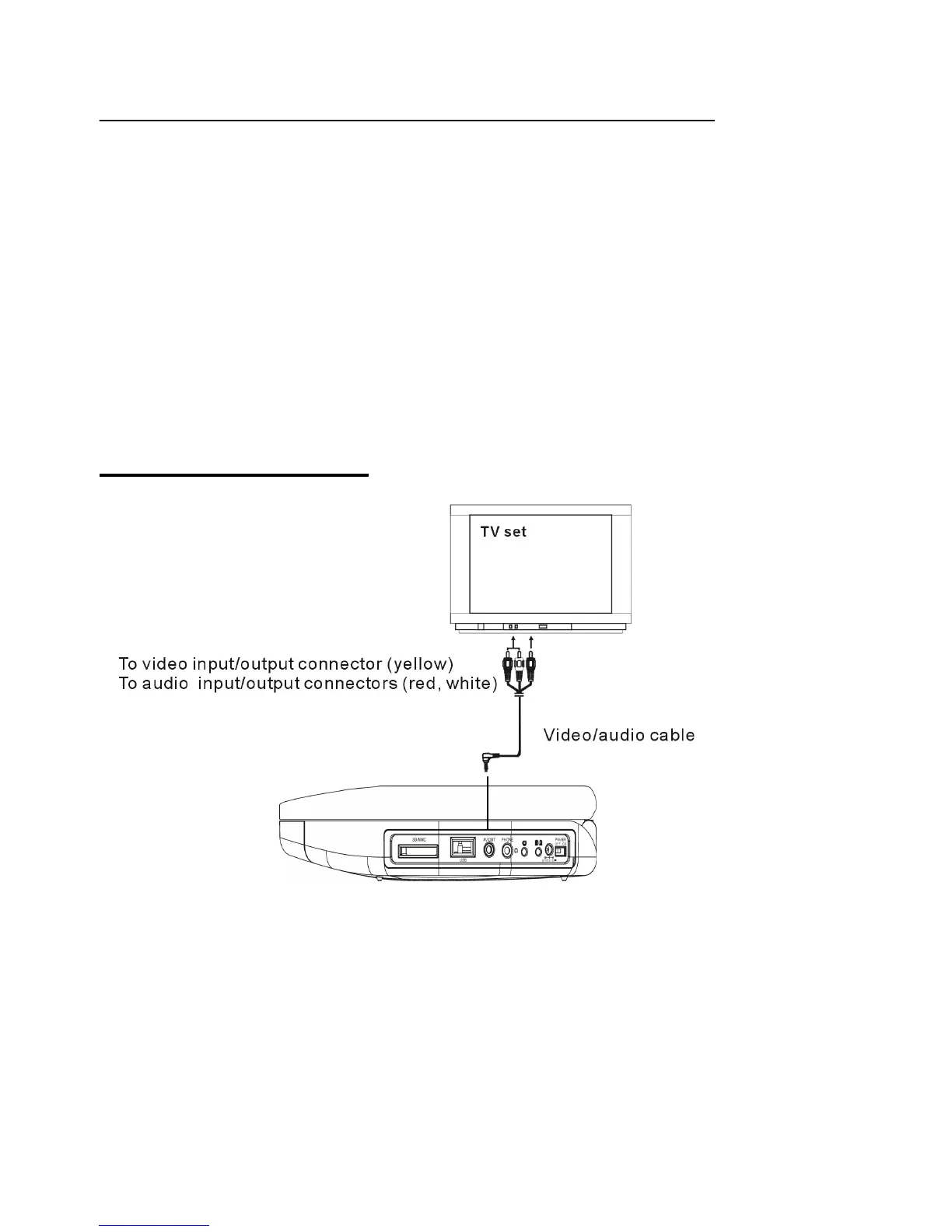
Basic connection
- It is recommended to connect a multi-system TV.
- Disconnect the AC adaptor before commencing connection.
- Do not block ventilation holes of equipment and arrange them so that air can circulate freely.
- Read through the instructions before connecting other equipment.
- Ensure that you observe the color coding when connecting audio and video cables.
Note:
During DVD play, the TV volume may be at a lower level than during TV broadcasts, etc.
If this is the case, adjust the volume to the desired level.
If the DVD/VCD/CD player is connected to the TV through a video cassette recorder,
the picture may not be played back normally with some DVDs. If this is the case,
do not connect the player via the VCR.
Connecting to a TV set


 To Next Page