15
MP4 playback
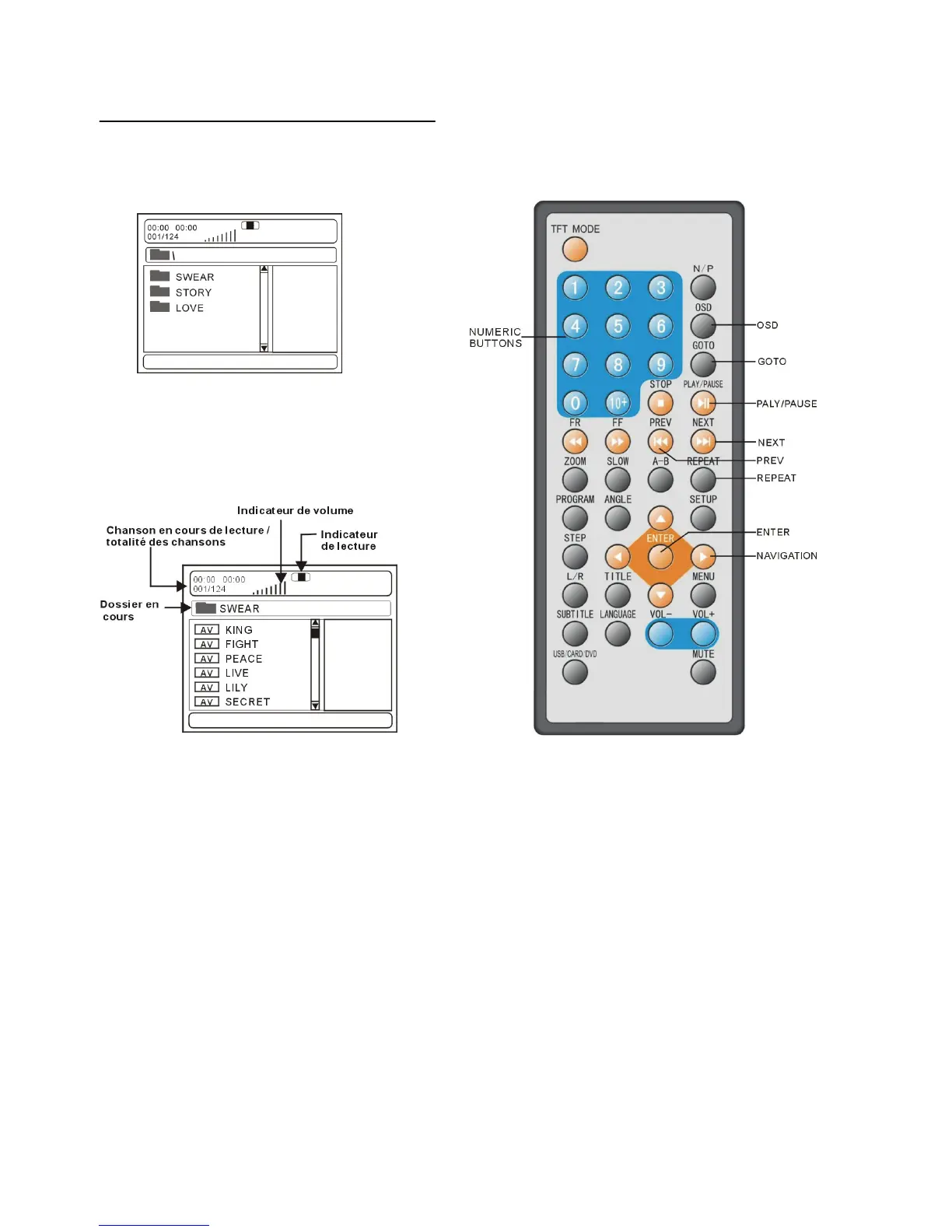
1.Insert the disc containing the files in MP4
format to be played and after a few seconds,
the screen of the monitor will show all the
folders on the disc:
2. Select the folder you want to play by the
navigation buttons and press the ENTER
button to confirm.
3. The files in this folder are displayed and
select the desired fire by navigation buttons,
then press the PLAY button to start playback.
4. Press NEXT or PREV button, then press
ENTER button, the player will play the next or
previous file.
5. Press the SLOW button to play the disc at a 1/2,1/4,1/8 or 1/16 of normal speed.
6. Press REPEAT button to change play mode.
- SINGLE: play one file only.
- REPEAT ONE: repeat one file.
- REPEAT ALL: all the files in the folder will be played repeatedly.
- REPEAT OFF: no files in the folder will be played repeatedly.
- SHUFFLE: all the files will be randomly sorted and played by the order.
- RANDOM : randomly select any file to play.
NOTE: The player can only play the disc with MPEG-4
DISC
DISC


 To Next Page