17
JPEG CD
Slide show effects
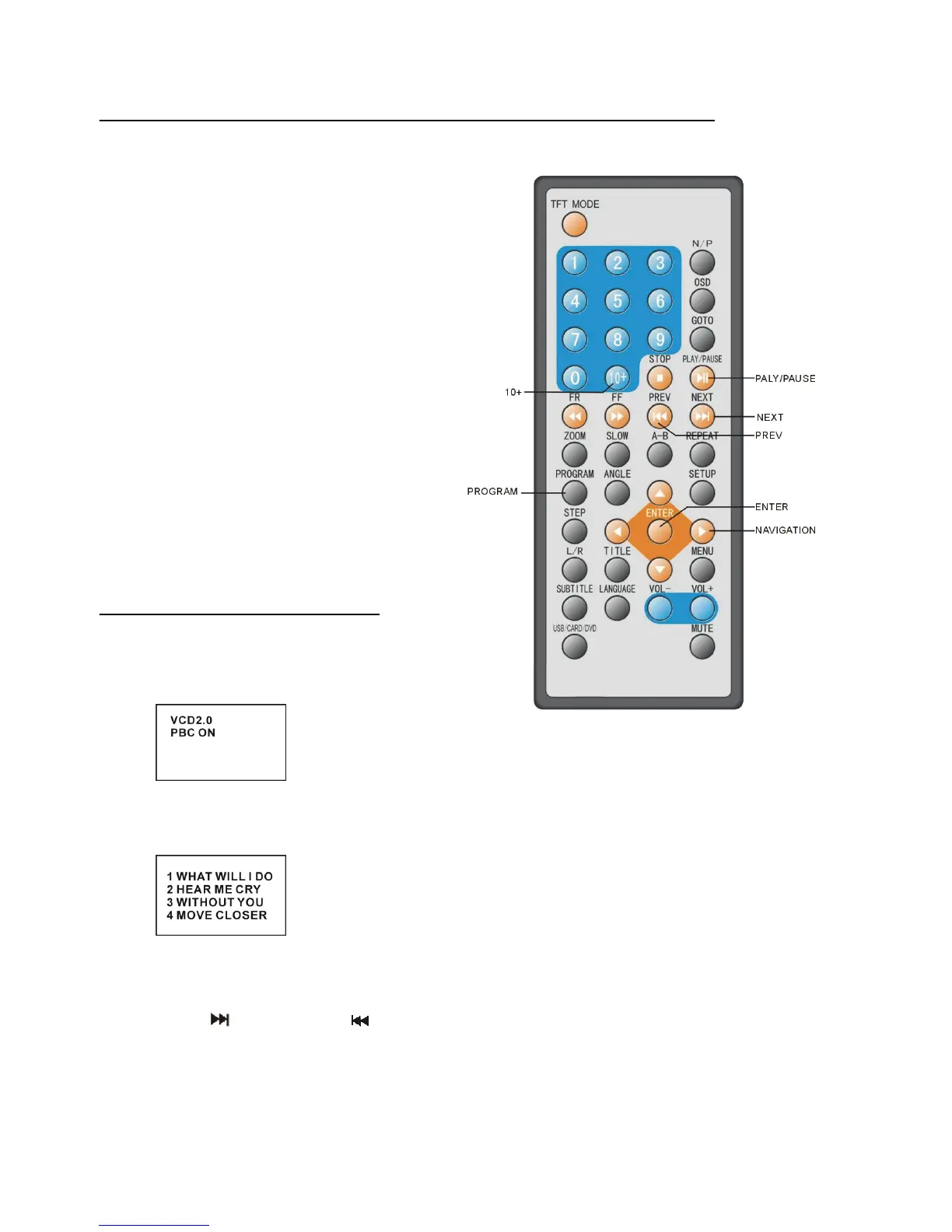
Press PROGRAM button to select one of the
effects when changing from one picture to
another:
1 WIPE TOP
2 WIPE BOTTOM
3 WIPE LEFT
4 WIPE RIGHT
5 DIAGONAL WIPE LEFT TOP
6 DIAGONAL WIPE RIGHT TOP
7 DIAGONAL WIPE LEFT BOTTOM
8 DIAGONAL WIPE RIGHT BOTTOM
9 EXTEND FROM CENTRE H
10 EXTEND FROM CENTRE V
11 COMPRESS TO CENTER H
12 COMPRESS TO CENTER V
13 WINDOW H
14 WINDOW V
15 WIPE FROM EDGE TO CENTRE
16 MOVE IN FROM TOP
17 NONE
Enjoying Video CD with
playback control
When playing VCD 2.0 with PBC, the player
will show the VCD version and PBC status
on the screen.
After a few seconds, a menu will appear on
the screen.
Press numeric buttons to select corresponding
track, if the track number is under 10, choose one of the numeric buttons 0 ~ 9.
If the track number is exceed 10, press 10+ button firstly, then press numeric buttons 0 ~ 9.
Press NEXT
button or PREV
button, the player will play the next or previous track in the scheduled sequence on the disc.


 To Next Page