35
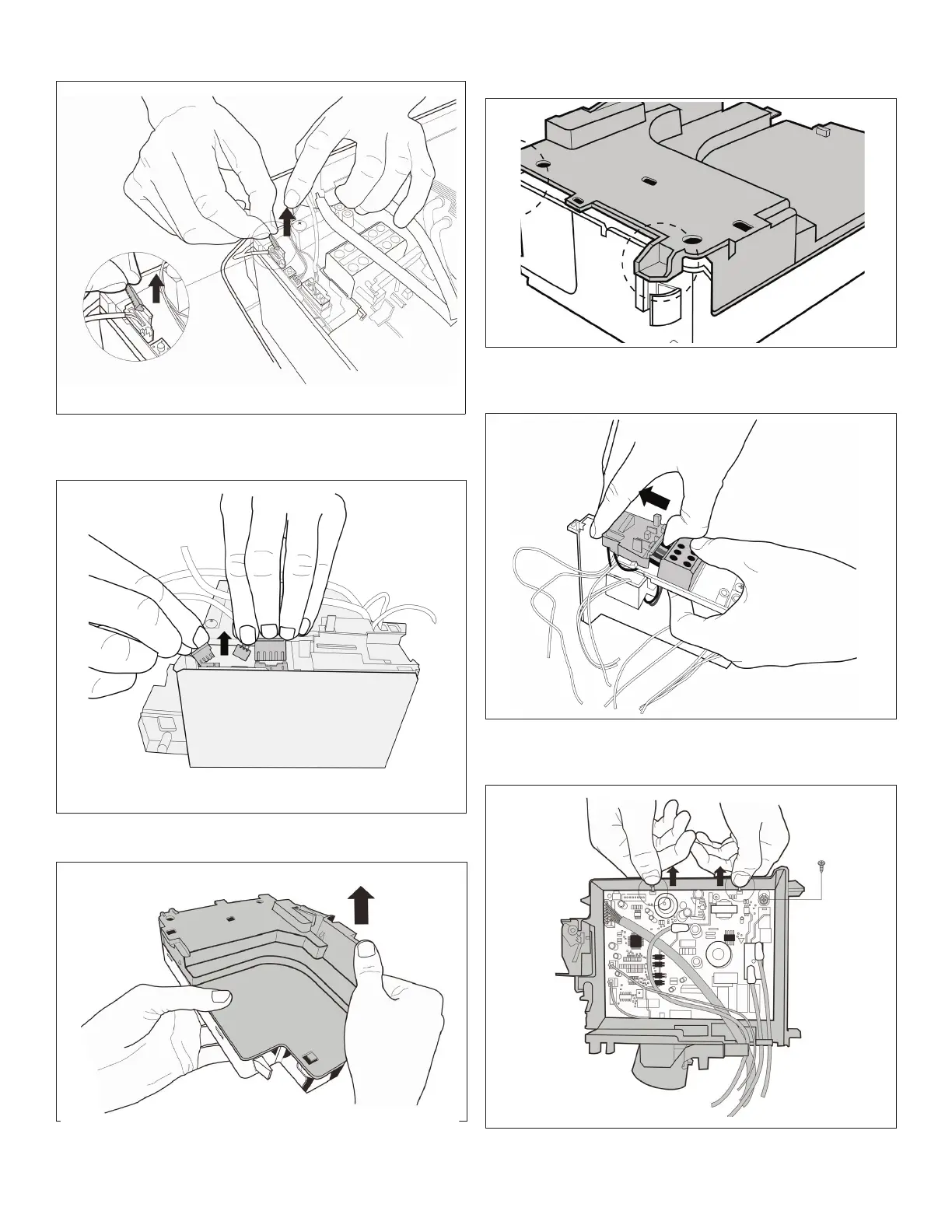
Step 4. Removethexeddevicesoftheconnectors.
Step 5. Disconnecttheconnectorsoffanmotor,thestep
motorandtheT2sensor.
Step 6. Opentheleftsideplateofelectroniccontrolbox.
Step 7. Openthetwoclipsonthefrontoftheelectric
box.
Step 8. Opentheuppercoverplateofelectroniccontrol
box.
Step 9. Remove1screwandopenthe2clipsalongthe
directionindicatedinimagebelow.


 To Next Page
 Loading...