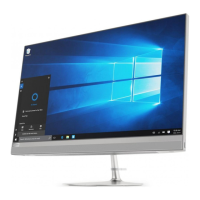
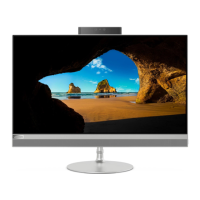
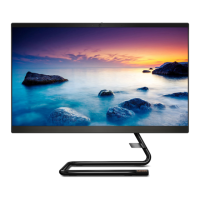
Features and specifications
For detailed specifications of your computer, go to https://psref.lenovo.com.
Hardware configuration
1. Right-click the Start button to open the Start context menu.
2. Click Device Manager. Type the administrator password or provide
confirmation if prompted.
Power supply
• IdeaCentre AIO 3 22ADA6/IdeaCentre AIO 3 24ADA6: 65-watt automatic
voltage-sensing power supply
• IdeaCentre AIO 3 22ITL6/IdeaCentre AIO 3 24ALC6/IdeaCentre AIO 3 27ALC6:
90-watt automatic voltage-sensing power supply
• IdeaCentre AIO 3 24ITL6/IdeaCentre AIO 3 27ITL6: 90-watt/120-watt automatic
voltage-sensing power supply
Adaptability for power supply
• Mainland China: 220 V±22 V, 50 Hz±1 Hz
• Adaptive voltage positioning: 90 V to 264 V, 50/60 Hz
• With voltage selection switch: 90 V to 264 V, 50 Hz±1 Hz
Microprocessor
To view the microprocessor information of your computer, right-click the Start
button and then click System.
Memory Double data rate 4 (DDR4) Small outline dual in-line memory module (SODIMM)
Storage device
• 2.5-inch form factor, 7-mm (0.28-inch) height hard disk drive
• M.2 solid-state drive
To view the storage drive capacity of your computer, right-click the Start button to
open the Start context menu and then click Disk Management.
Note: The storage drive capacity indicated by the system is less than the nominal
capacity.
Expansion
• Memory slots
• M.2 solid-state drive slot
• Optical drive
• Storage drive bay
• PCI Express slots
Network features
• Bluetooth*
• Ethernet LAN
• Wireless LAN
* For selected models
USB specifications
Note: Depending on the model, some USB connectors might not be available on your computer.
4
IdeaCentre AIO 3 User Guide



 To Next Page
 Loading...