Need help?
Do you have a question about the Lenovo Smart Clock 2 and is the answer not in the manual?
Device wireless compliance, regulatory notice, and PDF download link.
Information on how to obtain support from Lenovo via website.
Trademarks, service marks, and restricted rights notice.
Identification of key hardware components of the Lenovo Smart Clock 2.
Instructions for connecting the device and downloading the Google Home app.
How to use voice commands with the built-in Google Assistant.
Crucial safety advice, including plastic bag hazards and parental supervision.
Details on Lenovo's limited warranty and how to access support.
Accessing Lenovo's support website via URL or QR code for assistance.
Lenovo's recycling policy, WEEE information, and disposal guidelines.
Compliance with RoHS regulations in various countries, including Turkey.
Declaration of conformity with EU directives and frequency band information.
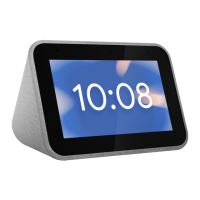
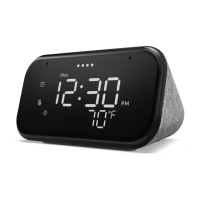
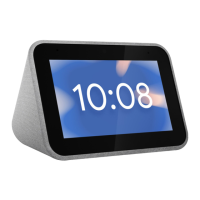
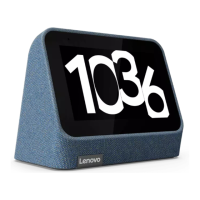
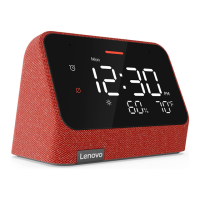
The Lenovo Smart Clock 2 (model CD-24502F) is a smart home device designed to integrate seamlessly into your daily routine, offering a blend of timekeeping, smart assistance, and interactive features. At its core, it functions as a digital clock with an integrated touch screen, providing a clear and customizable display of time and other relevant information. Beyond simple time display, this device is equipped with the Google Assistant, transforming it into a versatile hub for managing your smart home, accessing information, and enjoying entertainment through voice commands.
The primary function of the Lenovo Smart Clock 2 is to serve as an intelligent bedside or desk companion. Its touch screen allows for intuitive interaction, enabling users to navigate menus, set alarms, and view information with a simple tap or swipe. The device's integration with Google Assistant is a cornerstone of its functionality, allowing for hands-free control and interaction. Users can initiate commands by saying "Hey Google," followed by a request. This voice control extends to various aspects of daily life, such as checking the weather, getting news updates, playing music or podcasts, controlling compatible smart home devices (like lights, thermostats, or security cameras), and managing personal schedules by setting reminders or adding events to a calendar.
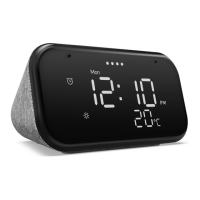
The Smart Clock 2 is designed to enhance the morning and evening routines. It can wake you up with customizable alarms, including gentle sunrise alarms that gradually brighten the screen before your set wake-up time. For winding down, it can play soothing sounds or guided meditations, helping users relax and fall asleep. The device's light/proximity sensor allows it to adjust screen brightness automatically based on ambient light, ensuring the display is always comfortable to view, whether in a dark room or bright daylight.
Audio capabilities are also a key feature, with built-in microphones enabling clear voice command reception and a speaker system for audio playback. The device includes volume buttons for manual adjustment of sound levels, and a microphone mute switch provides privacy by disabling voice input when desired. This ensures that the device only listens for commands when the user intends it to.
Setting up the Lenovo Smart Clock 2 is designed to be straightforward. Users begin by connecting the device to a power adapter. The next step involves downloading and running the Google Home app on a smartphone or tablet, available on both the Google Play Store for Android devices and the App Store for iPhones. The setup process within the Google Home app guides users through connecting the Smart Clock 2 to their home WLAN network. It is crucial that the Smart Clock 2 and the phone/tablet used for setup are connected to the same WLAN network for successful configuration. Once connected, the device is ready to respond to voice commands and display personalized information.
The touch screen interface offers a visual complement to voice commands. Users can swipe through different screens to view upcoming alarms, weather forecasts, calendar events, and other personalized content. The intuitive nature of the touch screen makes it easy for anyone to interact with the device, even without relying solely on voice commands.
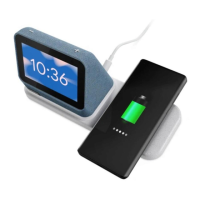
The dock connector on the device hints at potential expandability or integration with accessories, although specific details on such accessories are not provided in this guide. This suggests a modular design that could allow for future enhancements or specialized functionalities.
The microphone mute switch is a significant privacy feature. By sliding this switch to the left, users can physically disable the microphones, ensuring that the device cannot listen for or record any audio. This provides peace of mind for users concerned about privacy in their smart home devices.
Maintenance for the Lenovo Smart Clock 2 primarily focuses on software updates and physical care. As a smart device, it will periodically receive software updates to improve performance, add new features, and enhance security. These updates are typically managed through the Google Home app or automatically by the device when connected to the internet.
For physical maintenance, the device should be kept clean and free from dust. A soft, dry cloth is usually sufficient for cleaning the screen and the device's body. Users should avoid using harsh chemicals or abrasive materials that could damage the screen or the device's finish.
Safety is also a key aspect of maintenance. The guide emphasizes reading all safety information carefully before using the device. This includes warnings about plastic bags, which can be dangerous, and general safety instructions for parents and adult supervisors, highlighting that the device is not a toy and precautions should be observed, especially if children are using it. Regular inspection of the device and its power adapter for any damage is recommended to ensure proper functioning and safety.
In terms of support, Lenovo provides comprehensive resources. Users can visit the Lenovo support website (support.lenovo.com) using the device's serial number or by scanning a QR code to access more support options, including troubleshooting guides, FAQs, and contact information for technical assistance. The device is covered by a Lenovo Limited Warranty, and users can check the warranty status and terms on the Lenovo support website.
Environmental responsibility is also addressed, with information on recycling and disposal. Lenovo encourages owners to responsibly recycle their IT equipment and provides information on recycling programs in various regions, including Japan and general WEEE (Waste Electrical and Electronic Equipment) information. This ensures that the device can be disposed of in an environmentally friendly manner at the end of its life cycle. The device also complies with various Restriction of Hazardous Substances (RoHS) directives in regions like Turkey, Ukraine, India, Vietnam, Singapore, and the European Union/United Kingdom, indicating its design with environmental considerations in mind.
 General
| Shape | Rectangle |
|---|---|
| Color name | Heather Grey |
| Product color | Gray |
| Voice control | Yes |
| Virtual assistant | Google Assistant |
| Built-in camera | No |
| Display diagonal | 3.97 \ |
| Display resolution | 480 x 800 pixels |
| Volume control | Buttons |
| Number of speakers | 1 |
| Speakers RMS power | 3 W |
| Wi-Fi standards | 802.11a, 802.11b, 802.11g, Wi-Fi 4 (802.11n) |
| Bluetooth version | 4.2 |
| Connectivity technology | Wireless |
| Power source type | DC |
 Weight and Dimensions
| Depth | 71.33 mm |
|---|---|
| Width | 113.48 mm |
| Height | 93.3 mm |
| Weight | 298 g |

 To Next Page