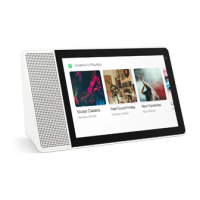
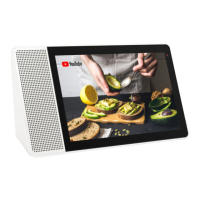
The Lenovo Smart Display 7 (model CD-17302F) is a smart display device designed for home use, integrating a touch screen, speaker, microphone, and camera with the Google Assistant for interactive control and information access. This device serves as a central hub for smart home management, entertainment, and communication.
Function Description
The Lenovo Smart Display 7 functions as an interactive smart display, leveraging the Google Assistant to respond to voice commands for a wide range of tasks. Users can ask questions, play music, watch videos, control smart home devices, make video calls, and manage their daily schedule. The device features a touch screen for visual interaction and control, complementing its voice-activated capabilities. It is designed to be user-friendly, with a quick setup process via the Google Home app on a smartphone or tablet. The display connects to the internet via Wi-Fi, enabling access to online services and content.
Important Technical Specifications
- Model Name: Lenovo Smart Display 7
- Model Number: Lenovo CD-17302F
- Wireless Communication:
- WLAN: Supports 2.4 GHz (2400-2483.5 MHz) and 5 GHz (5150-5250 MHz, 5250-5350 MHz, 5470-5725 MHz, 5725-5850 MHz) bands. Maximum power output for WLAN is <20 dBm for most bands, with <14 dBm for the 5725-5850 MHz band.
- Bluetooth: Operates in the 2400-2483.5 MHz band with a maximum power output of <10 dBm.
- Operating Temperature: 0~40 °C
- Power Adapter: The device uses a specific power adapter. Users are cautioned not to use it for other purposes. The adapter should be installed near the equipment and be easily accessible.
- Compliance: The device complies with Directive 2014/53/EU (RE Directive) for European Union conformity. It also adheres to RoHS directives in India, the European Union (RoHS 2 and Commission Delegated Directive (EU 2015/863)), and Singapore (SG-RoHS).
- Separation Distance: The device should be used with a separation distance of 20cm to the human body.
Usage Features
- Interactive Display: The device features a touch screen for intuitive navigation and control. Users can swipe from the left edge to exit current screens and swipe from the bottom for quick settings.
- Google Assistant Integration: The primary interaction method is through voice commands, initiated by saying "Ok Google." This allows for hands-free operation and access to a wide range of Google Assistant functionalities.
- Microphone: Equipped with a microphone for voice command input.
- Light/Proximity Sensor: This sensor likely adjusts display brightness and other features based on ambient light and user proximity.
- Front Camera: Includes a front-facing camera for video calls and other visual interactions.
- Speaker: Integrated speaker for audio output, including music, voice responses from the Google Assistant, and video sound.
- Volume Buttons: Physical buttons for adjusting the device's volume.
- Microphone Mute Switch: A dedicated switch to mute the microphone, ensuring privacy when voice commands are not desired.
- Camera Privacy Shutter: A physical shutter that can be slid to the left to cover the camera or to the right to uncover it, providing an additional layer of privacy.
- Easy Setup: The device is set up using the Google Home app on a phone or tablet, guiding the user through connecting to the internet and configuring the display. It requires both the display and the phone/tablet to be on the same Wi-Fi network during setup.
- Regulatory Information: Users are advised to read the Regulatory Notice for their country or region for information on wireless device compliance. Support information is available through Lenovo's support website.
Maintenance Features
- Factory Reset: The device can be factory reset by pressing and holding both the volume up and volume down buttons simultaneously for a few seconds. This can be useful for troubleshooting or preparing the device for a new user.
- Software Updates: Lenovo provides software updates to improve device performance and add new features. Users can find information on software updates on the Lenovo support website.
- Technical Support: Lenovo offers online technical support through their website (https://support.lenovo.com) and telephone technical support via the Customer Support Center. Users are encouraged to have their model and serial number, error message details, and a problem description ready when contacting support.
- Warranty Information: The device is covered by the Lenovo Limited Warranty (LLW), with specific warranty periods and types of service varying by country or region. Warranty details, including the full LLW document, are available on the Lenovo website.
- Recycling Information: Lenovo promotes responsible recycling of IT equipment. Information on recycling Lenovo products is available on their website, with specific details for Japan. The device is marked with a crossed-out wheeled bin symbol, indicating it should not be disposed of as unsorted municipal waste but rather through designated collection frameworks for WEEE (Waste of Electrical and Electronic Equipment).
- Safety Instructions: Important safety and handling information is provided, including a plastic bag notice (danger of suffocation) and safety instructions for parents and adult supervisors regarding the use of electrical products and periodic inspection of the device for damage.

 Need help?
 General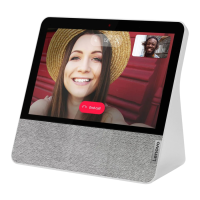

 To Next Page