GESTURE CONTROL
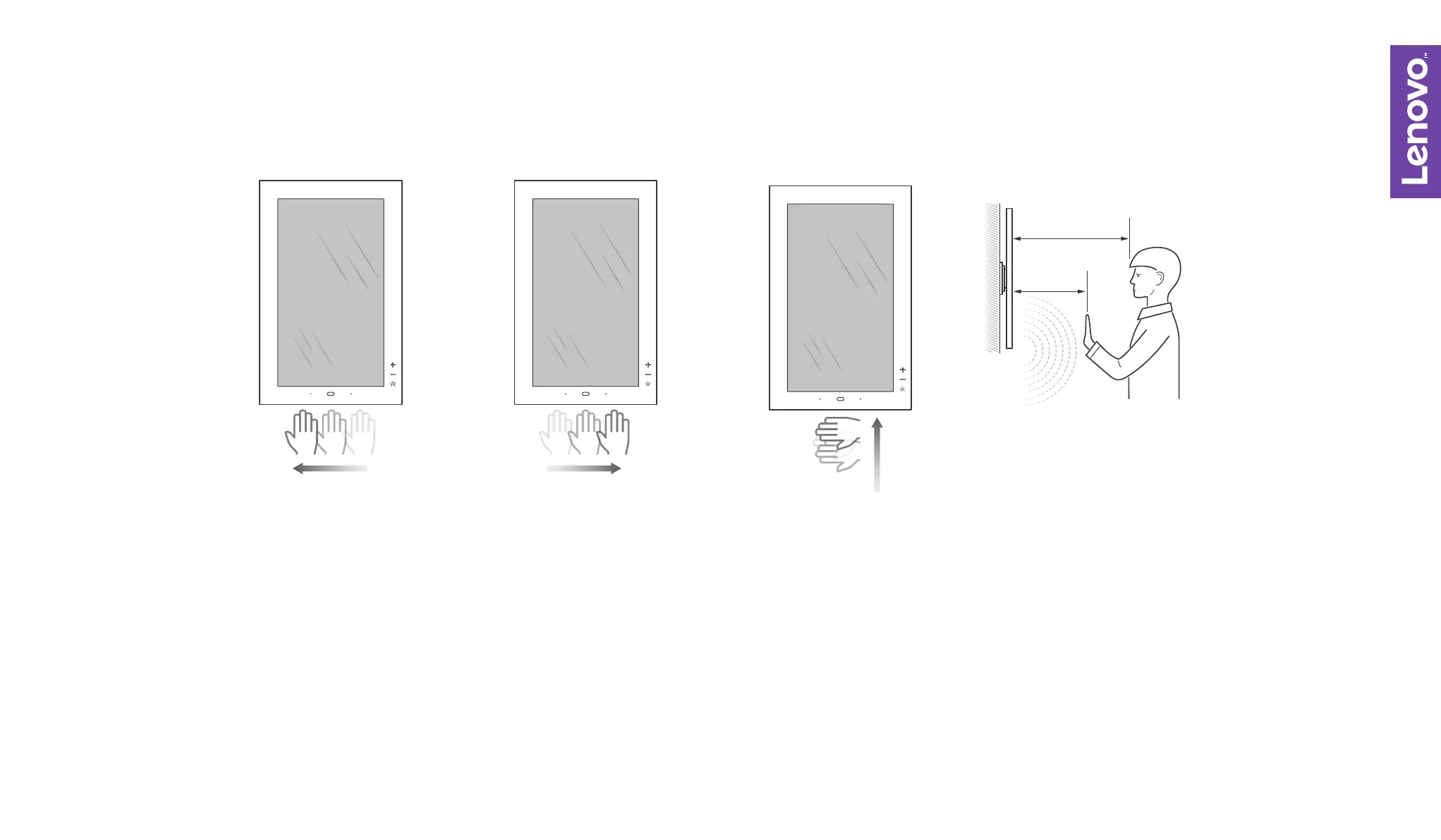
Swipe left for
next item
Swipe right
for previous item
Swipe up
for next channel
Gesture sensing
detection range
The capacitive buttons located on the right side of the frame will light up when you’re within range, indicating that
the frame is ready to detect your gestures.
To control the frame through gestures, make sure your hand glides parallel to the frame and across the sensing
range of the sensor. Users should stand within the gesture sensing range for an optimal user experience. Sunlight
and bright light (>1,000 lux) environments may aect use.
>
55cm
<
55cm
1.
2.


 To Previous Page