1
2
3
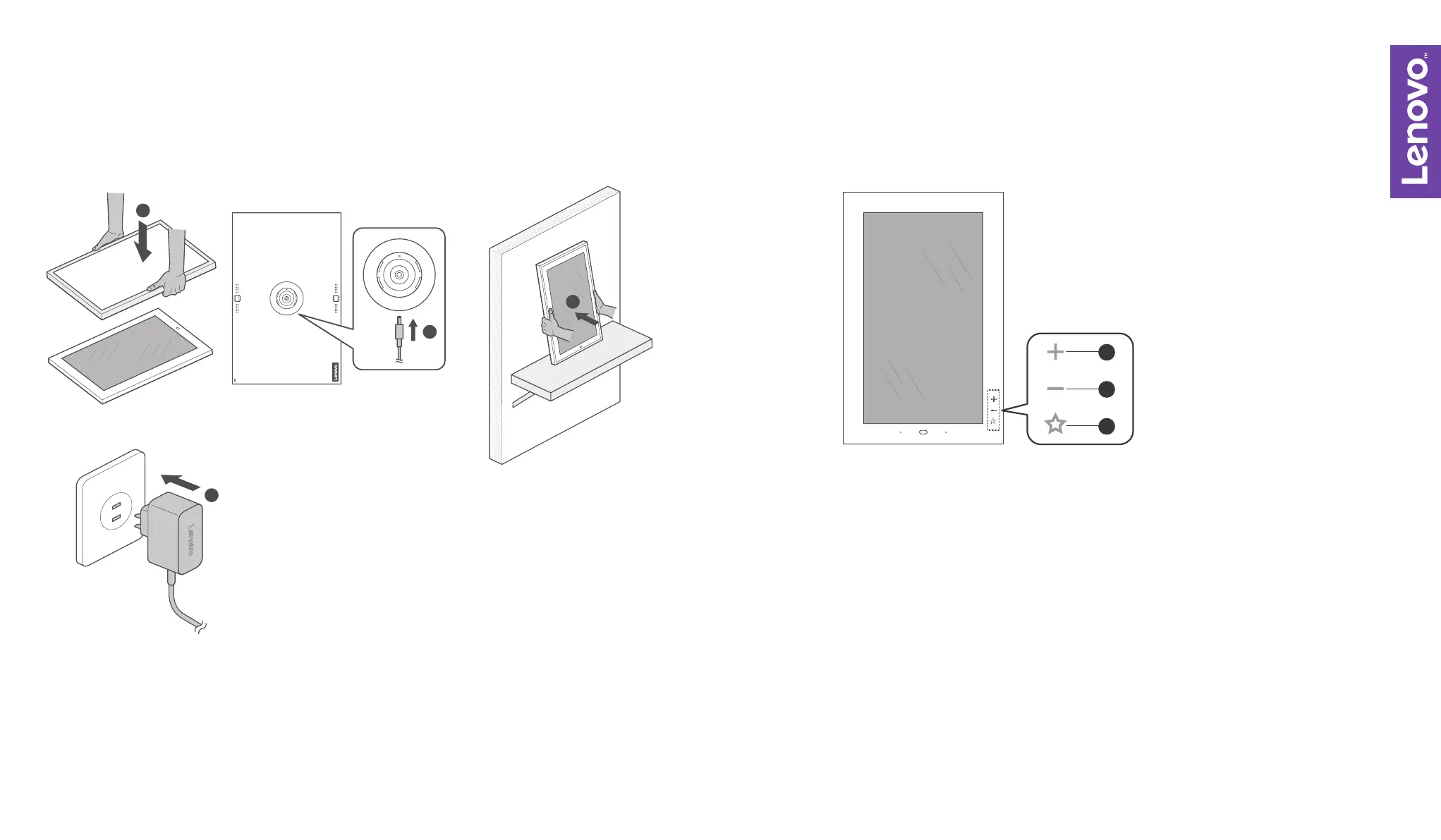
MOUNTING ON A TABLE FUNCTION KEY
Gently mount the metallic outer frame
onto the Lenovo Smart Frame
Connect the power adapter
Ensure the Lenovo Smart Frame is firmly mounted
against a surface
Plug the charger into the power supply
Single tap: Next item (Photo, Artwork)
Long press: Volume up
Single tap: Previous item (Photo, Artwork)
Long press: Volume down
Single tap: Next channel
Long press (over 1.5s): Mark (or unmark) a photo as favorite
1.
2.
3.
1.
2.
3.
4.
1
2
3
4


 To Next Page