Note: Your device's features and the home screen may be different depending on
your location, language, carrier, and device model.
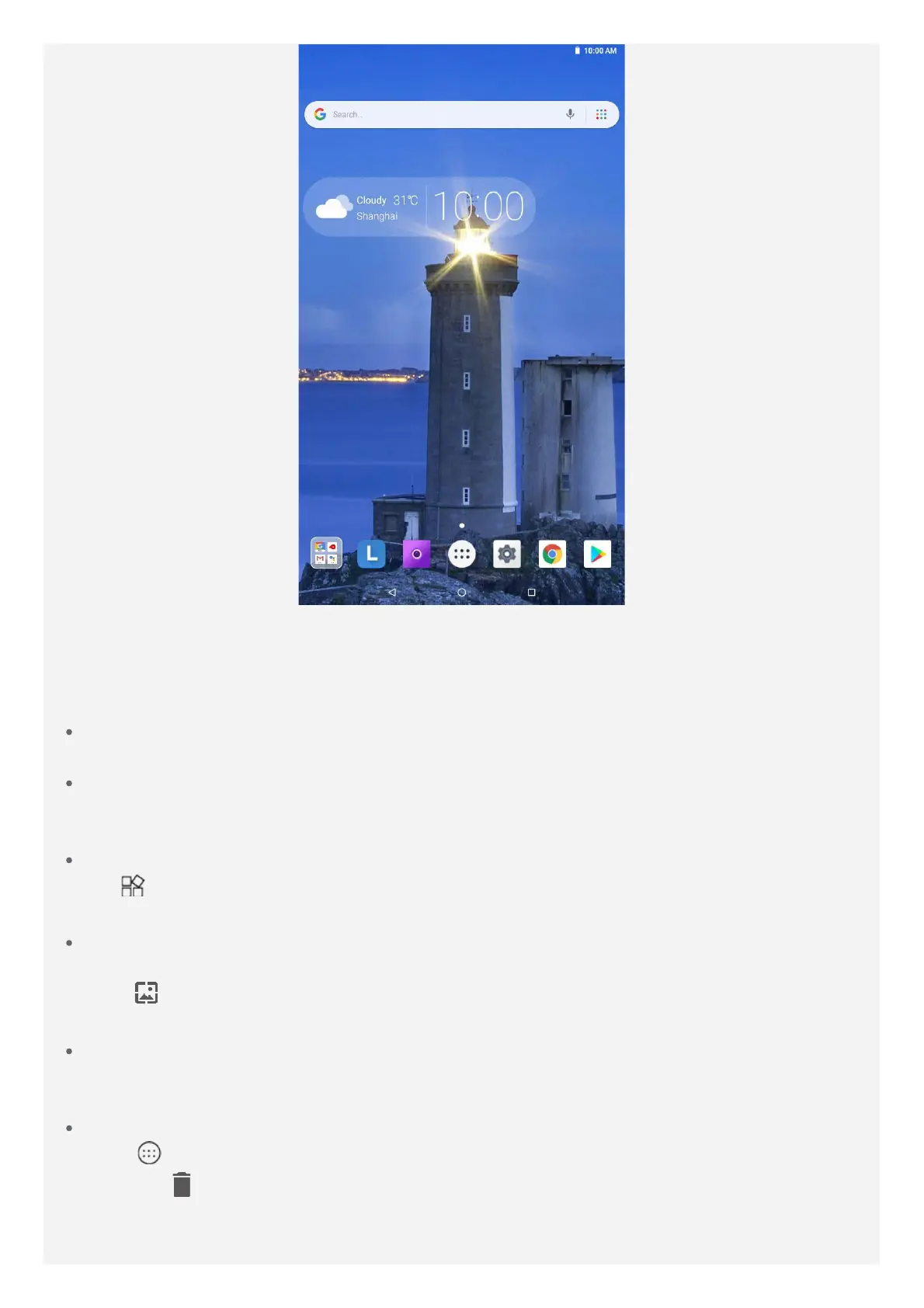
You can customize your home screen at any time.
Home screen
On the first home screen, there is a Google Search bar and some useful apps.
Preview screen
Press and hold anywhere on the home screen except the icons.
At the bottom of the screen are WALLPAPERS and WIDGETS.
Add a widget to a home screen
Tap
at the bottom of the preview screen, press and hold the widget you want to add, drag
it to where you want to place, then release it.
Change the wallpaper
You can change the wallpaper by doing one of the following:
- Tap at the bottom of the preview screen, and then choose the wallpaper that you like.
- Go to Settings > Display > Wallpaper and choose the wallpaper that you like.
Move an app to another screen
Press and hold an app that you want to move, drag it to where you want to place, then
release it.
Uninstall an app
1.Tap
, press and hold an app that you want to uninstall.
2. Drag to , release, and tap OK.
Note: Some of the system apps cannot be uninstalled.



 To Next Page