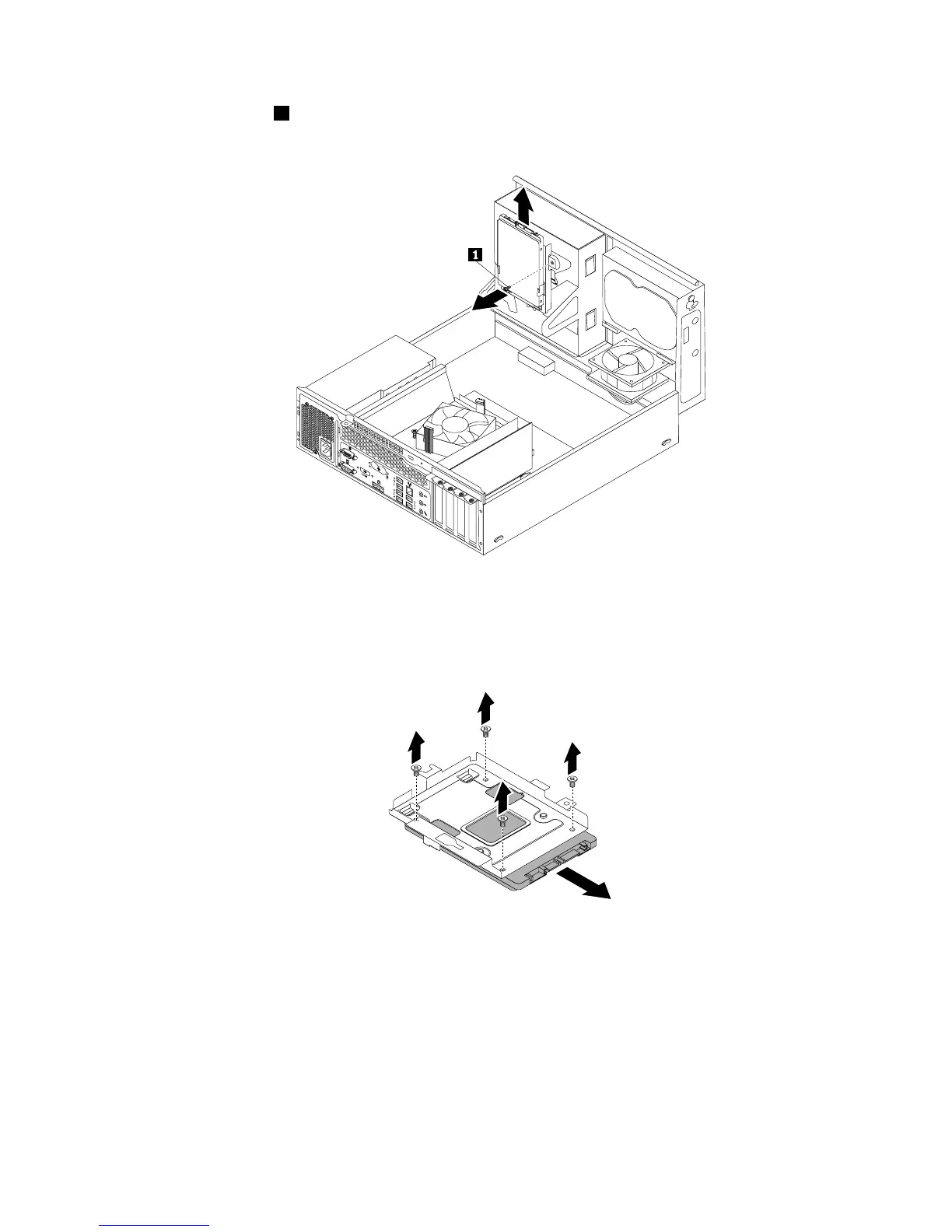
6.Removethescrew1andthencarefullyslidethesolid-statedrivebracketupwardtoremovethebracket
fromthebottomoftheopticaldrivebay.
Figure27.Removingthesolid-statedrivebracket
7.Removethefourscrewsthatsecurethesolid-statedrivetothebracket.Then,slidethedriveasshown
toremoveitfromthebracket.
Figure28.Removingthesolid-statedrivefromthebracket
8.Takethenewsolid-statedriveoutofthestatic-protectivepackage.
Chapter5.Installingorreplacinghardware53












 To Next Page