
 To Next Page
A
AlexeySep 24, 2025
Какие процессоры поддерживает? Полный список.

Какие процессоры поддерживает? Полный список.
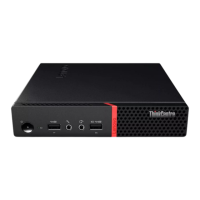
Identifies and describes front-panel components and connectors of the computer.
Identifies and describes rear-panel components and connectors of the computer.
Details the components and connectors on the computer's system board.
Explains the location and purpose of the machine type and model label.
Details power supply wattage and storage drive configurations.
Lists supported video, audio, and input/output features of the computer.
Covers expansion slots and network connectivity options.
Provides information on the computer's physical dimensions and weight.
Explains how to secure the computer cover to prevent unauthorized access.
Describes methods for attaching Kensington-style and standard cable locks.
Provides important notes and precautions before performing hardware replacement.
Outlines precautions to prevent static damage to computer components.
Distinguishes between Customer-Replaceable Units (CRUs) and Field Replaceable Units (FRUs).
Illustrates the locations of various CRUs and FRUs within the computer.
Details replacement procedures for common self-service CRUs.
Details replacement procedures for optional-service CRUs.
Lists and describes procedures for replacing Field Replaceable Units (FRUs).
Provides general instructions and warnings before replacing CRUs.
Instructions for replacing external components like the vertical stand and dust shield.
Step-by-step guide on how to remove the computer's outer cover.
Instructions for removing and replacing the front bezel of the computer.
Procedure for removing and installing an optical drive.
Steps to pivot the drive bay assembly for component access.
Instructions for replacing 3.5-inch and 2.5-inch storage drives.
Guide for removing and installing memory modules (RAM).
Steps for installing and removing PCI Express expansion cards.
Instructions for replacing the wireless network card.
Procedure for replacing the computer's coin-cell battery.
Instructions for replacing M.2 solid-state drives.
Procedure for replacing the bracket that holds the M.2 drive.
Steps for removing and installing the power supply unit.
Final steps to reassemble the computer after component replacement.
Important notes and warnings before replacing FRUs.
Procedure for replacing the internal Wi-Fi antennas.
Steps for removing and installing the internal computer speaker.
Procedure for replacing the illuminated red dot indicator.
Steps for replacing the thermal sensor component.
Procedure for replacing front panel input/output connectors and boards.
Steps to remove and install the heat sink and fan assembly.
Detailed instructions for replacing the CPU.
Procedure for replacing the cover presence switch (intrusion switch).
Comprehensive guide for replacing the main system board.
 General
| Operating System | Windows 10 Pro |
|---|---|
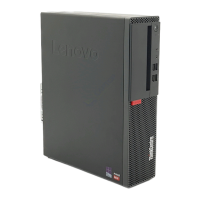
| Form Factor | Small Form Factor (SFF) |
| Network | Gigabit Ethernet |
| Processor | AMD Ryzen 7 PRO |
| RAM | Up to 64 GB DDR4 |
| Storage | 512 GB SSD |
| Graphics | Integrated AMD Radeon Vega Graphics |
| Ports | USB 3.1, USB 2.0, HDMI, DisplayPort, Ethernet |
| Optical Drive | DVD-RW |