EasyManua.ls Logo

Lenovo ThinkCentre M71z - User Manual

Lenovo ThinkCentre M71z
106 pages
Print Icon
To Next Page IconTo Next Page
Loading...
ThinkCentre
UserGuide
MachineTypes:1654,1664,1665,1677,1738,1739,1741,1761,
1762,1763,1782,1837,1938,1942,1962,and1966.

Table of Contents

Other manuals for Lenovo ThinkCentre M71z

Questions and Answers

  • D
    debragarciaAug 19, 2025
    How to fix Lenovo ThinkCentre M71z Desktop that won't turn on?
    • A
      Ashley VargasAug 20, 2025
      If your Lenovo Desktop isn't starting, check these things: Make sure the power cord is properly connected at the back of the computer and plugged into a working outlet. If there's a secondary power switch at the rear, ensure it's on. Check if the power indicator on the front of the computer is lit. Also, verify that the computer's voltage matches what's available at your outlet.
  • T
    Theodore MeltonAug 21, 2025
    Why is my Lenovo ThinkCentre M71z Desktop keyboard not working?
    • K
      Katelyn ShawAug 22, 2025
      If your Lenovo Desktop keyboard isn't working, first ensure that the computer is turned on. Then, verify that the keyboard is securely connected to a USB connector on the computer. Also, check to make sure that no keys are stuck.
  • S
    susanvaughnAug 25, 2025
    How to fix no audio in Windows on Lenovo ThinkCentre M71z?
    • J
      Jason FosterAug 25, 2025
      To troubleshoot no audio in Windows on your Lenovo Desktop: * If using external speakers, ensure they are powered on and connected to a working outlet. * Check the speaker volume control. * Verify that the Mute settings are not checked in the Windows volume control panel. * If your model has a front audio panel, ensure its volume is not too low. * Confirm speakers/headphones are connected to the correct audio connector. * Make sure the program you are using is designed for Windows. * Verify that the audio device drivers are correctly installed.
  • D
    Dr. Sheryl MckenzieAug 26, 2025
    What to do if my Lenovo ThinkCentre M71z monitor screen is blank?
    • K
      Kelly RobertsAug 26, 2025
      If your Lenovo Desktop monitor screen is blank, check the following: Ensure the monitor's power cord is correctly connected to both the monitor and a working electrical outlet. Confirm the monitor is turned on, and that the brightness and contrast controls are properly adjusted. Also, verify that the computer voltage matches the voltage available at the electrical outlet.
  • K
    Kathryn CobbAug 27, 2025
    What to do if my Lenovo ThinkCentre M71z Desktop mouse is not working?
    • T
      Tracey GonzalesAug 27, 2025
      If your Lenovo Desktop mouse isn't working, make sure the computer is turned on. Check that the mouse is securely connected to a USB connector on the computer. Also, ensure the mouse is clean.
  • A
    Amy PerryAug 29, 2025
    What to do if I see a black screen when playing DVD on Lenovo ThinkCentre M71z?
    • L
      lisa93Aug 30, 2025
      If you see a black screen instead of DVD video on your Lenovo Desktop, restart the DVD player program. If that doesn't work, close any open files, turn off the computer, and then restart the computer. You can also try a lower screen resolution or color depth.
  • J
    justin10Aug 31, 2025
    How to troubleshoot wireless keyboard or mouse on Lenovo ThinkCentre M71z Desktop?
    • C
      Calvin LeeSep 1, 2025
      If your wireless keyboard or mouse isn't working on your Lenovo Desktop, verify these things: Ensure the computer is turned on. Check that the batteries in the wireless keyboard or mouse are in good condition. Make sure the wireless configurations are set correctly (refer to the documentation or Windows Help). If your wireless mouse has a dongle, ensure it's properly connected to a USB connector. For the wireless keyboard, check that no keys are stuck and ensure the wireless mouse is clean.
  • W
    williamsjamesSep 2, 2025
    How to fix sound coming from only one speaker on Lenovo Desktop?
    • F
      fraziermichelleSep 2, 2025
      If sound is only coming from one external speaker on your Lenovo Desktop, ensure the speaker cable is fully inserted into the connector on the computer. Also, make sure the cable connecting the left and right speakers is securely connected. Check the Balance settings in the Windows volume control panel.
  • G
    Gregory ColeSep 4, 2025
    Why won't my Lenovo ThinkCentre M71z play DVD movies?
    • K
      karlakhanSep 5, 2025
      If a DVD movie won't play on your Lenovo Desktop, make sure the disc surface is clean and not scratched. Check the disc or package for regional coding to ensure it matches your region.
  • M
    Megan WatersSep 6, 2025
    How to enable audio in DOS games on Lenovo ThinkCentre M71z?
    • A
      Anthony VillegasSep 6, 2025
      Make sure the DOS application or game is configured to use SoundBlaster Pro or SoundBlaster emulation. Refer to the documentation that comes with the application or game for instructions on setting sound-card settings.

Summary

Chapter 1. Product Overview

Product Features and Components

Details on processor, memory, drives, subsystems, I/O, expansion, power, and security features.

Chapter 2. Using Your Computer

Chapter 4. Security

Security Features and Password Management

Overview of security features, cable locks, and password settings.

Chapter 5. Installing or Replacing Hardware

Hardware Installation and Peripheral Replacement

Guides on installing external devices, monitor stand, and replacing keyboards/mice.

Chapter 6. Recovery Information

Recovery Media and Operations

Creating/using recovery media, backup/restore, and rescue workspace.

Chapter 10. Troubleshooting and Diagnostics

Basic Troubleshooting and Procedures

Common symptoms, verification steps, and a systematic troubleshooting approach.

Lenovo ThinkCentre M71z Specifications

General IconGeneral
Tcase69.1 °C
Bus typeDMI
Processor cache3 MB
Processor cores2
Processor modeli3-2120
System bus rate5 GT/s
64-bit computingYes
Processor familyIntel® Core™ i3
Processor seriesIntel Core i3-2100 Desktop Series
Processor socketLGA 1155 (Socket H2)
Processor threads4
Processor codenameSandy Bridge
Processor frequency3.3 GHz
Processor cache typeSmart Cache
Processor lithography32 nm
Processor manufacturerIntel
Processor front side bus- MHz
PCI Express slots version2.0
Processor operating modes64-bit
ECC supported by processorNo
Thermal Design Power (TDP)65 W
CPU multiplier (bus/core ratio)33
Maximum number of PCI Express lanes16
Memory types supported by processorDDR3 1066/1333
Memory channels supported by processorDual
Memory bandwidth supported by processor (max)21 GB/s
Maximum internal memory supported by processor32 GB
Motherboard chipsetIntel® H61
Internal memory4 GB
Memory slots typeDIMM
Memory clock speed1333 MHz
Internal memory typeDDR3-SDRAM
Maximum internal memory8 GB
Memory layout (slots x size)1 x 4 GB
HDD speed7200 RPM
HDD interfaceSATA
Storage mediaHDD
Optical drive typeDVD±RW
Total storage capacity250 GB
Compatible memory cardsSD
Number of storage drives installed1
HDMI in0
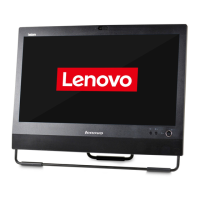
Chassis typeAll-in-One
Power supply150 W
Audio adapter typeRealtek ALC269Q
Headphone connectivity3.5 mm
Ethernet interface typeGigabit Ethernet
Keyboard number of keys104
Storage drive interfaceSerial ATA
Display diagonal (metric)50.8 cm
Copper ethernet cabling technology1000BASE-T, 100BASE-TX, 10BASE-T
Display diagonal20 \
Display brightness250 cd/m²
Display resolution1600 x 900 pixels
Native aspect ratio16:9
Contrast ratio (typical)1000:1
On-board graphics card ID0x102
Discrete graphics card model-
On-board graphics card modelIntel® HD Graphics 2000
On-board graphics card familyIntel® HD Graphics
On-board graphics card base frequency850 MHz
On-board graphics card dynamic frequency (max)1100 MHz
Total megapixels2 MP
Audio systemHD
RMS rated power4 W
Wi-Fi standards802.11b, 802.11g, Wi-Fi 4 (802.11n)
Ethernet LAN data rates10, 100, 1000 Mbit/s
USB 2.0 ports quantity6
Product colorBlack
Bundled softwareRescue and Recovery ThinkVantage System Update ThinkVantage Power Manager ThinkVantage Toolbox Norton Internet Security 2011 Adobe Reader Skype f/ Windows MicrosoftOffice 2010 Corel Burn.Now (DVD±RW) Corel DVD MovieFactory (DVD±RW) Corel WinDVD (DVD±RW)
Operating system installedWindows 7 Professional
CertificationTCO GREENGUARD Climate Saver
Sustainability certificatesRoHS, EPEAT Gold, ENERGY STAR
Processor ARK ID53426
Processor package size37.5 x 37.5 mm
Supported instruction setsAVX
Intel Identity Protection Technology version1.00
Weight and Dimensions IconWeight and Dimensions
Depth (with stand)101 mm
Width (with stand)507 mm
Height (with stand)411 mm
Weight (with stand)7500 g

Related product manuals