ConnectorDescription
Ethernetconnector
UsedtoattachanEthernetcableforalocalareanetwork(LAN).
Note:TooperatethecomputerwithinFCCClassBlimits,useaCategory5Ethernet
cable.
USBconnectorUsedtoattachadevicethatrequiresaUSBconnector,suchasaUSBkeyboard,a
USBmouse,aUSBscanner,oraUSBprinter.IfyouhavemorethansixUSB
devices,youcanpurchaseaUSBhub,whichyoucanusetoconnectadditional
USBdevices.
Microphoneconnector
Usedtoattachamicrophonetoyourcomputerwhenyouwanttorecordsoundorif
youusespeech-recognitionsoftware.
DisplayPortoutconnector
Usedtoattachahigh-performancemonitor,adirect-drivemonitor,orotherdevices
thatuseaDisplayPortconnector.
Serialport
Usedtoattachanexternalmodem,aserialprinter,orotherdevicesthatusea
9-pinserialport.
10ThinkCentreUserGuide
Adjustingthecomputerstand
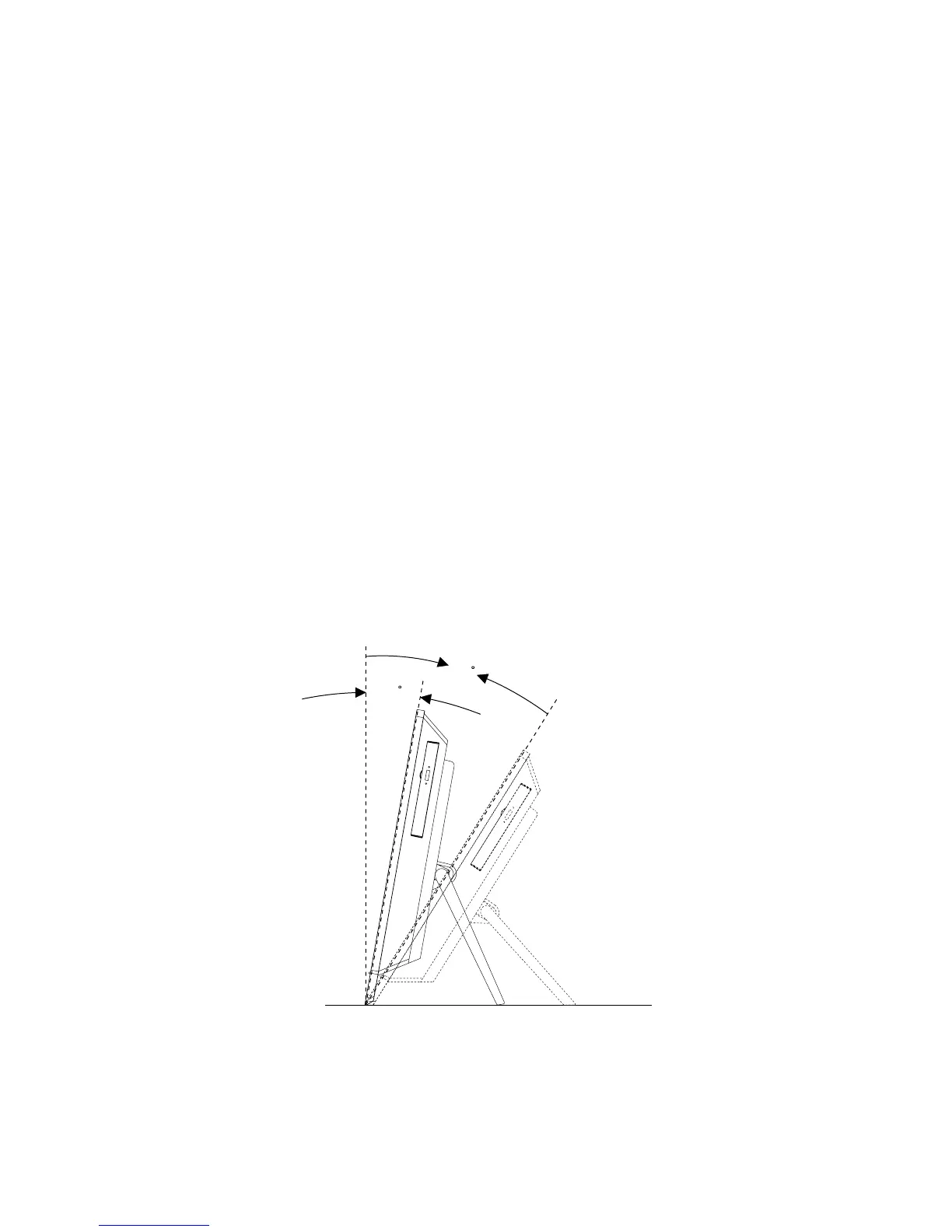
Yourcomputercomeswithacomputerstandthatyoucanusetoadjustthecomputertoyourcomfortable
position.Pullthestandopenandadjustthepositionofthecomputeratananglebetween11°to32°
asshowninthefollowingillustration.
CAUTION:
Makesurethattheangleisatleast11°fromthevertical;otherwise,thecomputermightbeunstable
andfallover.
11
32
Figure3.Adjustingthecomputerstand















 To Next Page