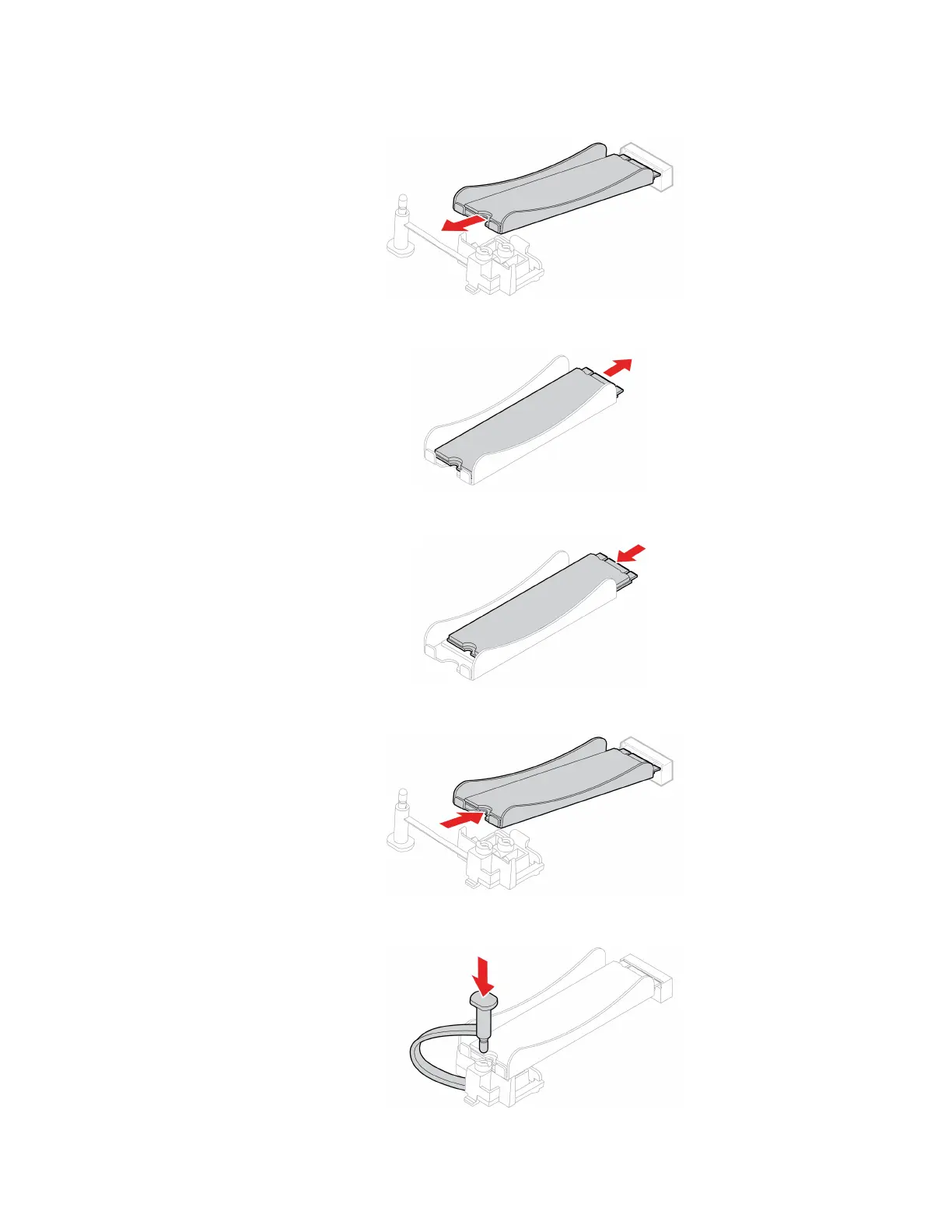
b. Remove the heat sink with the M.2 solid-state drive.
c. Remove the M.2 solid-state drive.
d. Remove the film that covers the thermal pad, if any. Then, install the M.2 solid-state drive.
e. Install the heat sink with the M.2 solid-state drive.
f. Insert the stopper.
Chapter 7. CRU replacement 57











 To Next Page