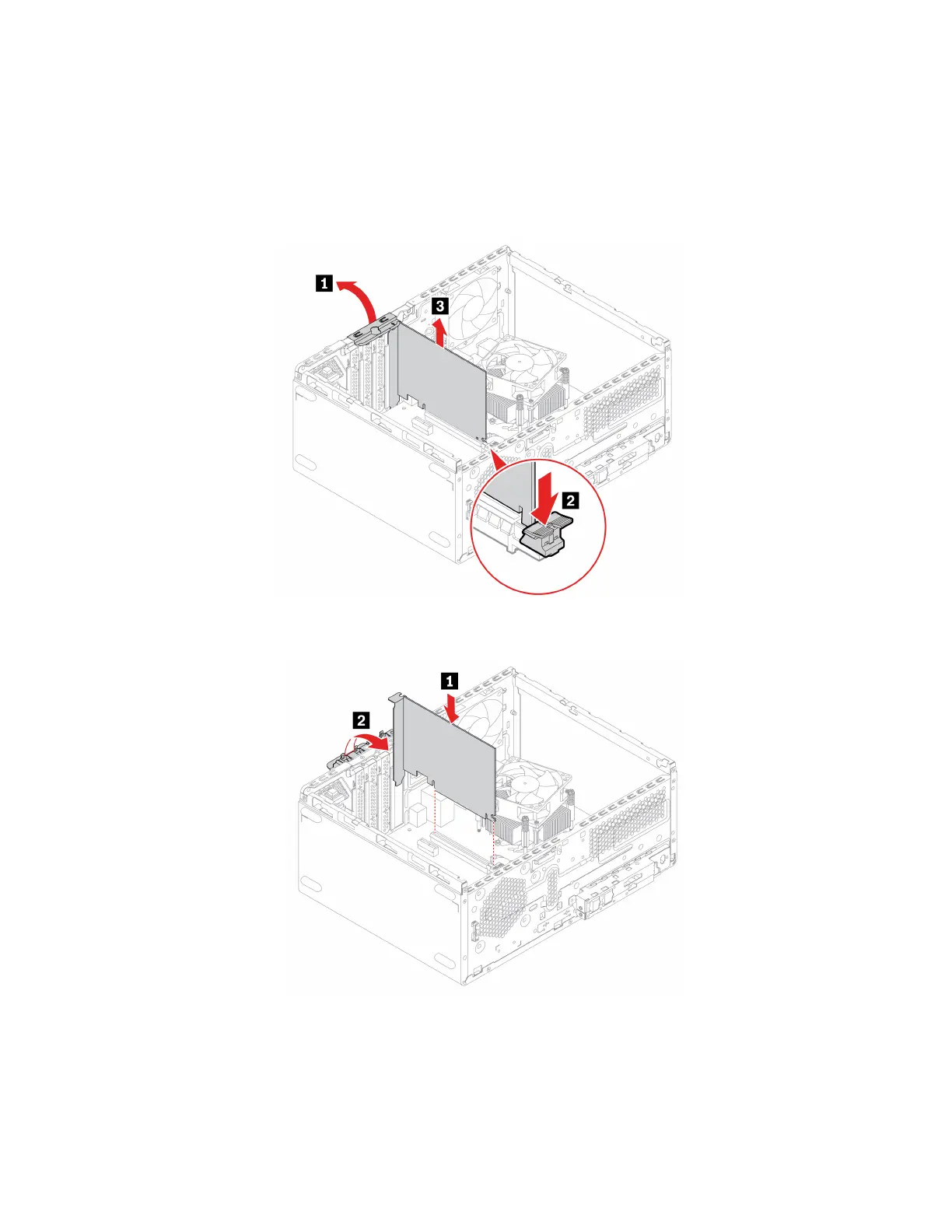
Replacement procedure
1. Remove the computer cover. See “Computer cover” on page 44.
2. Remove the front bezel. See “Front bezel” on page 45.
3. Remove the drive bay assembly. See “Drive bay assembly” on page 48.
4. Remove the PCI-Express card.
5. Remove the PCI-Express connector cable, if any. See “PCI-Express connector cable” on page 60. Then,
install the PCI Express card.
6. Reinstall all the removed parts. Then, reconnect the power cord and all disconnected cables to the
computer.
62
M70t and M80t User Guide








 To Next Page