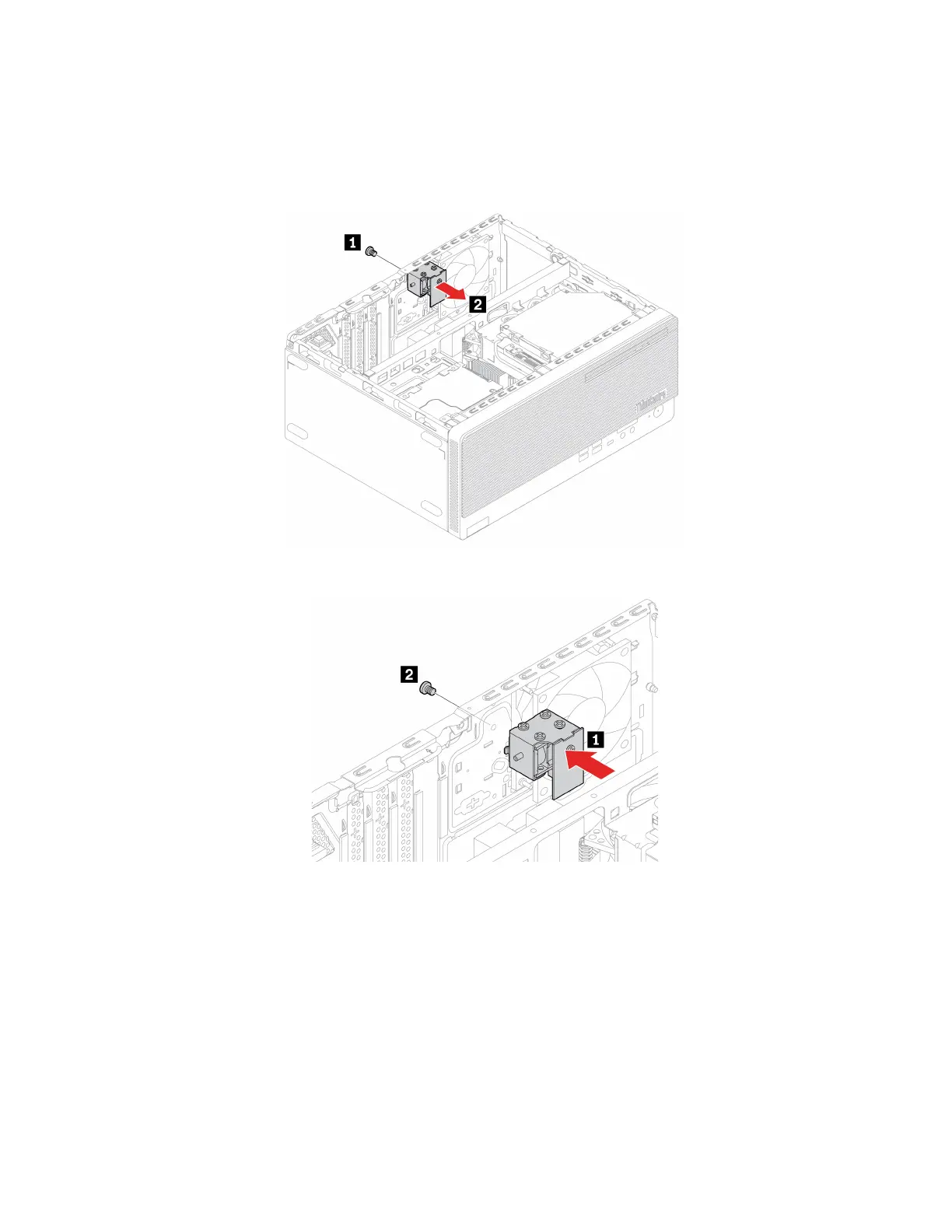
Note: To remove the screws, you need a special tool (T15 star wrench).
1. Remove the computer cover. See “Computer cover” on page 44.
2. Disconnect the E-lock cable from the system board.
3. Remove the E-lock.
4. Install the E-lock.
5. Connect the E-lock cable to the system board.
6. Reinstall all the removed parts. Then, reconnect the power cord and all disconnected cables to the
computer.
66
M70t and M80t User Guide









 To Next Page