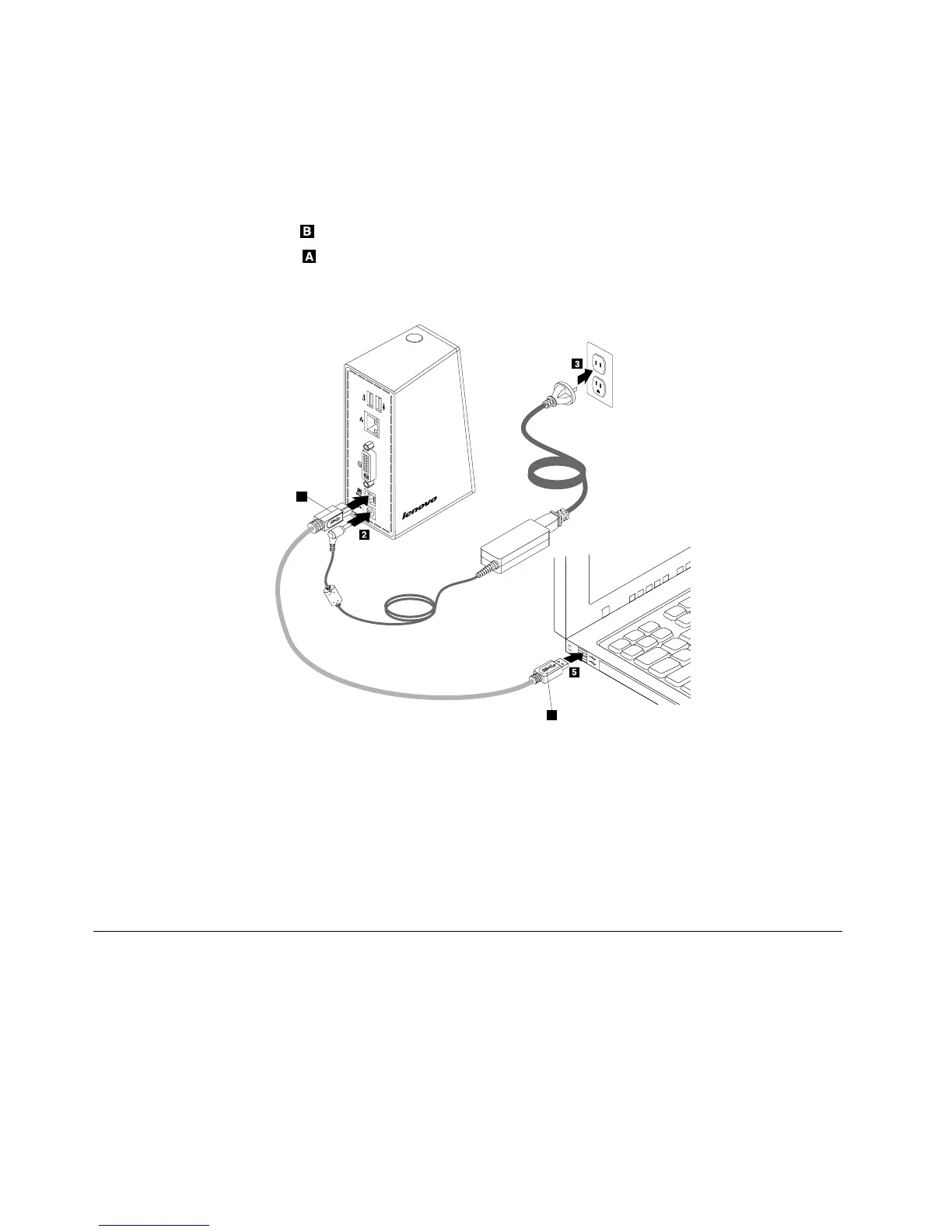
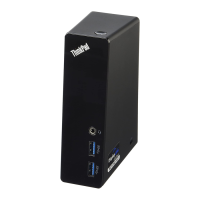
2.Connectthedc-inconnectorofthepoweradaptertothedock.
3.Connectthepowerplugofthepowercordtoanelectricaloutlet.Pressthepowerbuttontoturnon
thedock.
Note:Besuretocorrectlyconnectthedocktothepowersupply.Ifthedockisnotturnedon,youwill
notbeabletousethedock.
4.ConnecttheUSBBplugoftheUSB3.0cabletotheUSB3.0connectoronthedock.
5.ConnecttheUSBAplugoftheUSB3.0cabletoanavailableUSBconnectoronthenotebook
computer.
Figure3.Connectingthedocktothepowersupplyandnotebookcomputer
Notes:
•Thedockwillnotsupplypowertothenotebookcomputerduringthetimewhenitisconnectedtothe
notebookcomputer.
•ConnectingthedocktoanyconnectorotherthanaUSB3.0connectororusinganyUSBcableother
thanaUSB3.0cablemightimpactonthedockperformance,especiallythevideoplaybackandEthernet
performance.However,thesupportedmaximumresolutionwillnotbereduced.
InstallingthedevicedriveronWindowsoperatingsystems
Afteryouhaveconnectedthedocktoyournotebookcomputer,youcaninstallthedevicedriver.
6UserGuide







 To Next Page