Locatingconnectorsandcontrolsonthedock
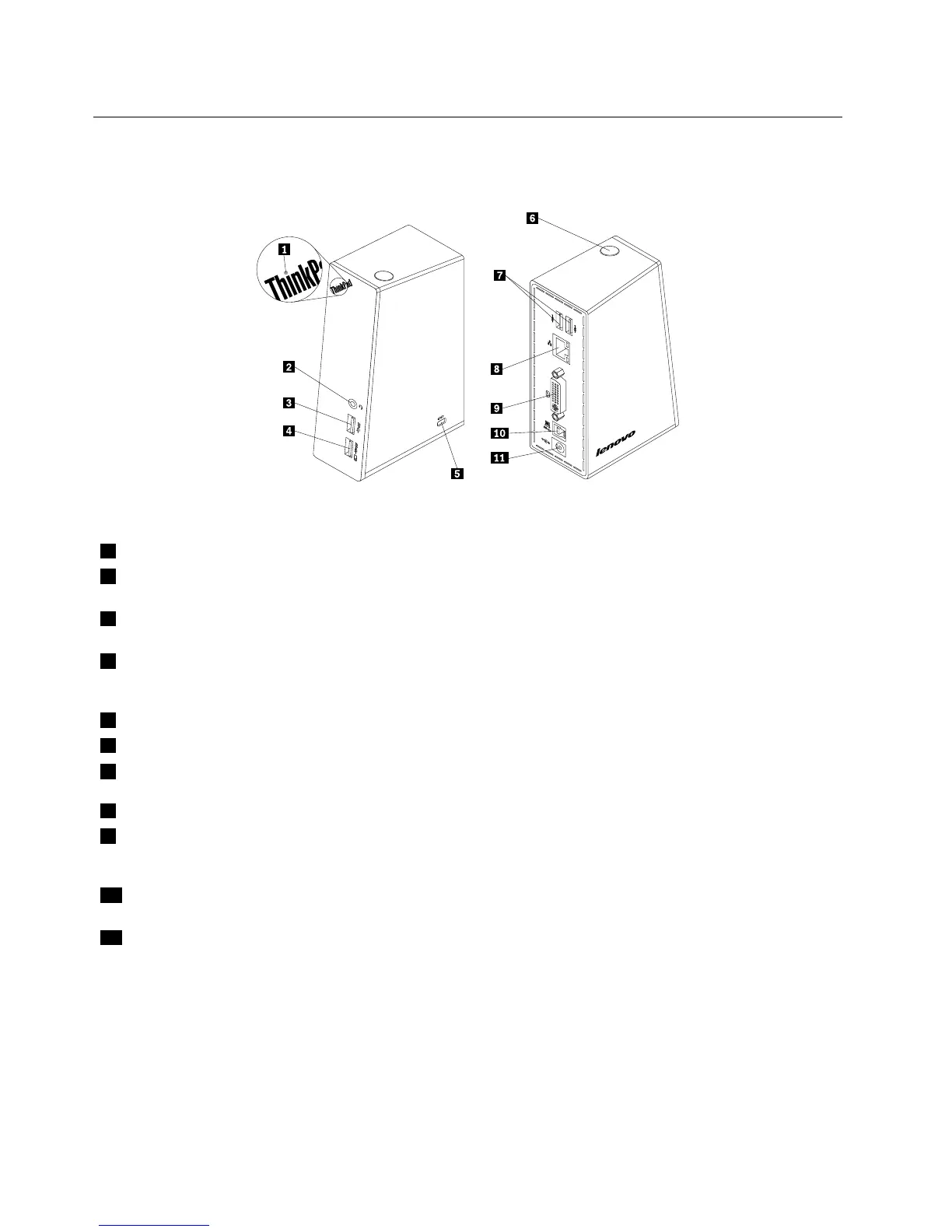
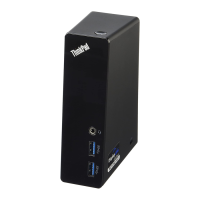
Thefollowingillustrationhelpsyoulocatetheconnectorsandcontrolsonthedock.
Figure1.Overviewofthedock
1PowerandconnectionindicatorUsedtoindicatewhetherthedockisturnedonnormally.
2Headsetandmicrophonecombo
connector
Usedtoconnectamicrophone,aheadset,oraspeaker.
3USB3.0connectorUsedtoconnectUSBdevices(USB1.0,USB1.1,USB2.0,andUSB3.0
compatible).
4USB3.0connectorwithbattery
chargingfunction
UsedtoconnectUSBdevices(USB1.0,USB1.1,USB2.0,andUSB3.0
compatible).Youalsocanusethisconnectortochargedevicesevenwhenthe
dockisdisconnectedfromyournotebookcomputer.
5Security-lockslot
Usedtosecurethedockthroughasecuritycablelock.
6Powerbutton
Usedtoturnonorturnoffthedock.
7USB2.0connectorUsedtoconnectUSBdevices(USB1.0,USB1.1,andUSB2.0compatible).
8GigabitEthernetconnectorUsedtoconnectalocalareanetwork(LAN)cable.
9DVI-IvideooutputconnectorUsedtoconnectanexternalmonitorwithaDVIcable.Youalsocanconnect
aDVI-ItoVGAadaptertotheDVI-Ivideooutputconnector,andconnectthe
externalmonitorwithaVGAcabletotheDVI-ItoVGAadapter.
10USB3.0upstreamconnector
Usedtoconnectanotebookcomputer.
11PowerconnectorUsedtoconnectthepoweradapter.
2UserGuide







 To Next Page