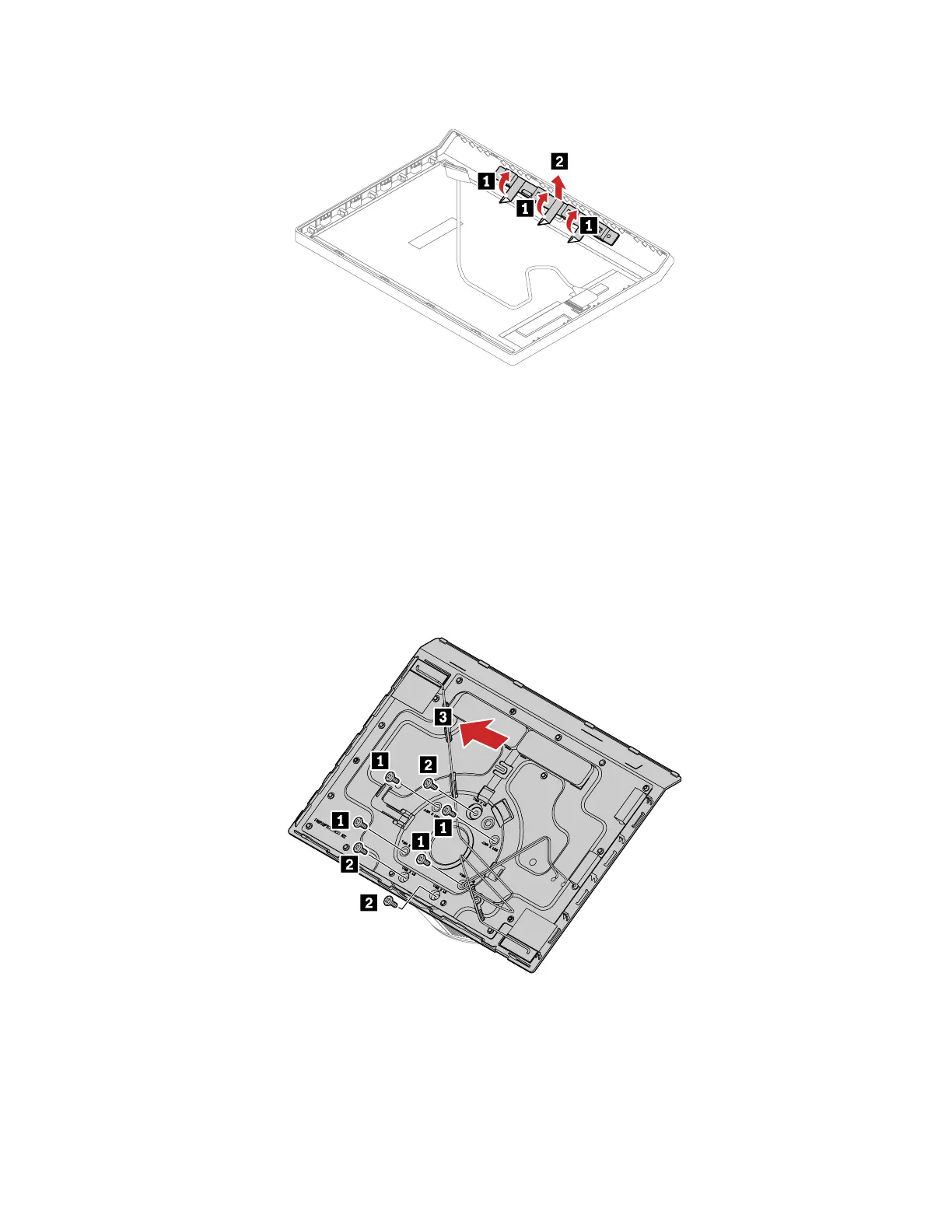
Removal step
LCD back cover
Prerequisite
Before you start, read Chapter 1 “Important safety information” on page 1 and print the following
instructions.
For access, remove the following FRUs:
• “Mechanical chassis” on page 64
• “LCD panel” on page 65
Removal step
Wi-Fi antenna cables
Prerequisite
Before you start, read Chapter 1 “Important safety information” on page 1 and print the following
instructions.
Chapter 6. Hardware removal and installation 67




 To Next Page