@Copyright Lenovo 2010 1
Chapter 1. Overview
ITadministratorsarealwayslookingforeasierwaysto manage
clientcomputerBIOSsettings,whichincludehardwaresettings
andbootorder.TheLenovoBIOSWMIinterfaceprovidesa
simplifiedwaytochangethesesettings.Lenovohasdevelopeda
BIOSinterfacethatcanbemanipulatedthroughWindows
ManagementInstrumentation(WMI).TheLenovo
BIOSWMI
interfaceenablesITadministratorstomakequeriesoncurrent
BIOSsettings,restoresettingstotheirfactorydefaults,change
singlesettings,andmodifythebootordereitherat client
computersorremotely.
Using Windows Management Instrumentation
WMIisprovidedasastandardfeatureinmostWindows
®
operating
systems.Itprovidesa powerfulsetof functions,suchas
query‐basedinformationretrievalandeventnotification,which
enablesuserstomanagebothlocalandremotecomputers.The
LenovoBIOSWMIinterfaceextendsthecapabilitiesof WMIto
allowmanagementofBIOSsettings.
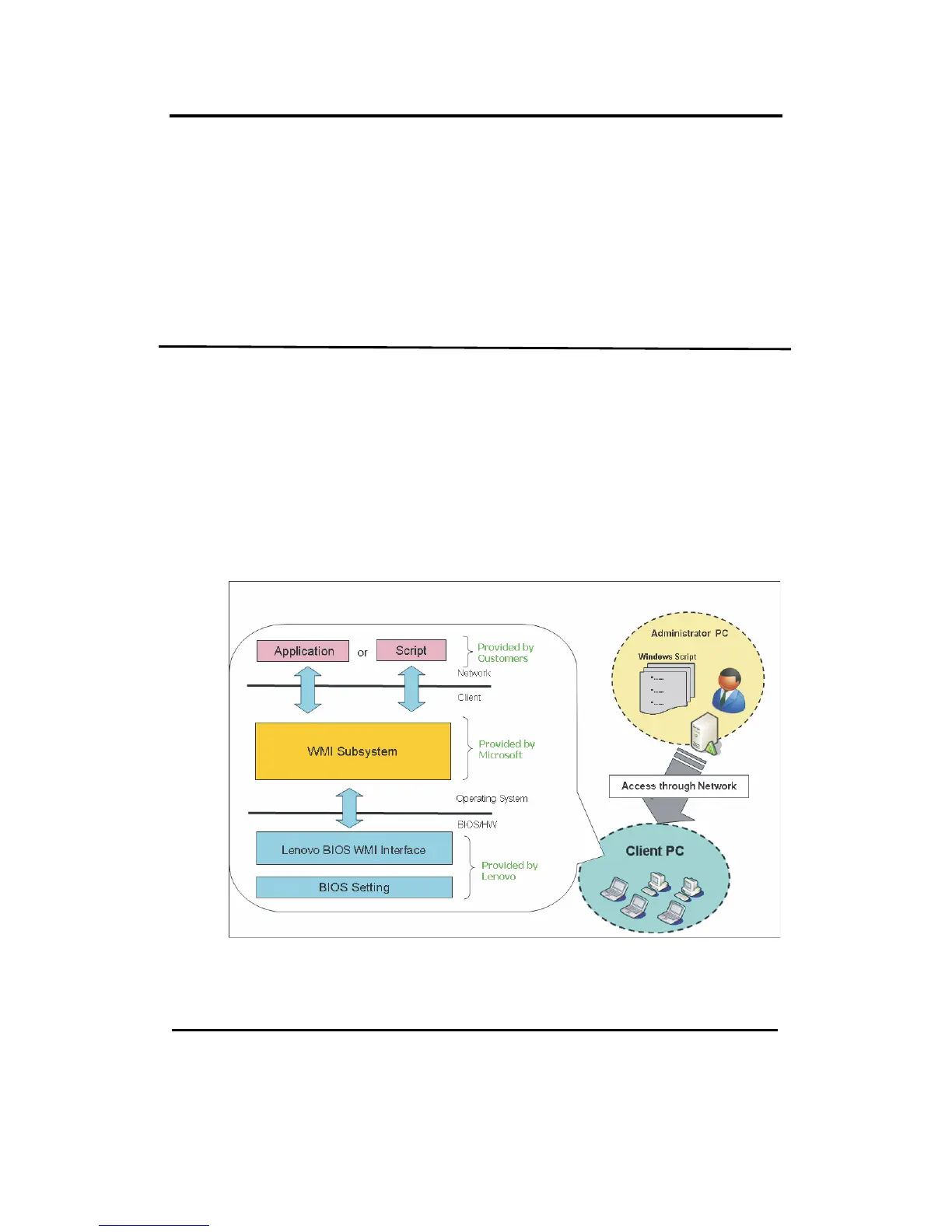
ThefollowingillustrationshowshowWMIcanbeusedtoaccess
LenovoBIOSsettings.
WMIusesWindowsScriptHost(WSH)to interpretscripts.Youcan
writeyourscriptsineitherWindowsVisualBasicScriptingEdition
(VBScript)orJavaScript.
Key benefits
TheLenovoBIOSWMIinterfaceprovidesthefollowingbenefits:



 To Next Page
 Loading...












