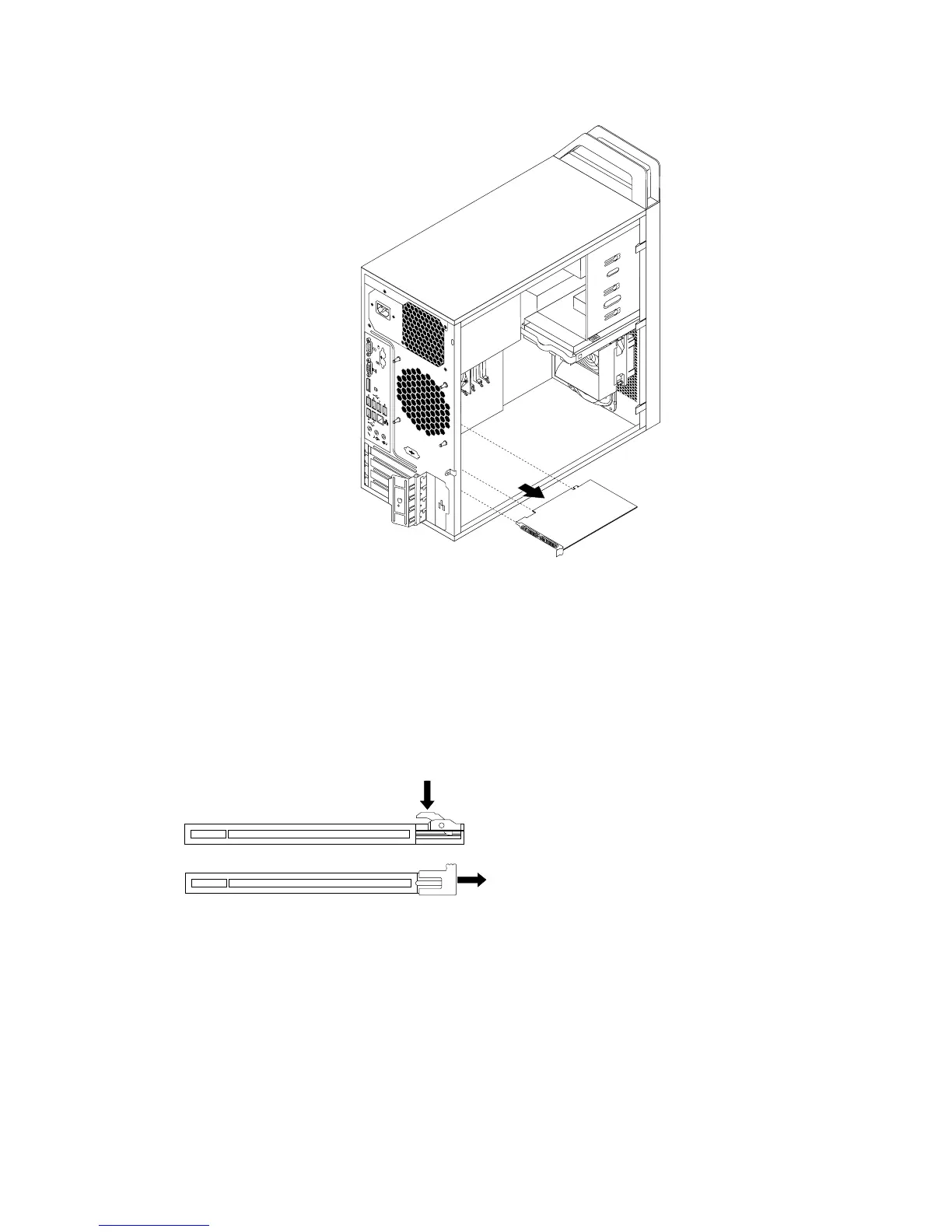
Figure12.RemovingaPCIcard
Notes:
a.Thecardtstightlyintothecardslot.Ifnecessary,alternatemovingeachsideofthecardasmall
amountuntilitisremovedfromthecardslot.
b.Ifthecardisheldinplacebyaretaininglatch,disengagethecardretaininglatchineitherofthe
twowaysillustrated,dependingontheretaininglatchonthePCIcardslot.Graspthecardand
gentlypullitoutoftheslot.
Figure13.Disengagingthecardretaininglatch
5.RemovethenewPCIcardfromitsstatic-protectivepackage.
6.Installthenewcardintotheappropriateslotonthesystemboard.See“Locatingpartsonthesystem
board”onpage11.
Note:IfyouareinstallingaPCIExpressx16graphicscard,makesurethememoryslotretainingclips
areclosedbeforeyouinstallthegraphicscard.
Chapter4.Installingorreplacinghardware29














 To Next Page