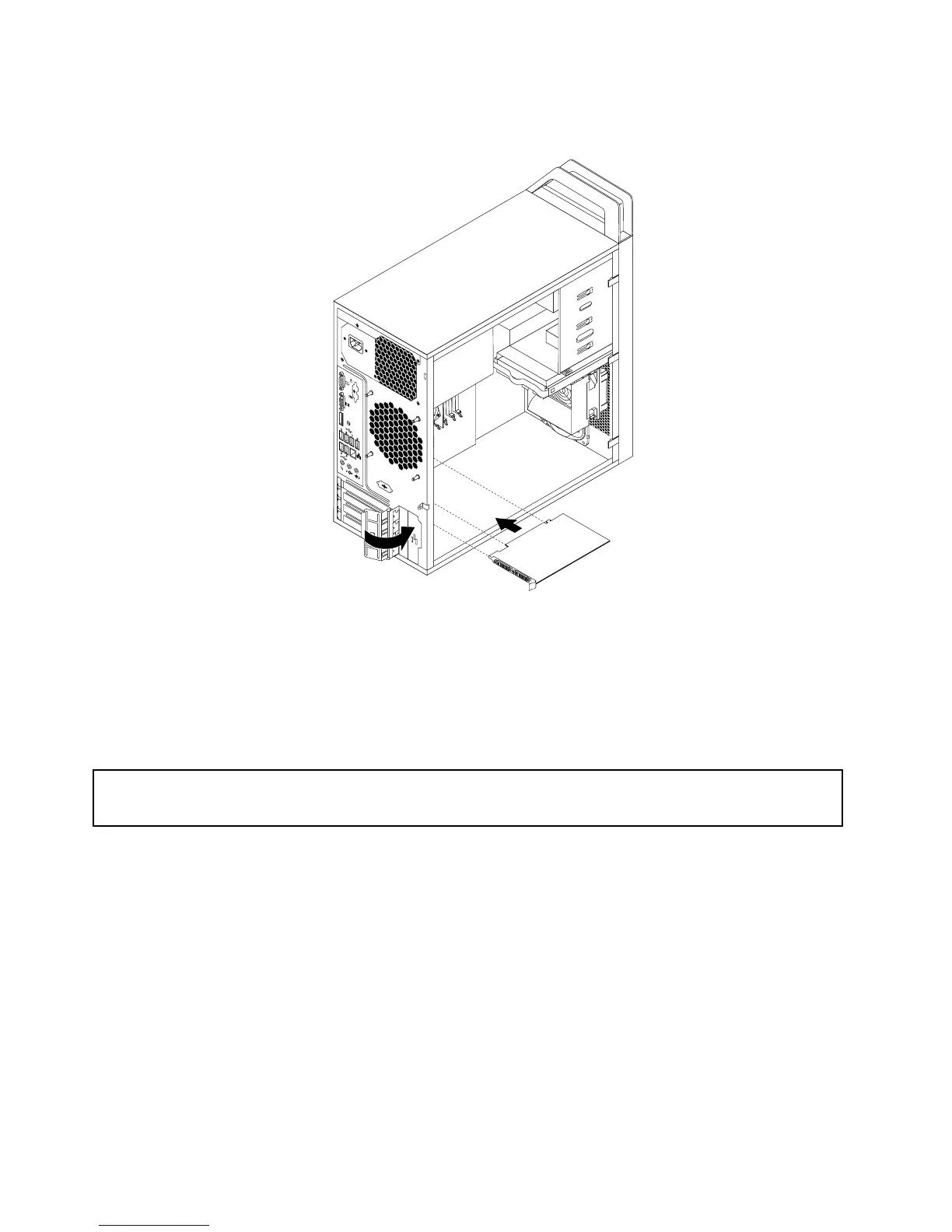
7.PivotthecardlatchtotheclosedpositiontosecurethePCIcard.
Figure14.InstallingaPCIcard
Whattodonext:
•Toworkwithanotherpieceofhardware,gototheappropriatesection.
•Tocompletetheinstallationorreplacement,goto“Completingthepartsreplacement”onpage49.
Installingorreplacingamemorymodule
Attention:
Donotopenyourcomputerorattemptanyrepairbeforereadingandunderstandingthe“Importantsafetyinformation”
onpageiii.
Thissectionprovidesinstructionsonhowtoinstallorreplaceamemorymodule.
YourcomputerhasfourslotsforinstallingorreplacingDDR3UDIMMsthatprovideuptoamaximumof32
GBsystemmemory.Wheninstallingorreplacingamemorymodule,usethefollowingguidelines:
•Use1GB,2GB,4GB,or8GBDDR3UDIMMsinanycombinationuptoamaximumof32GB.
•InstallmemorymodulesinthesequenceofDIMM2,DIMM4,DIMM1,andDIMM3.See“Locating
partsonthesystemboard”onpage11
.
Toinstallorreplaceamemorymodule,dothefollowing:
1.Turnoffthecomputeranddisconnectallpowercordsfromelectricaloutlets.
2.Removethecomputercover.See“Removingthecomputercover”onpage26.
3.Laythecomputeronitssideforeasieraccesstothesystemboard.
4.Locatethememoryslots.See“Locatingpartsonthesystemboard”onpage11.
30ThinkStationUserGuide














 To Next Page