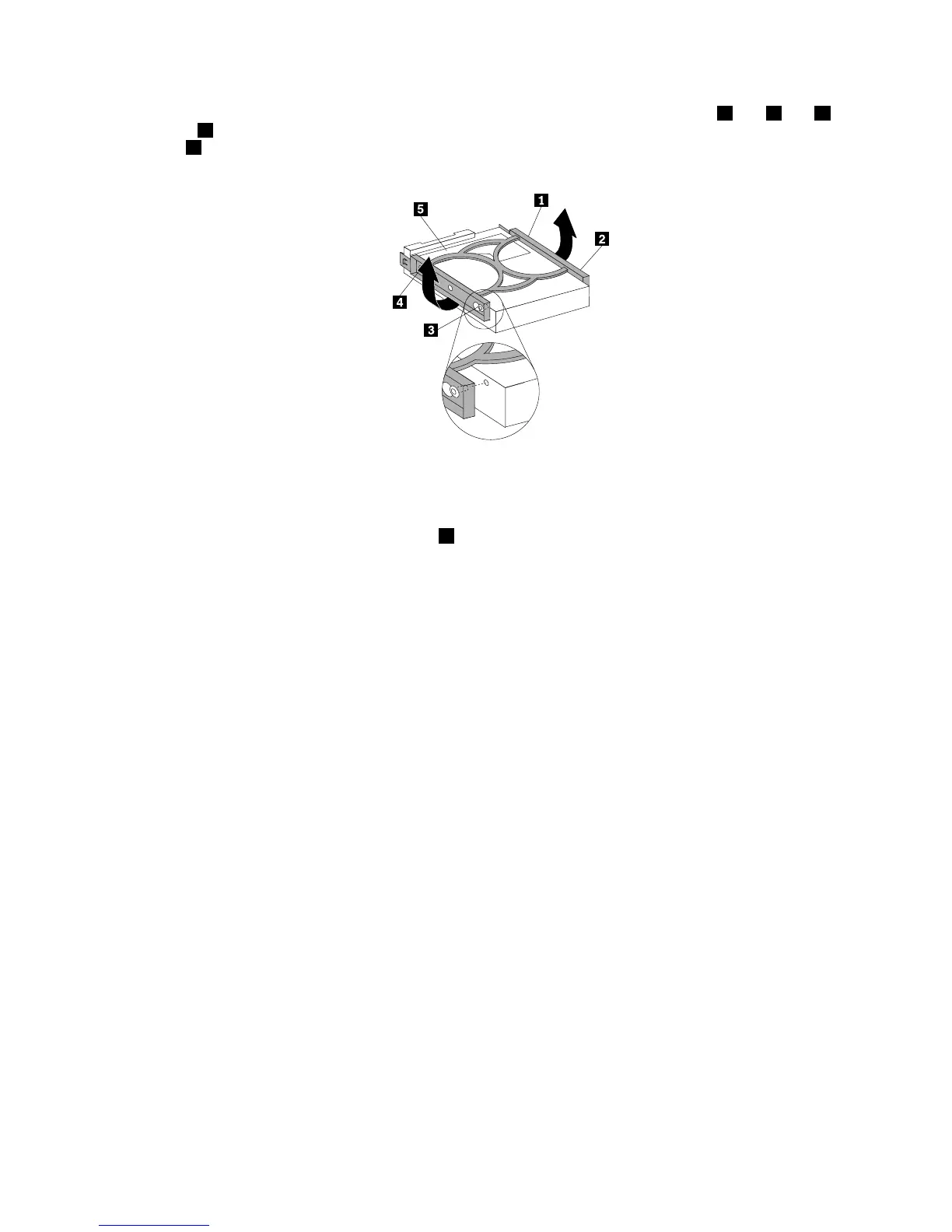
9.Toinstallanewharddiskdriveintothebluebracket,exthebracketandalignpin1,pin2,pin3,
andpin4onthebracketwiththecorrespondingholesintheharddiskdrive.Donottouchthecircuit
board5onthebottomoftheharddiskdrive.
Figure27.Installingtheharddiskdriveintothebracket
10.Slidethenewharddiskdriveintothedrivecageuntilitsnapsintoposition.
11.Alignthedrivecagepivotpinwiththeslot1intheupperdrivecageandslidetheharddiskdrive
cageintothechassis.
12.Connectthesignalcableandthepowercabletothenewharddiskdrive.
Chapter4.Installingorreplacinghardware41














 To Next Page