
 Need help?
Do you have a question about the Lenovo ThinkSystem SR250 and is the answer not in the manual?
Overview of server front and rear views, detailing components like drive bays, connectors, and operator panels.
Step-by-step guide for setting up the Lenovo ThinkSystem SR250 server, including installation and configuration.
Detailed physical specifications including height, width, depth, and weight for the Lenovo ThinkSystem SR250.
Information on supported processors and memory configurations, including types and capacities for the server.
Details on the various node expansion bay configurations available for the server, such as HDD and NVMe drive bays.
Provides links and QR codes to various Lenovo support resources, including documentation, forums, and advisories.
The Lenovo ThinkSystem SR250 is a versatile and compact server designed for various business environments, offering robust performance and flexible configuration options. This quick start guide provides essential information for setting up and understanding the server's key features, from its physical layout to initial system configuration.
The ThinkSystem SR250 serves as a foundational computing platform, capable of handling a range of workloads. It is built to support Intel multi-core processors from the Core, Pentium, Celeron, or Xeon E families, providing ample processing power for applications such as web serving, virtualization, data analytics, and small-to-medium business operations. The server's design emphasizes expandability and reliability, making it suitable for environments where space is a premium but performance is critical. It integrates essential components for network connectivity, data storage, and remote management, ensuring smooth operation and easy administration. The server's architecture supports various storage configurations, including simple-swap and hot-swap drive bays, allowing users to tailor storage capacity and performance to their specific needs. Its ability to accommodate multiple PCIe slots further enhances its versatility, enabling the addition of specialized network cards, storage controllers, or other expansion cards.
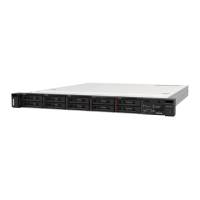
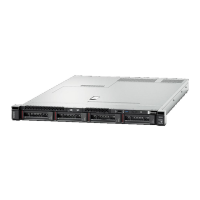
The ThinkSystem SR250 is designed for ease of use and flexibility. The front panel of the server provides convenient access to essential ports and indicators. For models with four drives, the front panel includes a VGA connector (optional), USB 2.0 and USB 3.1 Gen 1 connectors for peripheral attachment, and a front operator panel for status monitoring and basic control. The drive bays (0-3) are easily accessible, and rack release latches facilitate quick installation and removal from a server rack. For models supporting ten 2.5-inch hot-swap drives, the front panel similarly offers USB 2.0 and USB 3.1 Gen 1 connectors, an optional VGA connector, and a front operator panel, alongside the ten hot-swap drive bays (0-9) and rack release latches. This design ensures that users can readily connect necessary devices and manage storage without extensive effort.
The rear view of the server, particularly the fixed power supply model, reveals a comprehensive set of connectivity options. It features PCIe slots (1 and 2) for expansion cards, a power connector, and USB 3.1 Gen 2 connectors for high-speed data transfer. Network connectivity is robust, with Ethernet connector 1 (shared with the XCC network port) and Ethernet connector 2. A dedicated XClarity Controller (XCC) network connector provides out-of-band management capabilities, allowing administrators to monitor and manage the server remotely, even if the operating system is unresponsive. A VGA connector and a serial connector complete the rear panel, offering traditional display and console access. For redundant power supply models, the server includes two power connectors, enhancing reliability by providing a failover mechanism in case one power supply fails. The modular design of the server, with its various drive bay configurations (four 2.5/3.5-inch simple-swap, eight 2.5-inch hot-swap with two NVMe, eight 2.5-inch hot-swap, ten 2.5-inch hot-swap, or four 3.5-inch hot-swap), allows users to select the storage solution that best fits their application requirements, balancing capacity, performance, and cost.
Setting up the system involves a straightforward process. First, users need to install any required solution components, such as additional memory or expansion cards. Next, the server enclosure is installed into a rack, following the instructions provided in the Rack Installation Guide that accompanies the rail kit. Once physically installed, cables are connected, including power, network, and any necessary peripherals. A crucial step is connecting the management controller (XCC) to the network, which enables remote management capabilities. After these connections are made, the nodes can be powered on, and the system can be configured. Detailed information on installing hardware options and configuring the system is available on the Lenovo website, providing comprehensive guidance for advanced setup and customization.
The ThinkSystem SR250 is designed with maintenance and reliability in mind. The use of hot-swap drive bays in many configurations allows for the replacement of faulty drives without powering down the server, minimizing downtime and ensuring continuous operation. This feature is particularly beneficial in mission-critical environments where data availability is paramount. The rack release latches on both front panel configurations simplify the process of removing the server from the rack for internal maintenance or upgrades, making physical access efficient.
The dedicated XClarity Controller (XCC) network connector is a cornerstone of the server's maintenance capabilities. It provides advanced remote management features, allowing administrators to monitor server health, perform diagnostics, update firmware, and even power cycle the server from a remote location. This out-of-band management significantly reduces the need for physical presence at the data center, streamlining maintenance tasks and improving response times to potential issues. The XCC also provides detailed logging and alerting, helping administrators proactively identify and address problems before they impact service.
The server's support for error correcting code (ECC) memory enhances data integrity and system stability. ECC memory can detect and correct common types of internal data corruption, reducing the likelihood of system crashes and data errors, which is vital for applications requiring high reliability. The availability of comprehensive support resources, including the Lenovo Press for product guides and white papers, Lenovo Datacenter Systems Forums for community support, and Lenovo Support for drivers and software, ensures that users have access to the information and assistance needed for ongoing maintenance and troubleshooting. Furthermore, the Lenovo Product Security Advisories and Lenovo Server Proven (compatibility information) resources help users stay informed about security updates and ensure that any hardware additions are compatible with the server, contributing to a stable and secure computing environment. The overall design, from accessible components to robust remote management, aims to simplify maintenance and maximize the operational uptime of the ThinkSystem SR250.
 General
| Bus type | DMI3 |
|---|---|
| Tjunction | 100 °C |
| Scalability | 1S |
| Processor cache | 8 MB |
| Processor cores | 4 |
| Processor model | E-2124G |
| System bus rate | 8 GT/s |
| Processor socket | LGA 1151 (Socket H4) |
| Processor codename | Coffee Lake |
| Processor frequency | 3.4 GHz |
| Processor cache type | Smart Cache |
| Processor lithography | 14 nm |
| Processor manufacturer | Intel |
| Processor package size | 37.5 x 37.5 mm |
| Processor boost frequency | 4.5 GHz |
| Processor operating modes | 64-bit |
| Embedded options available | Yes |
| PCI Express configurations | 1x16, 2x8, 1x8+2x4 |
| Supported instruction sets | AVX 2.0, SSE4.1, SSE4.2 |
| Thermal Design Power (TDP) | 71 W |
| Number of processors installed | 1 |
| Maximum number of PCI Express lanes | 16 |
| Memory types supported by processor | DDR4-SDRAM |
| Memory channels supported by processor | Dual |
| Memory clock speeds supported by processor | 2666 MHz |
| Memory bandwidth supported by processor (max) | 41.6 GB/s |
| Maximum internal memory supported by processor | 128 GB |
| On-board graphics card ID | 0x3E96 |
| On-board graphics card model | Intel UHD Graphics P630 |
| On-board graphics card family | Intel® UHD Graphics |
| On-board graphics card OpenGL version | 4.5 |
| On-board graphics card base frequency | 350 MHz |
| On-board graphics card DirectX version | 12.0 |
| On-board graphics card dynamic frequency (max) | 1150 MHz |
| Number of displays supported (on-board graphics) | 3 |
| Processor ARK ID | 134854 |
| Intel Secure Key Technology version | 1.00 |
| Intel® Hyper Threading Technology (Intel® HT Technology) | No |
| Internal memory | 8 GB |
| Maximum internal memory | 64 GB |
| Memory layout (slots x size) | 1 x 8 GB |
| HDD size | - \ |
| HDD interface | - |
| Supported HDD sizes | 2.5 \ |
| Total storage capacity | 0 GB |
| Number of HDDs installed | 0 |
| Number of HDDs supported | 8 |
| Supported storage drive interfaces | SAS, Serial ATA III |
| Power supply | 450 W |
| Cabling technology | 10/100/1000Base-T(X) |
| Ethernet interface type | Gigabit Ethernet |
| USB 2.0 ports quantity | USB 2.0 ports have a data transmission speed of 480 Mbps, and are backwards compatible with USB 1.1 ports. You can connect all kinds of peripheral devices to them. |
| Chassis type | Rack (1U) |
| Product color | Black |
| Management platform | XClarity Enterprise |
| Trusted Platform Module (TPM) version | 1.2 |
| Compatible operating systems | Microsoft, Red Hat, SUSE, VMware ESXi |
| PCI Express slots version | 3.0 |
 Weight and Dimensions
| Depth | 497.8 mm |
|---|---|
| Width | 434.6 mm |
| Height | 43 mm |











 To Next Page


