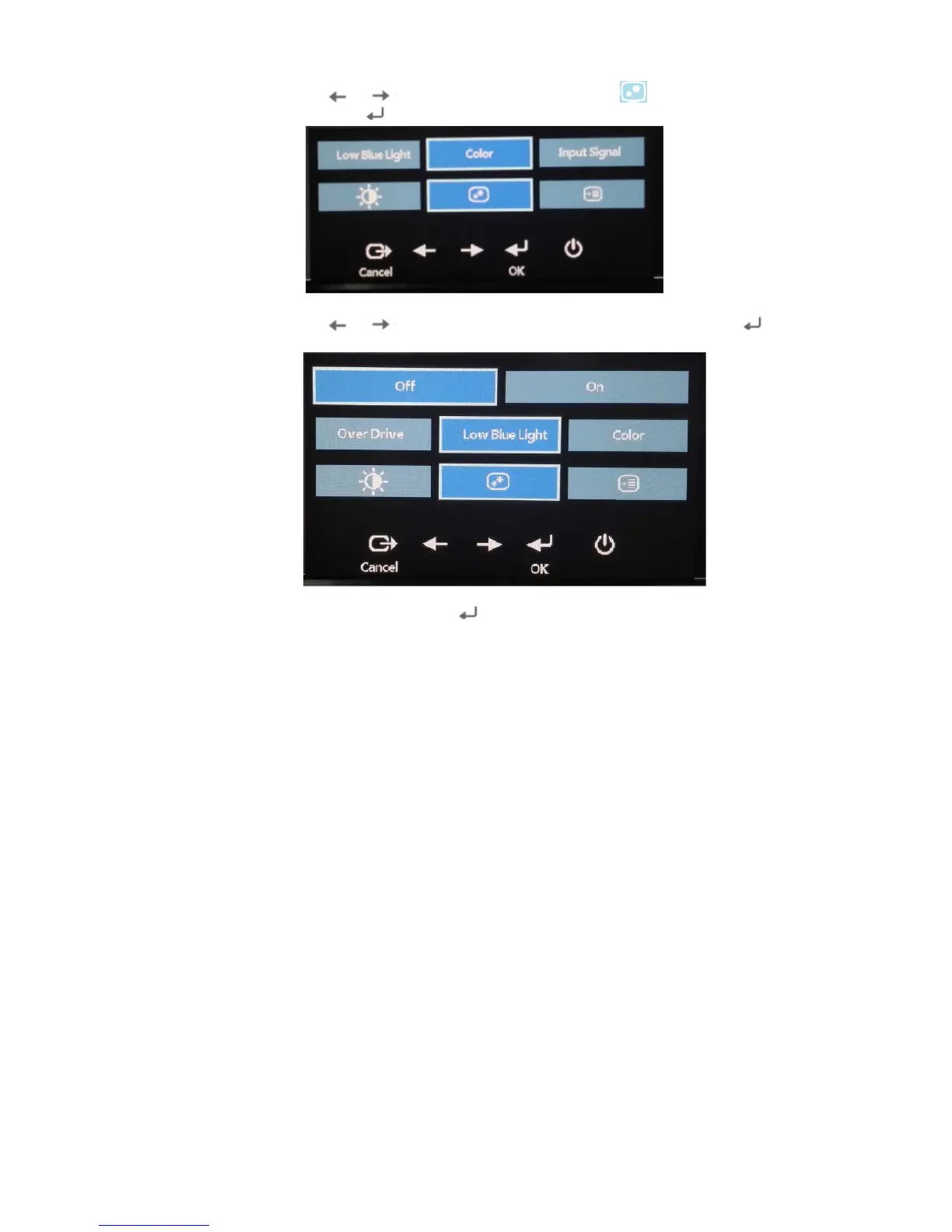
2. Use or to move among the icons. Select icon (Adjusts image properties)
and press to acces this function.
3. Use or move among the items. Select Low Blue Light and press to
access this function.
4. Select Off or On and press to enable Low blue Light or disable Low Blue Light.
Accessibility information
Lenovo is committed to providing greater access to information and technology to
people with disabilities. With assistive technologies, users can access information in the
way most appropriate to their disability. Some of these technologies are already
provided in your operating system; others can be purchased through vendors or
accessed at:
https://lenovo.ssbbartgroup.com/lenovo/request_vpat.php
2-3 E24-10 Flat Panel Monitor User’s Guide






 To Next Page