1-4
LT1421 Wide Flat Panel Monitor User’s Guide
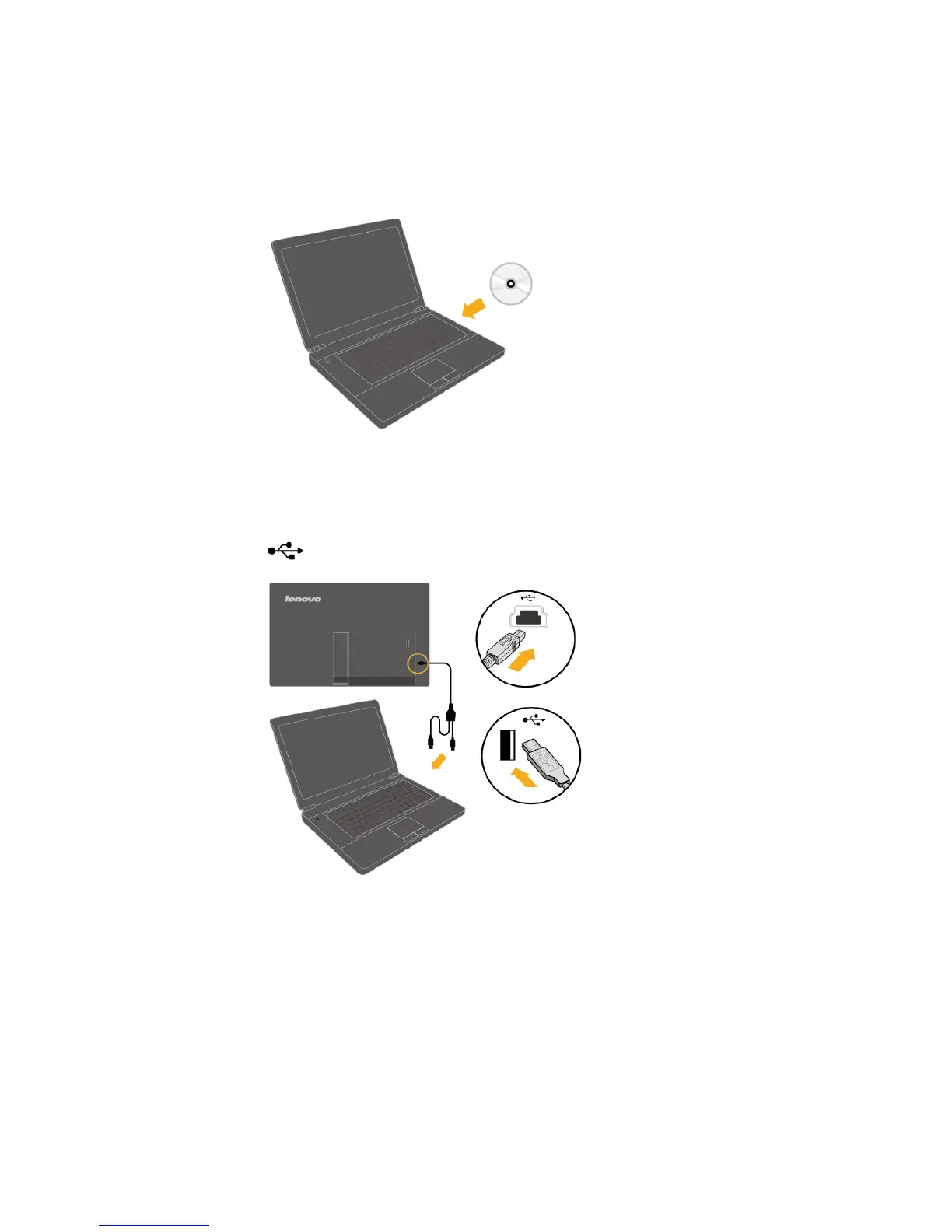
Connect the USB cable to the USB port of the back of the monitor and the other two
ends to the appropriate USB ports on your computer
3.
. How to work with LT1421 Wide
USB monitor , please see " Chapter 4".
2. To install the monitor driver, insert the Reference and Driver CD, click Install
driver, and follow the on-screen instructions.
For detailed Setup steps,please see " Chapter 4".






 To Next Page