EasyManua.ls Logo

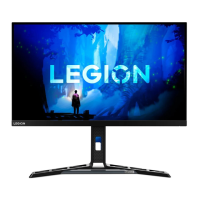
Lenovo Y25-25 - User Manual

Lenovo Y25-25
34 pages
Print Icon
To Next Page IconTo Next Page
Loading...
Lenovo
Y25-25
D19245FY0
User Guide

Questions and Answers

  • N
    nathanhartAug 13, 2025
    What to do if my Lenovo monitor has no power and no image?
    • B
      Brian CarterAug 14, 2025
      If your Lenovo monitor's power indicator is not lit and there is no image, ensure the power cord is connected properly and the monitor's power switch is on. Verify that the outlet has power. Try another power cord or electrical outlet to eliminate those as potential issues. Power on the monitor.
  • M
    Michael JamesAug 17, 2025
    Why is my Lenovo Y25-25 screen blank but the power indicator is on?
    • M
      Maurice AguilarAug 17, 2025
      If your Lenovo monitor screen is blank and the power indicator is steady amber or flashing white, the monitor might be in Standby/Suspend mode. Press any key on the keyboard or move the mouse to restore operation. Also, check the Power options settings on your computer.
  • H
    heather38Aug 21, 2025
    Lenovo monitor white light but no image: What to do?
    • O
      Olivia MendozaAug 21, 2025
      If your Lenovo monitor's power indicator is white but there is no image, ensure the video signal cable is properly connected to both the system and the monitor. Also, check the brightness and contrast settings in the OSD menu and adjust them if they are at the lowest setting.
  • S
    Sherry MillerAug 25, 2025
    How to improve image quality on Lenovo Y25-25?
    • R
      rbennettAug 25, 2025
      If the image quality on your Lenovo monitor is unacceptable, ensure the video signal cable is firmly plugged into both the system and the monitor. Also, try selecting a different color setting from the OSD menu.
  • G
    garzacaseyAug 28, 2025
    Why is my Lenovo Y25-25 blurry?
    • N
      Nicole WilsonAug 28, 2025
      If you see fuzzy lines in text or a blurry image, or horizontal/vertical lines through the image on your Lenovo monitor, adjust the resolution settings on your system to match the native resolution for this monitor: 1920x1080 at 60 Hz. When working in the native resolution, you may find additional improvements by adjusting the Dots Per Inch (DPI) setting on your system.
  • L
    Lisa MartinSep 1, 2025
    How to fix 'Input Not Supported' on my Lenovo monitor?
    • P
      pauldunlapSep 1, 2025
      If your Lenovo monitor displays 'Input Not Supported' and the power indicator is flashing white, it means the system is set to a display mode that the monitor doesn't support. If you've replaced an old monitor, reconnect it and adjust the display mode to be within the specified range for your new monitor. If you're using a Windows system, restart in safe mode and select a supported display mode. If these steps don't work, further assistance may be needed.
  • P
    Patrick ShermanSep 5, 2025
    What to do if Lenovo Y25-25 Monitor image is bad in dual mode?
    • M
      mary02Sep 5, 2025
      If the image on your Lenovo monitor is not acceptable when switching to dual mode, use ThinkVision Duo software to optimize the dual screen operation. You can also try adjusting the graphic card resolution manually.
  • J
    Jennifer MejiaSep 8, 2025
    Why does my Lenovo Y25-25 Monitor have discolored pixels?
    • J
      joseph63Sep 8, 2025
      The appearance of one or more discolored pixels is a characteristic of LCD technology and not necessarily a defect. If there are more than five pixels missing, contact the Customer Support Centre.

Summary

Safety Information and Guidelines

General Safety Guidelines

Provides essential safety guidelines for the proper and safe use of the monitor.

Getting Started with Your Monitor

Monitor Setup and Connection

Guides users through connecting cables and powering on the monitor.

Adjusting and Using Your Monitor

Monitor Image Adjustment

Covers adjusting monitor image using direct controls and OSD menus.

Reference Information and Troubleshooting

Monitor Specifications

Lists detailed technical specifications for the monitor's hardware and performance.

Troubleshooting Common Issues

Provides solutions for common problems encountered with the monitor.

Manual Monitor Driver Installation

Step-by-step guide for manually installing the monitor driver in Windows OS.

Appendices and Notices

Online and Telephone Technical Support

Provides contact information and resources for technical support.

Lenovo Y25-25 Specifications

General IconGeneral
Screen Size24.5 inches
Resolution1920 x 1080
Refresh Rate240Hz
Panel TypeIPS
Brightness400 nits
Contrast Ratio1000:1
Adaptive SyncAMD FreeSync Premium
Aspect Ratio16:9
Viewing Angle178°/178°
Color Gamut99% sRGB
VESA Mount100 x 100 mm
Response Time1ms
Ports1 x HDMI 2.0, 1 x DisplayPort 1.2

Related product manuals