EasyManua.ls Logo

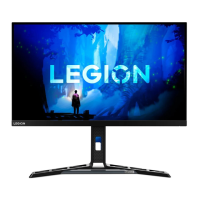
Lenovo Y27h-30 - User Manual

Lenovo Y27h-30
34 pages
Print Icon
To Next Page IconTo Next Page
Loading...
Lenovo
Y27h-30
User Guide

Other manuals for Lenovo Y27h-30

Questions and Answers

  • C
    Christine AdamsJul 29, 2025
    What to do if my Lenovo Y27h-30 screen is blank and the power indicator is amber?
    • C
      cparkerJul 29, 2025
      If your Lenovo monitor screen is blank and the power indicator shows an amber light, it likely means the monitor is in Standby/Suspend mode. To restore operation, press any key on your keyboard or move the mouse. Also, check the Power Options settings on your computer to ensure they are configured correctly.
  • M
    Michelle FloydAug 4, 2025
    How to troubleshoot a Lenovo Monitor with no image and the power indicator not lit?
    • C
      chad37Aug 4, 2025
      If the power indicator of your Lenovo monitor is not lit and there is no image on the screen, ensure that the monitor’s power switch is turned on and the power cord is properly connected. Also, verify that the outlet has power. Try using another power cord or electrical outlet to rule out those issues.
  • N
    Nicholas SmallAug 9, 2025
    Why are lines or images blurred on my Lenovo Y27h-30 Monitor?
    • W
      wonglisaAug 10, 2025
      If lines or images are blurred in the text, or there are horizontal or vertical lines in images on your Lenovo monitor, it indicates that the image setup has not been optimized. Adjust the resolution setting of the system according to the resolution of the monitor itself: 2560 × 1440 @ 165 Hz(DP) or 2560 × 1440 @ 144 Hz(HDMI). Also, perform automatic image setup, and if that doesn't help, perform manual image setup. When working in the native resolution, you may find additional improvements by adjusting the Dots Per Inch (DPI) setting on your system.
  • J
    Joel LesterAug 17, 2025
    How to fix “Out of Range” error on Lenovo Monitor?
    • G
      gregory51Aug 17, 2025
      If you see the words “Out of Range” on your Lenovo monitor screen and the power indicator is flashing white, it means that the system is set to a display mode not supported by the monitor. If you replaced an old monitor, reconnect it and adjust the display mode to within the specified range for your new monitor. If using a Windows system, restart the system in safe mode, then select a supported display mode for your computer.
  • R
    Randy RiveraAug 22, 2025
    What to do if pixels are discolored on Lenovo Y27h-30?
    • E
      Elizabeth HayesAug 22, 2025
      If one or more pixels appear discolored on your Lenovo monitor, it's usually a characteristic of the LCD technology and not necessarily a defect. However, if there are more than five missing pixels, contact the Support Center.

Lenovo Y27h-30 Specifications

General IconGeneral
Screen Size27 inches
Resolution2560 x 1440
Panel TypeIPS
Refresh Rate165 Hz
Response Time1 ms (MPRT)
Aspect Ratio16:9
Contrast Ratio1000:1
Adaptive SyncAMD FreeSync Premium
Built-in SpeakersYes, 2 x 3W
HDRHDR10
VESA Mount100 x 100 mm
PortsHDMI 2.0, DisplayPort 1.4, USB-C, USB 3.2
Stand AdjustmentsTilt, Swivel, Height
Brightness350 cd/m² (Typical)

Related product manuals