Chapter 1. Getting to know your computer
13
Connecting network cables
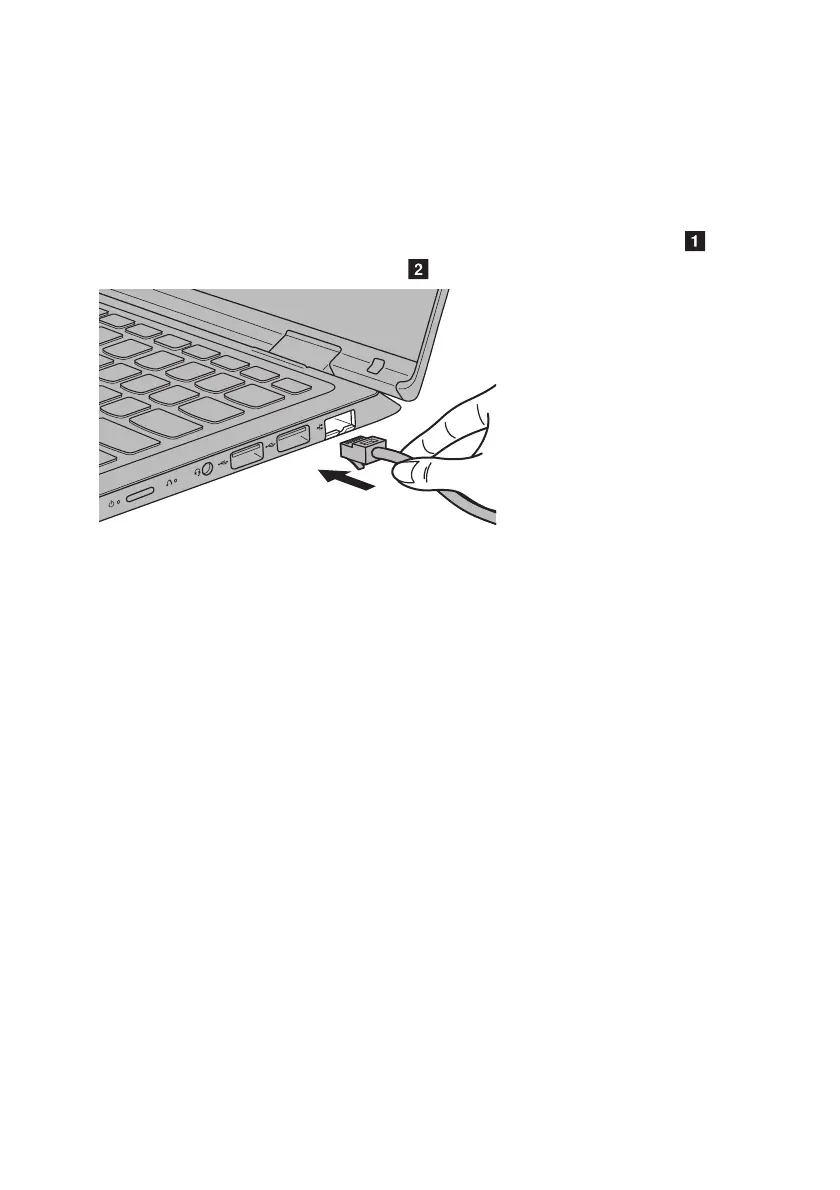
To insert a network cable, do the following:
1 Hold one connector of the network cable to press the RJ-45 cover down gently .
2 Insert the connector into the RJ-45 port .
Software configuration
Consult your Internet Service Provider (ISP) for details on how to configure your computer.




 To Next Page