Chapter 2. Starting to use Windows 10
19
Task and desktop management - - - - - - - - - - - - - - - - - - - - - - - - - - - - - - - - - - - - - - - - - - - - - - - -
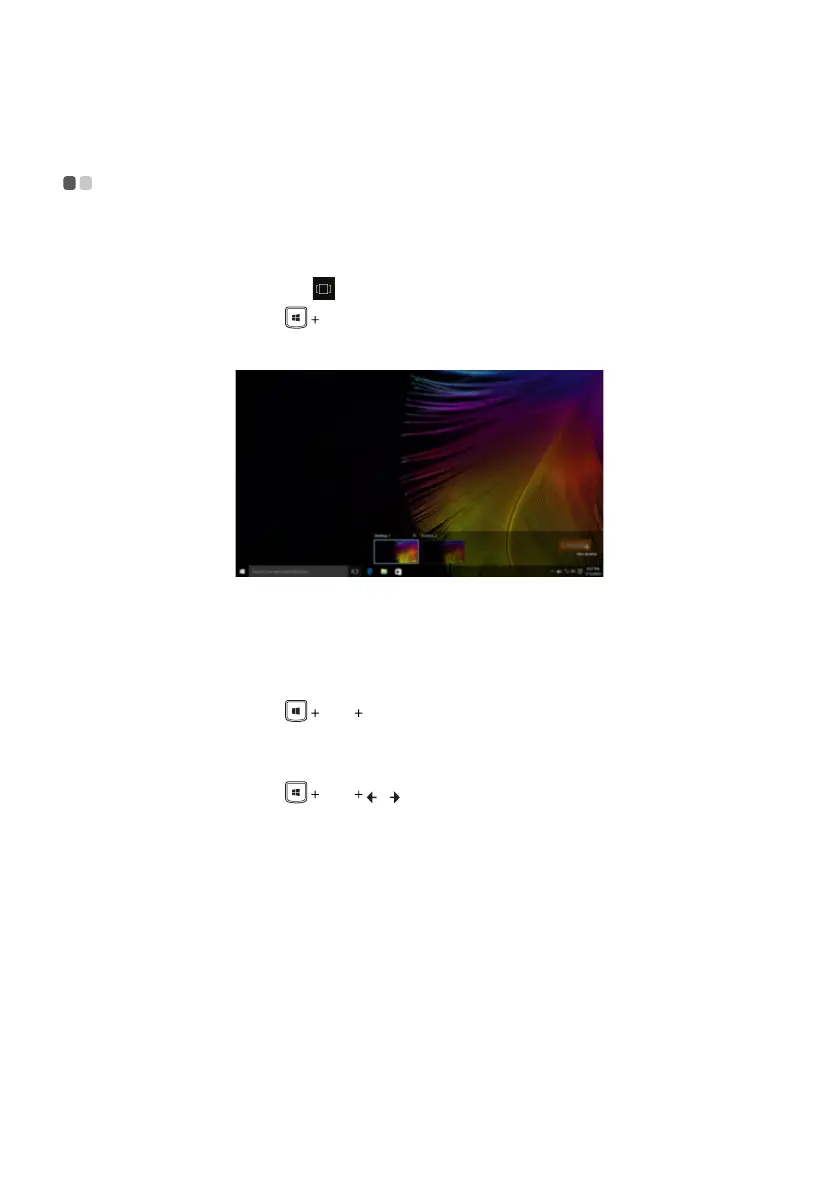
Ta s k vi e w
To open the task view, do one of the following:
• Select the Task view button
on the task bar.
• Press the Windows key Tab.
• Swiping in from the left edge of the screen.
Virtual desktop management
Windows 10 supports the ability to create, manage and switch between virtual desktops.
To create a new virtual desktop, do one of the following:
• Open the task view, and then select New desktop.
• Press the Windows key
Ctrl D.
To switch between different desktops, do one of the following:
• Open the task view and select the desktop you want active.
• Press the Windows key
Ctrl / to scroll through the desktops you’ve created.




 To Next Page