Chapter 2. Starting to use Windows 10
23
(continued)
Frequently used gestures Tasks performed
Swipe
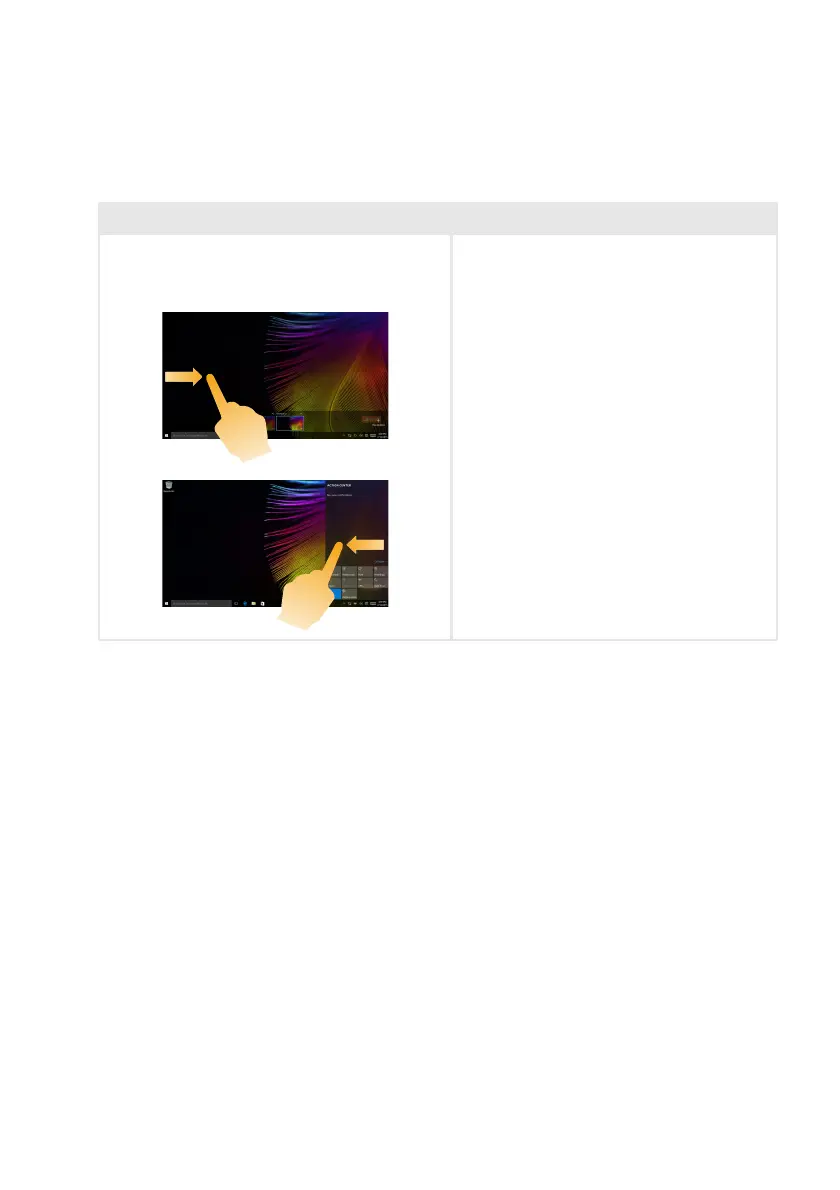
Start from left/right edge of the screen, then
swipe inwards toward the center.
Swiping in from the left edge of the screen
can open the task view.
Swiping in from the right edge of the screen
displays the action center.




 To Next Page