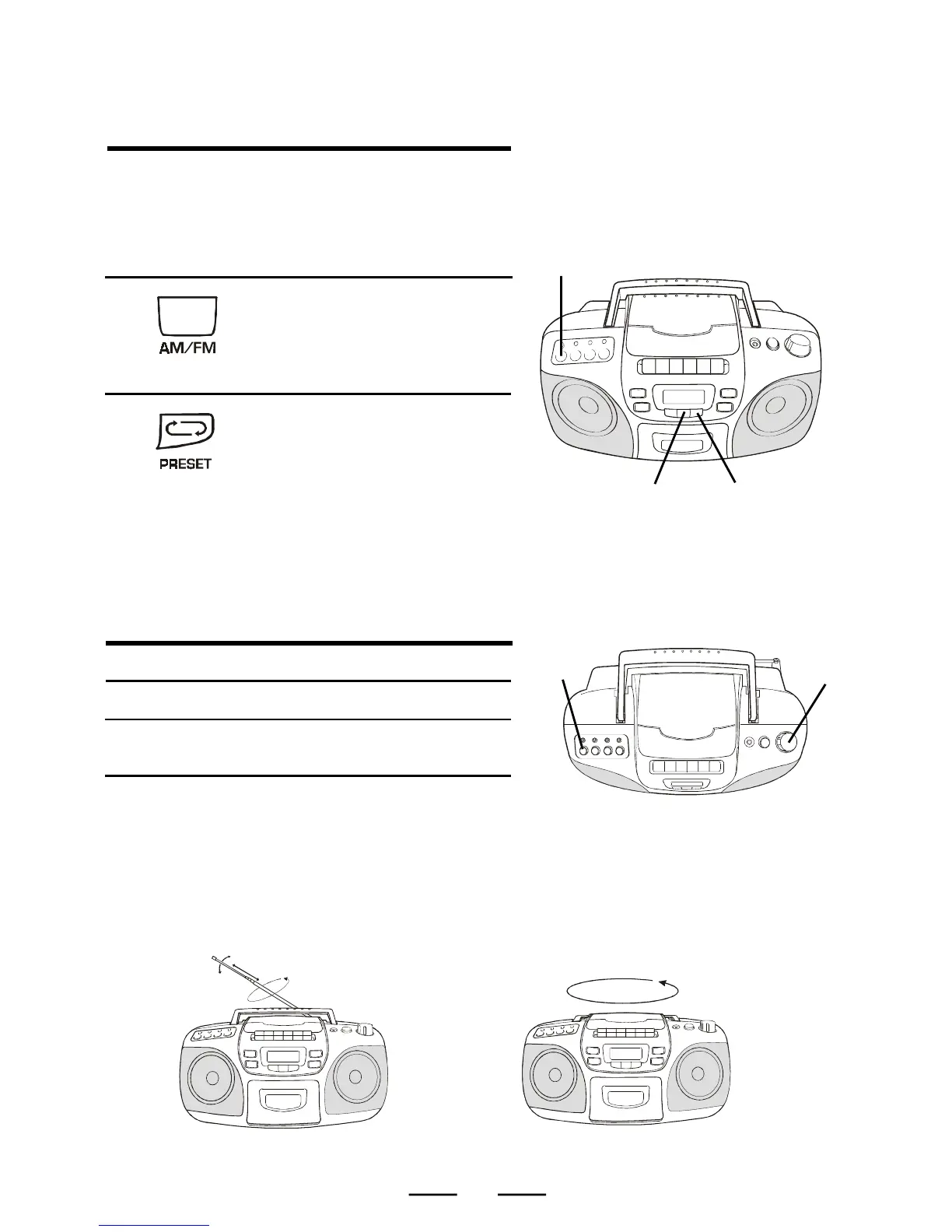
USE THESE BUTTONS FOR ADDITIONAL
OPERATIONS
To Press or Adjust
Adjust the volume VOLUME control
Turn off the Radio Press the POWER
switch.
TO IMPROVE RADIO RECEPTION
Change position of the antenna for FM or FM Stereo. Move the set itself for AM.
7
1
2
LISTENING TO THE PRESET STATIONS
(after you programmed them)
Connect the supplied AC power
cord or batteries (see page 4).
2
Press the AM/FM BAND
switch to select the desired
wave band.
1
Make sure both POWER and
RADIO indicator lamps are on.
3
Press the PRESET button
several times to choose a
memory location (01-10). You
will receive the station you
stored into that preset
memory location.
1
2
3
BAND



 To Next Page