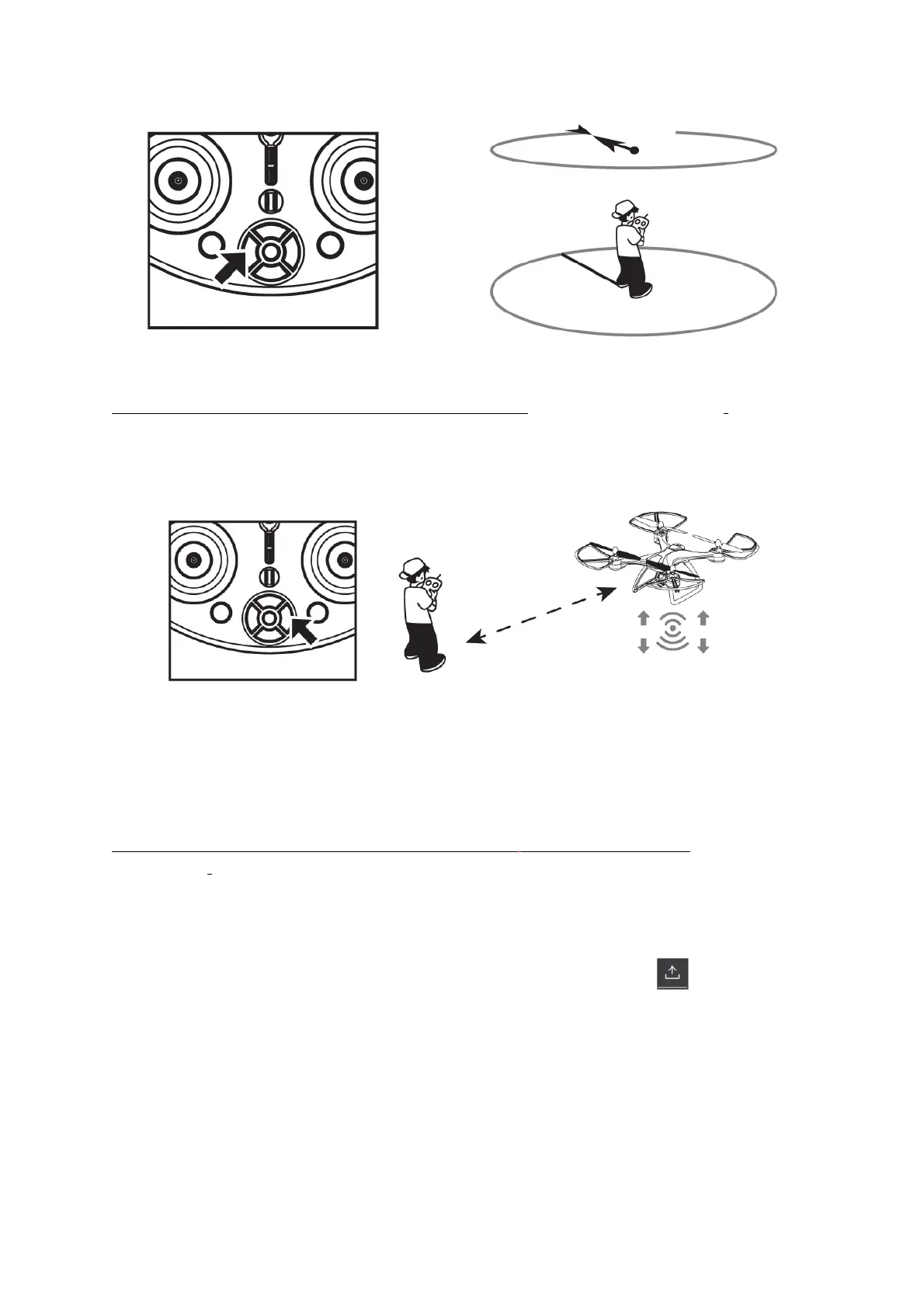
FOLLOWMEFUNCTION:
ThisfunctionwillonlyworkwiththeappopenGPSMODE.“CALIBRATINGTHEDRONE”).
Themapintheappmustbeloadedandshowingintheappscreen.
Then,presstheonekeyfollowbuttononthecontroller.
Useoftherighthandsidejoystickonthecontrollerwillstopthisfunction.
**Ifthesmartphonebeingusedlosespowerorif
aphonecallcomesthroughduringfollowme
operation,thedronewillstopfollowingandwilljusthover.
WAYPOINTFLIGHT:
ThisfunctionwillonlyworkwiththeappopenGPSMODE.(Pleaseseethesection“CALIBRATING
THEDRONE”).
Themapintheappmustbeloadedandshowingintheappscreen.
Pressthewaypointflightbutton intheapp.
Intheapp,marktheflyingpoints(maxof5flyingpointspertime)andpress .
Youcansettheflyingheight,hovertimeandflightspeedyourself).
Aftersetting,presstheonekeytakeoffbuttononthecontroller,thedronewillflytothefirstpoint,
thenthesecondpointandsoon.Itwillbehoveringandwaitingforthenextinstructionafterthelast
point.
Afterusingthewaypointflight,deletethepointsettings
intheapp.
Tousewaypointflightagain,marknewflyingpoints.


 To Next Page