CALIBRATINGTHEDRONE:
**EnsurepairingthedronewiththeappisdoneoutdoorstoachievegreatGPSsignal,ifyour
locationcannotreceiveGPSsignal,pleasere‐locatetoabetterpositionwhichcan.Donotpair
indoorsandawayfromsourceswhichcancauseinterferencetotheGPS,eg:
electricitytowers,
electricitysourceswithhighvoltage.**
1. Ensurethebatteryisfullychargedandtheremotecontrollerhasbatteriesinstalledinit
withanadequateamountofcharge.
2. Powerthedroneon,byholdingthepowerbuttonfor5seconds.
Thelightsonthedronewillbeginto
flash,indicatingthatthedroneisreadytobepaired.
3. Pairthedroneandthecontrollerbymovingtheleftjoystickupwardstothe12o’clock
positionandthendownwardstothe6o’clockposition.
Thelightsonthedronewillnotbeflashingandremainon.
Therear
lightontherighthandsideofthedronewillremainblinking(cannotr eceiveGPS
signal).
4. AfterPairing,accessthesettingsonyoursmartphoneandopentheWIFIsettings.
FindtheWIFInetworkHK‐GPS‐720‐XXXXXandconnecttothatWIFInetwork.
Whentheconnectionhas
beenmadesuccessfully,exitoutofthesettingsonyoursmart
phone.
5. OpentheappHKGPSonyoursmartphone.
6. ChoosedronemodelFX‐8Ginthetoplefthandcorner(ifapplicable).
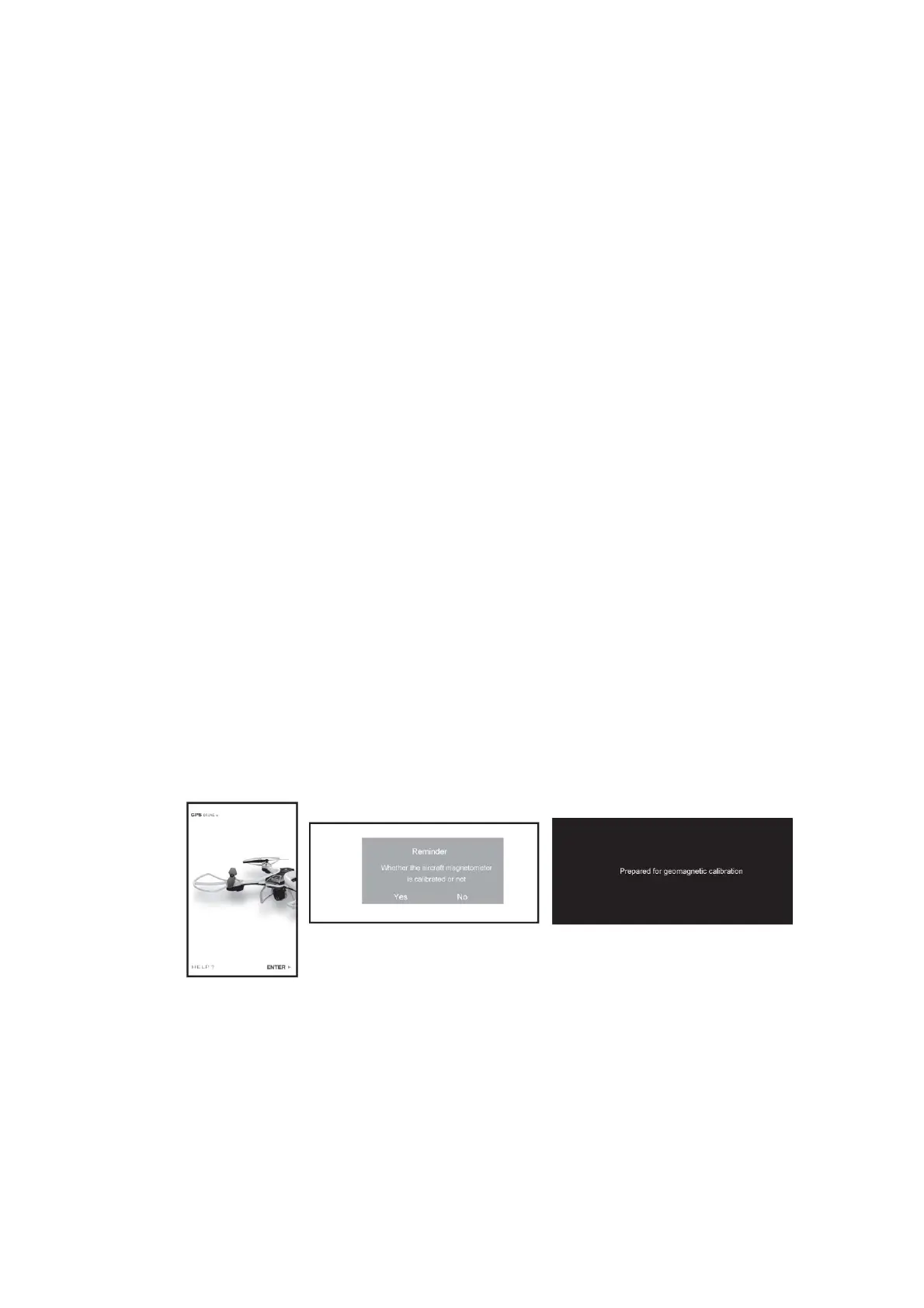
7. PressENTERontheopeningscreenontheapp.Amessagewill
haveshownonthe
screen“Whethertheaircraftmagnetomeriscalibratedornot,yesorno.Pressno.The
nextmessageonthescreenwillshow“Prepareforgeomagneticcalibration”.
8. Therearlightsonthedronewillbeflashingquicklywhenitisingeomagneticcalibration
mode.
Pickup
thedroneandrotateithorizontallyclockwiseuntilthelightintheleftcorner
remainson.
Thenturnthedroneverticallyandrotateituntilthelightintherightcornerremainson.
Whenthisisdone,itmeansthatcalibrationhasbeencompletedsuccessfully.


 To Next Page