PhotosandvideoscanalsobesavedonamicroSDcard.
InsertthemicroSDcardintotheslotattherearofthecamera.MicroSDcardisnotincluded.
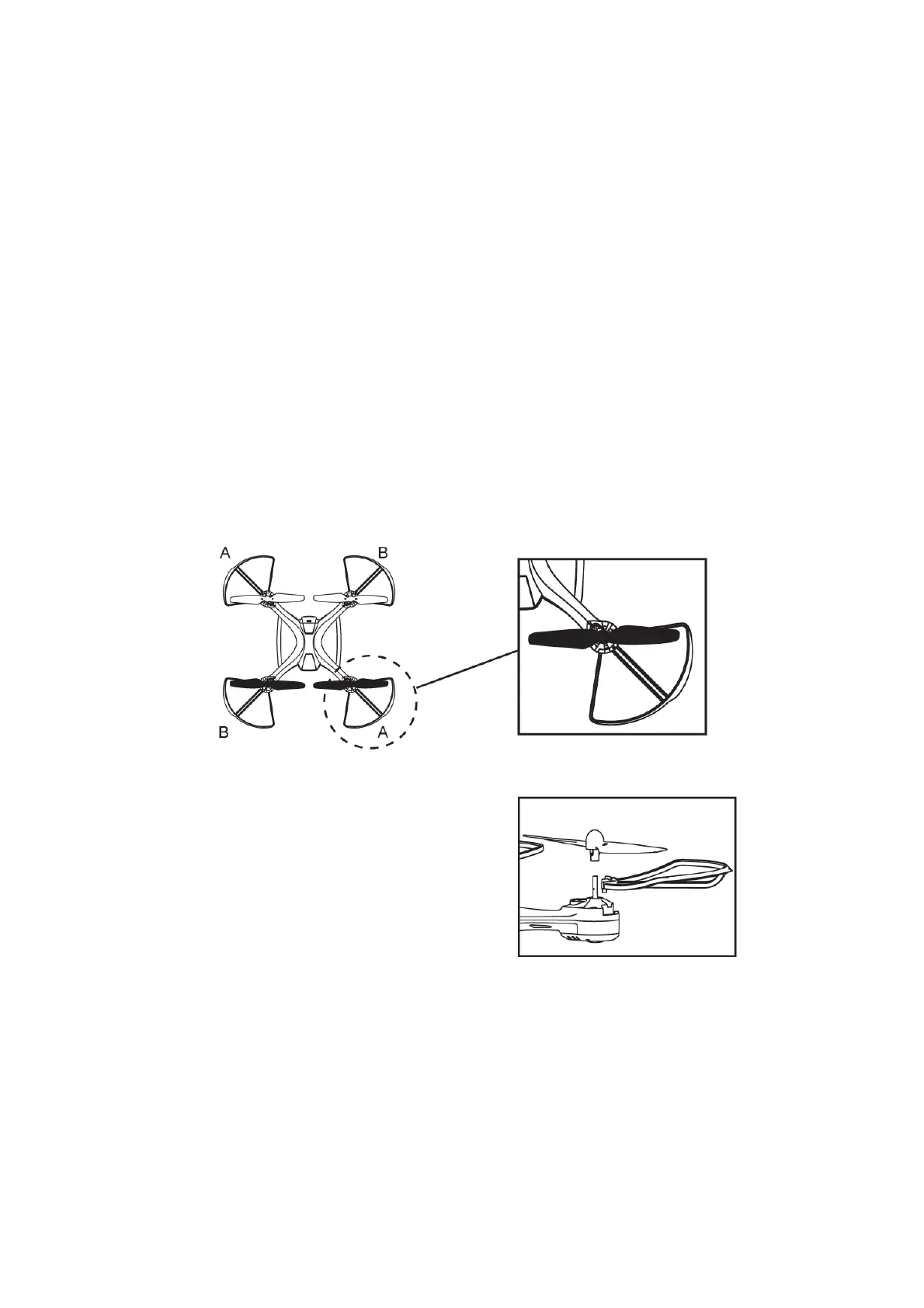
REPLACINGROTORBLADES:
Ifthebladesonthedronebecomedamaged,theycaneasilybereplacedwiththeincluded
rotor
blades.
Therearetwotypesofrotorbladesincludedwiththedrone.
ABlade:clockwiserotation
BBlade:anticlockwiserotation
1. Removethescrewontherotorblade
2. Removetherotorbladebypullingitupwardoffthemotorstalk.
3. Replacetherotorbladebymaking
suretoreplaceitwiththeequivalentbla de AforAorB
forB.
4. Pressthereplacementbladeintopositionmakingsuretoaligntheholeofthescrew,then
fastenthescrew.


 To Next Page