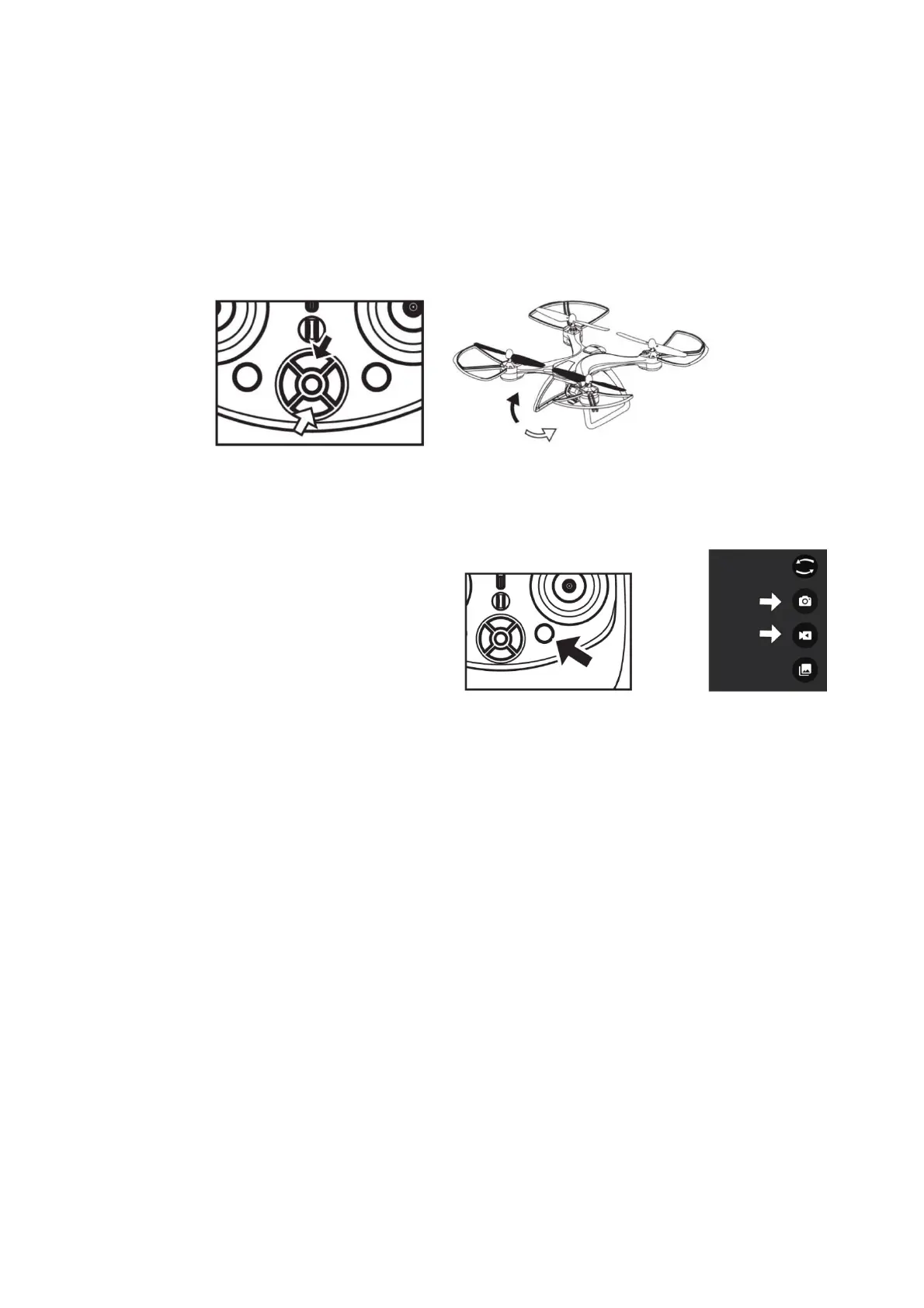
ADJUSTABLECAMERAANGLES:
Thecameraangleisadjustabletoa maximumof70degreesupwardsordownwards.
Pressthe“camera+“buttononthecontroller.Thecamerawillbetiltedup.
Pressthe“camera‐”buttononthecontroller.Thecamerawillbetilteddown.
Eitherbuttoncanbepressedand
heldtoadjustthecameraangle.
PICTURE/VIDEO:
Photosandvideoscanbetakenbyusingtheapporthecontroller.
Totakephotosusingthecontroller:
Pressthephoto/videobuttononthecontroller
once,thegreenindicator1lightonthe
controllerwillcomeonthecontrollerwill
beep.
The
photowillbesavedintheapp.
Totakevideosusingthecontroller:
Pressandholdthephoto/videobuttononthecontrollerfortwoseconds.Thecontrollerwillbeep
twiceandthegreenindicator1lightonthecontrollerwillbeblinking.Thetimerofthevideobeing
takenwill
beshowontheappscreen.
Tostoprecording,eitherpressandholdthephoto/videobuttononthecontrollerfortwoseconds.
Thecontrollerwillbeeptwice,and thegreenlightwillstopblinkingonthecontroller.
Thevideowillbesavedintheapp.
Totakephotosusingtheapp:
Pressthecamerabuttonintheapp.Thephotowillbetakenandsavedintheapp.
Totakeavideousingtheapp:
Pressthevideocamerabuttonintheapp.Whenyouaredonefilming,pressthevideocamera
buttonagain.Thevideowillbesavedinthe
app.
Photosandvideoscanalsobesavedinyourphonesmemory.
Ondifferentsmartphones,thephotosandvideoswillbesavedineithertheimageset,photosor
filessection.


 To Next Page