FLYINGTHEDRONE(INDOORUSEORWITHNOGPSCONNECTION):
1. Ensurethebatteryisfullychargedandtheremotecontrollerhasbatteriesinstalledinitwith
anadequateamountofcharge.
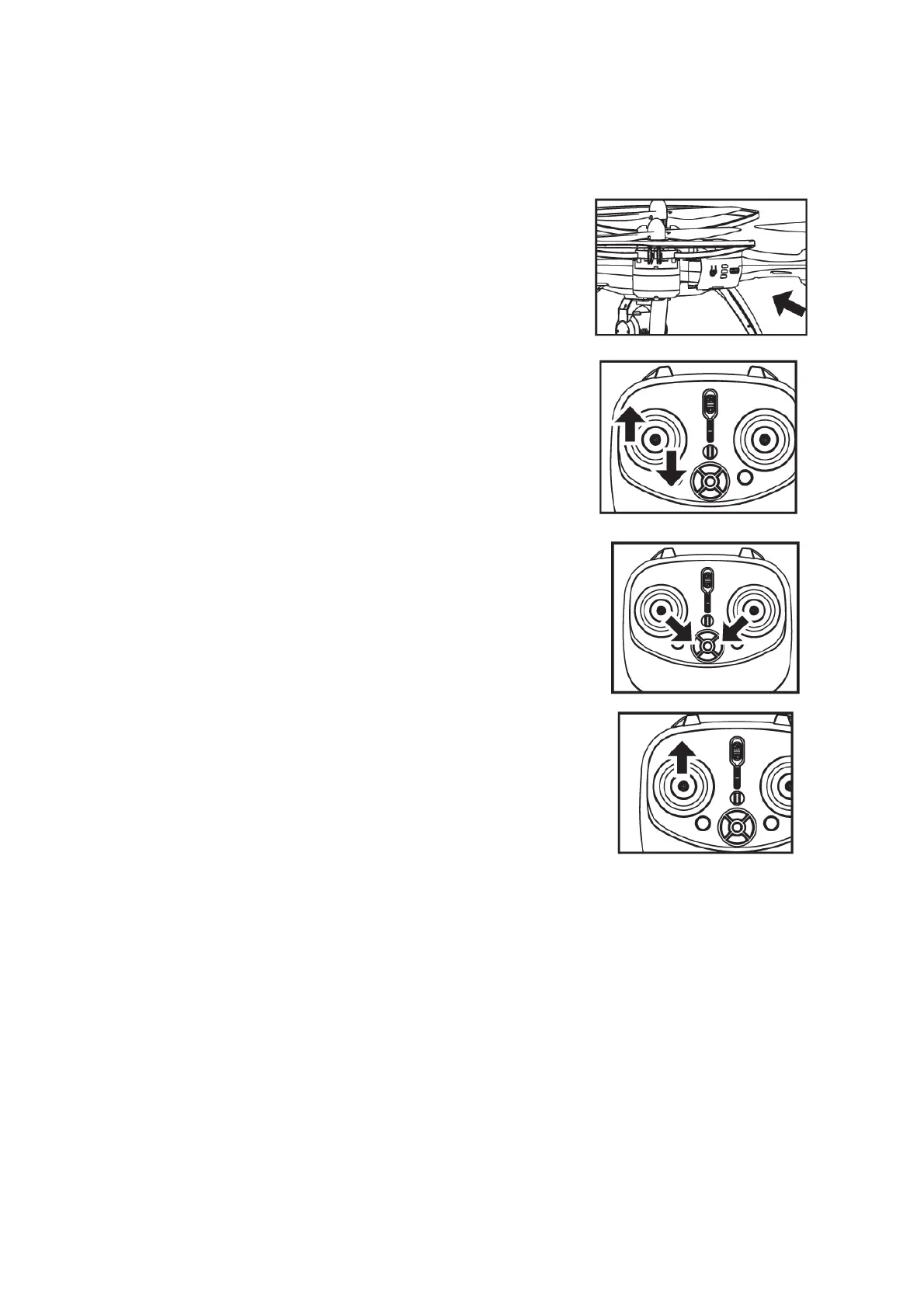
2. Powerthedroneon,byholdingthepowerbuttonfor5
seconds.
Thelightsonthedrone
willbegintoflash,indicatingthat
thedroneisreadytobepaired.
3. Poweronthecontrollerbymovingtheonswitchuptothe
onposition.
4. Pairthedroneandthecontrollerbymovingthe
leftjoystickupwardstothe12o’clockpositionandthen
downwardsto
the6o’clockposition.
Thelightsonthedronewillnotbeflashingand
remainon.
Therearlightontherighthandsideofthedronewill
remainblinking(cannotreceiveGPSsignal),thisisnormalin
thismode.
5. Tostartflying,moveboththelefthand
andrighthandside
joystickatthesametime.Movethelefthandsidejoystickto
the5o’clockpositionandtherighthandsidejoysticktothe
7o’clockpositionatthesametime.
6. Whenthebladesonthedronehavestartedspinning,
movethelefthandjoystick
uptobeginflight.
Theonekeytakeoffwillnotworktostartflightwhen
usingthecontrolleronit’sown.
7. Toland,pressthethrottle(lefthandjoystick)ortheonekey
takeoff/landingbutton.
8. Theappcanalsobeopenedtoviewrealtime
flightandtakephotosorvideos.Amessage
willhaveshownonthescreen“Whethertheaircraftmagnetomeriscalibratedornot,yesor
no.Pressyes,toviewtheimagetransmittedfromthecamera.
**Note,Itwillpoweroffifthereisnooperationwithin5minutes.
**
Note,thefunctionsofthedrone(onekeyreturn,followmefunction,waypointflying,
onekeysurrounding)willnotworkifitisnotinGPSmode.


 To Next Page