
EasyManua.ls Logo

Lenze AC Tech SCF Series - User Manual

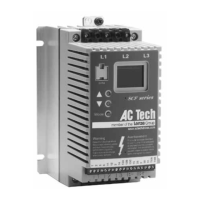
Lenze AC Tech SCF Series
70 pages
Print Icon
To Next Page IconTo Next Page
Loading...
(217) 352-9330 | sales@artisantg.com | artisantg.com
-~
ARTISAN
®
~I
TECHNOLOGY
GROUP
Your
definitive source
for
quality
pre-owned
equipment.
Artisan Technology
Group
Full-service,
independent
repair
center
with
experienced
engineers
and
technicians
on staff.
We
buy
your
excess,
underutilized,
and
idle
equipment
along
with
credit
for
buybacks
and
trade-ins
.
Custom
engineering
so
your
equipment
works
exactly as
you
specify.
Critical
and
expedited
services
Leasing
/
Rentals/
Demos
In
stock/
Ready-to-ship
!TAR-certified
secure
asset
solutions
Expert
team
I
Trust
guarantee
I
100%
satisfaction
All
tr
ademarks,
br
a
nd
names, a
nd
br
a
nd
s a
pp
earing here
in
are
th
e property of
th
e
ir
r
es
pecti
ve
ow
ner
s.
Find the Lenze / AC Tech SF2200 at our website: Click HERE

Questions and Answers

  • J
    Justin AllenAug 17, 2025
    Why does my Lenze AC Tech SCF show a Current Overload Fault?
    • S
      stephanie65Aug 17, 2025
      A Current Overload Fault in your Lenze AC Tech Controller indicates that the VFD is undersized for the application or there is a mechanical problem with the driven equipment.
  • D
    Debra KennedyAug 19, 2025
    What causes an Output Transistor Fault in Lenze AC Tech SCF?
    • K
      kwaltonAug 19, 2025
      An Output Transistor Fault in your Lenze AC Tech Controller can be triggered by a phase-to-phase or phase-to-ground short circuit on the output, a failed output transistor, boost settings that are too high, or an acceleration rate that is too fast.
  • J
    Jennifer MitchellAug 22, 2025
    What causes a Low DC Bus Voltage Fault in Lenze AC Tech Controller?
    • E
      ellisbryanAug 22, 2025
      A Low DC Bus Voltage Fault in your Lenze AC Tech Controller is caused by line voltage that is too low.
  • M
    moorethomasAug 25, 2025
    What to do if Lenze AC Tech Controller displays a Control Fault?
    • K
      Katherine MosleyAug 26, 2025
      If your Lenze AC Tech Controller displays a Control Fault, it may be due to a blank EPM or an EPM with corrupted data. Perform a factory reset using Parameter 48 - PROGRAM SELECTION.
  • E
    Eric RobinsonAug 27, 2025
    How to resolve Incompatibility Fault on Lenze AC Tech SCF?
    • M
      Michelle ThompsonAug 28, 2025
      An Incompatibility Fault on your Lenze AC Tech Controller indicates that an EPM with an incompatible parameter version has been installed. You can either exchange the EPM or perform a factory reset (Parameter 48) to change the parameter version of the EPM to match the parameter version of the drive.
  • E
    Evan HernandezAug 30, 2025
    What does Single-phase Fault mean on Lenze AC Tech SCF?
    • A
      Andre GregoryAug 30, 2025
      A Single-phase Fault on your Lenze AC Tech Controller means that single-phase input power has been applied to a three-phase drive.
  • J
    Justin SmithSep 2, 2025
    Why does my Lenze AC Tech SCF Controller show a Start Fault?
    • C
      Chris MooreSep 2, 2025
      A Start Fault on your Lenze AC Tech Controller occurs when a start command was present when the drive was powered up. You must wait 2 seconds after power-up to apply the Start command if START METHOD is set to NORMAL.
  • H
    harrisdeniseSep 5, 2025
    What does External Fault mean on Lenze AC Tech Controller?
    • S
      smartinezSep 5, 2025
      An External Fault occurs on your Lenze AC Tech Controller when TB-13A and/or TB-13C is set as an External Fault input and TB-13A and/or TB-13C is open with respect to TB-2. Refer to Parameter 10 or 12.
  • K
    Katherine ArnoldSep 8, 2025
    What causes a Data Fault in Lenze AC Tech SCF Controller?
    • T
      tracey25Sep 8, 2025
      A Data Fault in your Lenze AC Tech Controller indicates that user data and OEM defaults in the EPM are corrupted.
  • J
    John HendersonSep 10, 2025
    What does Serial Fault mean on Lenze AC Tech SCF?
    • J
      James GainesSep 10, 2025
      A Serial Fault indicates that the watchdog timer has timed out, meaning the serial link has been lost on your Lenze AC Tech Controller.

Summary

General Information and Safety

Products Covered in this Manual

Details the scope of the manual for the Lenze AC Tech SCF Series Variable Frequency Drive.

Product Changes Policy

Lenze AC Tech's policy on product modifications and liability.

Warranty Information

Outlines the warranty terms and conditions for the SCF Series AC motor control.

Receiving and Inspection Procedures

Instructions for inspecting equipment for damage and shortages upon receipt.

General Safety Precautions

General safety precautions for operating and handling the SCF Series drives.

SCF Drive Dimensions

Through-Hole Mount Dimensions

Provides dimensional data for the through-hole mount option of the SCF drive.

SCF Model Designation Code

SCF Specifications

SCF Ratings

Installation Guidelines

Installation After Long Storage

Procedure for reforming DC bus capacitors after extended storage periods.

Explosion Proof Applications Policy

Policy statement regarding the use of drives with explosion-proof motors.

Input AC Power Requirements

Input Voltage Ratings

Details the voltage input ranges and operating frequencies for SCF Series drives.

Input Fusing and Disconnect Requirements

Specifies fuse and circuit breaker ratings according to NEC and local codes.

Input Wire Size Requirements

Provides AWG and mm² requirements for input power wiring.

Installation According to EMC Requirements

Guidelines for meeting Electromagnetic Compatibility (EMC) standards during installation.

Power Wiring

Wiring for Single or Three Phase Input

Instructions for wiring single-phase and three-phase input power to the drive.

SCF Power Wiring Diagram

Control Wiring

Control Wiring vs. Power Wiring

Guidelines for separating control and power wiring to prevent noise interference.

TB-2: Circuit Common

Explains the function of TB-2 terminals for common connections and serial communications.

Surge Suppression on Relays

Recommends using snubber circuits or diodes to protect against surges from relays.

Start;Stop Control Schemes

Refers to wiring diagrams for 2-wire and 3-wire start/stop circuits.

Speed Reference Signals

Describes analog speed reference inputs (0-10 VDC, 4-20 mA).

Speed Reference Selection Methods

Explains how to select speed sources via terminals or keypad.

Drive Status Digital Outputs

Describes open-collector outputs for drive status indications.

SCF Control Wiring Diagrams

SCF Terminal Strip Overview

Illustrates the terminal strip layout and functions on the main control board.

Two-Wire Start;Stop Control

Wiring diagram for a typical two-wire start/stop control scheme.

Alternate Two-Wire Start;Stop Control

Wiring diagram for an alternate two-wire start/stop control scheme.

Three-Wire Start;Stop Control

Wiring diagram for a typical three-wire start/stop control scheme.

Speed Pot and Preset Speed Control Wiring

Wiring for speed pot and preset speed control with start/stop circuits.

Initial Power Up and Motor Rotation Check

Programming the SCF Drive

Setting Values in Tenths of Units Above 100

How to set parameter values in tenths of units, especially above 100.

Electronic Programming Module (EPM)

Details the function and use of the removable Electronic Programming Module (EPM).

Parameter Menu Overview

Troubleshooting Faults

SCF Drive Display Messages

Speed Display Information

Describes how the drive's speed is displayed under various conditions.

Speed Reference Source Changes

Explains how display messages indicate changes in speed reference sources.

Status and Warning Messages

Lists and describes status and warning messages shown on the drive display.

Appendix A: Through-Hole Mount Option

Appendix B: PI Setpoint Control Option

Direct Acting vs. Reverse Acting Systems

Explains how to match PI mode to system control types (direct/reverse).

Feedback Devices for PI Control

Discusses transducers and transmitters used for PI feedback signals.

Setpoint References for PI Mode

Lists available references for adjusting the process setpoint in PI mode.

Additions to Standard Parameter Menu (PI)

Lists parameters specific to the PI Setpoint Control option.

Description of PI Parameters

Details the PI-specific parameters and their functions.

Description of Other PI Parameters

Describes additional parameters related to PI functionality and outputs.

SCF Series PI Control Wiring Examples

Provides wiring examples for common PI control configurations.

Tuning the PI Control Loop

Explains how to tune the PI control loop for optimal performance.

Additional Status Displays for PI Option

Lists additional status messages specific to the PI option.

Lenze AC Tech SCF Series Specifications

General IconGeneral
Output Frequency0 - 400 Hz
Output Voltage0 - Input Voltage
Frequency50/60 Hz
EnclosureIP20
Protection FeaturesOvervoltage, Undervoltage, Overcurrent, Short Circuit
CommunicationModbus RTU
Operating Temperature-10°C to +50°C
Humidity5 - 95% non-condensing

Related product manuals