EasyManua.ls Logo

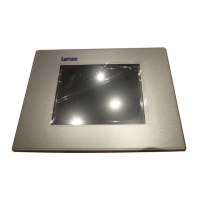
Lenze EL 103 ECO PLC - User Manual

Lenze EL 103 ECO PLC
84 pages
Print Icon
To Next Page IconTo Next Page
Loading...
LDCDS−EL100
.Hv|
Ä.Hv|ä
Operating Instructions
HMI with Windows
â
CE
EL 1xx ECO, EL 1xx ECO PLC, EL 1xx CAN, EL 1xx PLC, EL 1xx MPI
HMI for visualisation / with control technology

Table of Contents

Question and Answer IconNeed help?

Do you have a question about the Lenze EL 103 ECO PLC and is the answer not in the manual?

Summary

Safety Instructions

2.1 General Safety Instructions

Basic safety measures for Lenze components, transport, storage, and general use.

2.2 Product-Specific Safety Instructions

Safety notes for HMI, voltage input, temperature, disposal, and error handling.

Technical Data

4.2 Electrical Data

Details supply, CPU, memory, and screen specifications for EL 1xx CAN/PLC/MPI.

Mechanical Installation

Electrical Installation

6.1 Important Notes

Warning about input voltage and necessary protective fusing.

Commissioning

7.2 Initial Switch-On

Steps for powering up the HMI and the initial boot process.

7.3 Establish Ethernet Connection

Steps to configure the Ethernet interface and IP address.

7.4 Establish CAN Fieldbus Connection

Steps to configure the CAN interface node address and baud rate.

7.5 Establish MPI Connection

Steps to configure the MPI interface for communication with S7 PLCs.

Operation

8.3 Creating a PLC Sample Program

Basic programming rules for EL 1xx PLC, variable types, and address alignment.

8.3.3 Create PLC Program

Steps to create a new PLC program using the PLC Designer software.

8.3.5 Transfer Program to HMI

Configures communication parameters and transfers PLC programs to the HMI.

8.3.6 Start Program on HMI

Steps to run the PLC program on the HMI, including creating a boot project.

8.3.7 Build Up CAN Communication with Distributed I;O Module

Detailed steps for configuring CAN communication with distributed I/O modules.

8.5.2 Establishing Communication Using the System Bus Configurator

Steps to configure communication via the system bus configurator tool.

8.5.3 Establishing Communication Using the Global Drive Control (GDC)

Steps to establish communication using GDC via OPC driver.

Maintenance

Summary

Safety Instructions

2.1 General Safety Instructions

Basic safety measures for Lenze components, transport, storage, and general use.

2.2 Product-Specific Safety Instructions

Safety notes for HMI, voltage input, temperature, disposal, and error handling.

Technical Data

4.2 Electrical Data

Details supply, CPU, memory, and screen specifications for EL 1xx CAN/PLC/MPI.

Mechanical Installation

Electrical Installation

6.1 Important Notes

Warning about input voltage and necessary protective fusing.

Commissioning

7.2 Initial Switch-On

Steps for powering up the HMI and the initial boot process.

7.3 Establish Ethernet Connection

Steps to configure the Ethernet interface and IP address.

7.4 Establish CAN Fieldbus Connection

Steps to configure the CAN interface node address and baud rate.

7.5 Establish MPI Connection

Steps to configure the MPI interface for communication with S7 PLCs.

Operation

8.3 Creating a PLC Sample Program

Basic programming rules for EL 1xx PLC, variable types, and address alignment.

8.3.3 Create PLC Program

Steps to create a new PLC program using the PLC Designer software.

8.3.5 Transfer Program to HMI

Configures communication parameters and transfers PLC programs to the HMI.

8.3.6 Start Program on HMI

Steps to run the PLC program on the HMI, including creating a boot project.

8.3.7 Build Up CAN Communication with Distributed I;O Module

Detailed steps for configuring CAN communication with distributed I/O modules.

8.5.2 Establishing Communication Using the System Bus Configurator

Steps to configure communication via the system bus configurator tool.

8.5.3 Establishing Communication Using the Global Drive Control (GDC)

Steps to establish communication using GDC via OPC driver.

Maintenance

Lenze EL 103 ECO PLC Specifications

General IconGeneral
Power Supply24 VDC
Display TypeTFT
InterfacesEthernet, USB, RS232, RS485
Protection ClassIP65
Operating SystemWindows CE
ProcessorARM9
Communication InterfacesEthernet, RS232, RS485
Operating Temperature0°C to 50°C

Related product manuals