www.lerdge.com
2
1. Select the power input voltage
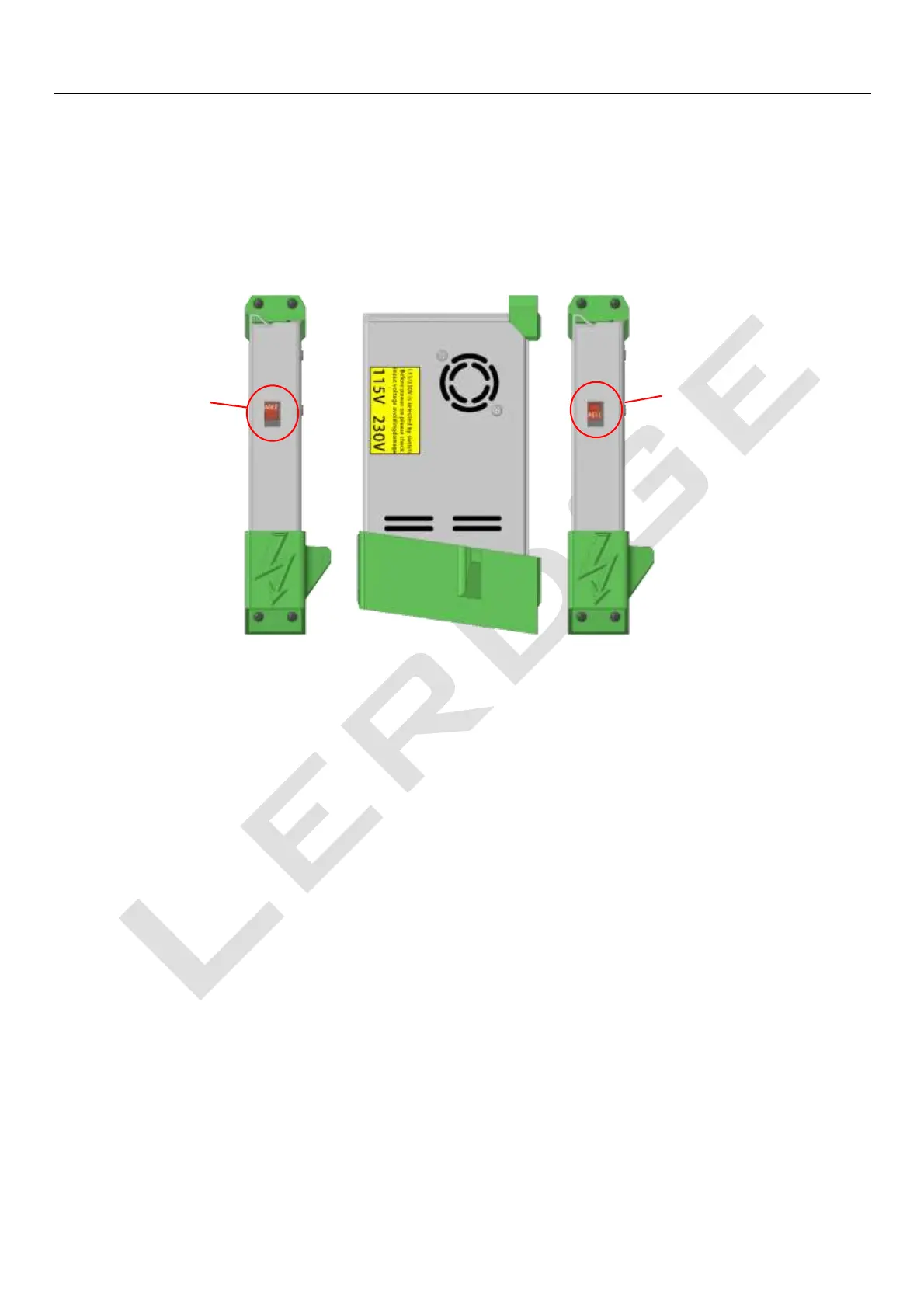
The power supply used by Lerdge-iX can support 110V or 220V input voltage. Before turning on the
Lerdge-iX for the first time, you need to put power input voltage switch to the correct gear according
to the local mains grid voltage. The red switch on the side of the power supply is the power input
voltage switch.
Be sure to adjust the switch according to the local mains grid voltage! Never adjust the switch to
110V mode on a 220V grid, which will burn the power supply and other electronics! Do not adjust
the power supply to 220V mode under the 110V power grid, it may cause the power supply to work
abnormally, or some unexpected issues.
2. Turn on the printer
Firstly, connect the power cord of the Lerdge-iX printer to the socket, and press the red main switch
on the back of the printer. Secondly, press and hold the circular metal switch on the side of the
display, until the display boots interface and hear a "click" in the power management box, then
release the metal switch. At this time, the printer is turned on.



 To Next Page