In SETUP mode when battery power level gets low, the message
"Low Battery" will show on the screen, please replace the batteries.
2. INSERTING THE MICRO SD CARD
Note:
We recommend using a good quality name brand Micro SD card
with C6 (or higher) speed.
Insert the Micro SD card (with the camera's power switch in the OFF
position) before beginning to operate the camera. Don't insert or
remove the Micro SD card when the power switch is in the ON
position.
The camera uses a standard Micro SD memory card to save photos
(in .jpg format) and/or videos (in .avi format). Micro SD cards up to a
maximum 32GB capacity are supported.
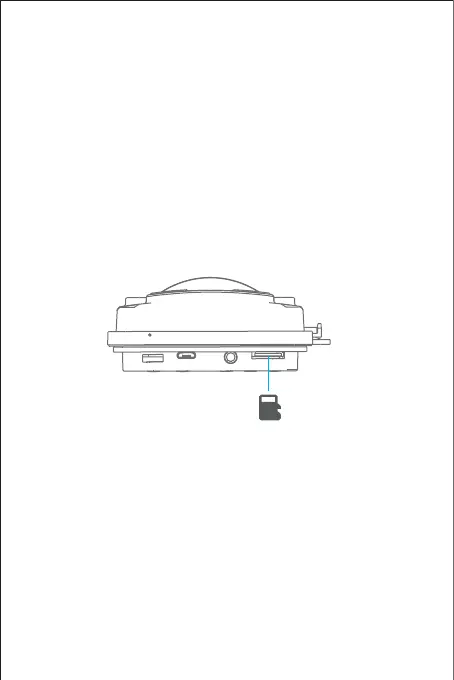
Inserting the Micro SD Card
A "click" sound indicates that the card is installed successfully. If the
Micro SD card is not installed correctly, the device will not display an
SD card icon on the LCD in SETUP mode.
memory card" before using it for the first time, especially when a card
has been used in other devices.
will pop outward.. The card is released from the slot and ready to be
removed when you hear the click.
removing Micro SD cards or batteries.
- 6 -


 To Next Page