EasyManua.ls Logo

Leuze electronic BCL348i - User Manual

Leuze electronic BCL348i
216 pages
Print Icon
To Next Page IconTo Next Page
Loading...
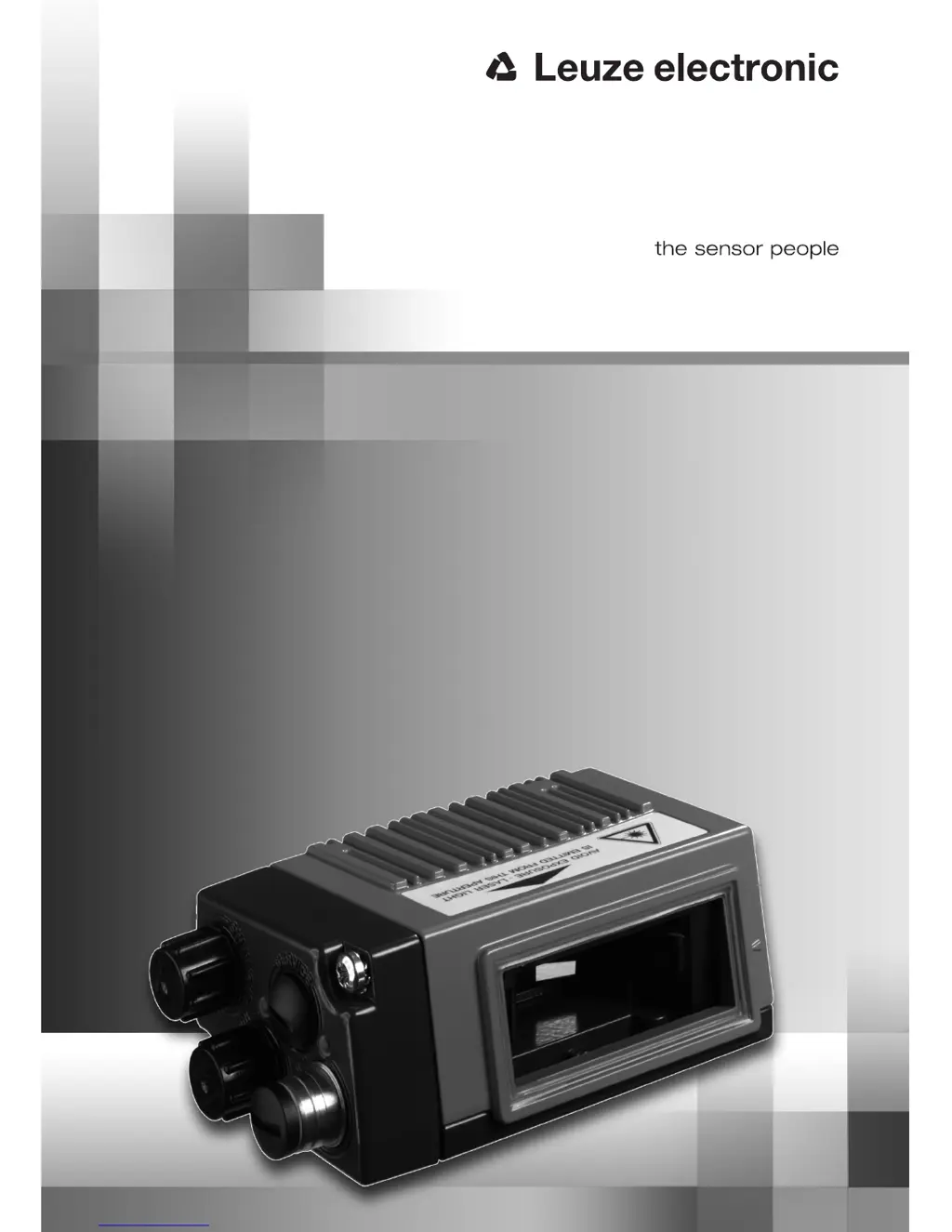
BCL348i
Bar code reader
en 01- 10/2011 50117122
TECHNICAL DESCRIPTION

Table of Contents

Questions and Answers

  • T
    tracymontgomeryAug 2, 2025
    What to do if the BUS status LED on my Leuze electronic Barcode Reader is red and flashing?
    • E
      Elaine DorseyAug 2, 2025
      If the BUS status LED on your Leuze electronic Barcode Reader is flashing red, it indicates a communication error where parameterization or configuration has failed, or an IO error with no data exchange. You should check the interface and attempt to correct the issue by resetting the device.
  • A
    Ann ReillyAug 7, 2025
    Why is the BUS status LED on my Leuze electronic BCL348i red?
    • T
      Theresa RoseAug 7, 2025
      A continuous red BUS status LED on your Leuze electronic Barcode Reader indicates a communication error on the PROFINET-IO, meaning no communication with the IO Controller has been established (no data exchange). Check the interface and wiring. If the problem persists, it may require sending the device to customer service.
  • M
    Matthew PopeAug 12, 2025
    What to do if the PWR status LED on my Leuze electronic BCL348i Barcode Reader is red and flashing?
    • E
      Elizabeth AustinAug 13, 2025
      If the PWR status LED on your Leuze electronic Barcode Reader is red and flashing, it signifies a warning. You should query the diagnostic data and carry out the resulting measures.
  • J
    Jill ReevesAug 17, 2025
    What to do if the BUS status LED is off on my Leuze electronic Barcode Reader?
    • A
      Amanda MoodyAug 17, 2025
      If the BUS status LED is off on your Leuze electronic Barcode Reader, this could be due to: * No supply voltage connected to the device * Device not yet recognized by the PROFINET-IO * Hardware error Check the supply voltage. If the issue persists, it may require sending the device to customer service.
  • A
    Amanda GreenAug 22, 2025
    Why is the PWR status LED on my Leuze electronic BCL348i red?
    • B
      Brett OliverAug 22, 2025
      A continuous red PWR status LED on your Leuze electronic Barcode Reader indicates an error, meaning no function is possible. This is due to an internal device error and may require sending the device in for service.
  • T
    Tracey JacksonAug 27, 2025
    How to fix PWR status LED off on Leuze electronic Barcode Reader?
    • E
      Elizabeth DavisAug 27, 2025
      If the PWR status LED is off on your Leuze electronic Barcode Reader, it could be due to: * No supply voltage connected to the device * Hardware error Check the supply voltage. If the issue persists, it may require sending the device to customer service.

Summary

General Information

Explanation of Symbols

Explains the meaning of various symbols used throughout the technical description.

Declaration of Conformity

States the device's compliance with applicable European standards and directives.

Safety Notices

General Safety Notices

Covers documentation, safety regulations, and repair guidelines for safe operation.

Working Safely

Crucial safety information, including laser radiation warnings and qualified personnel requirements.

Fast Commissioning and Operating Principle

Mounting the BCL 348 i

Describes the methods for physically mounting the bar code reader device.

Electrical Connection

Details the electrical connection variants and procedures for the device.

PROFINET-IO Settings

Steps required for initial PROFINET-IO configuration before operation.

Starting the Device

Procedures for powering up the device and observing initial status indicators.

Device Description

Characteristics of BCL 300 i Series

Lists key performance features, interfaces, and general characteristics of the series.

Reading Techniques

Explains different scanning methodologies like line, oscillating mirror, and raster scanners.

Fieldbus Systems

Provides an overview of supported fieldbus connectivity options like PROFINET-IO.

Specifications

General Specifications

Provides general technical specifications including optical and electrical data.

Reading Field Curves

Graphical representation of the device's reading fields under various conditions.

Installation and Mounting

Mounting the BCL 348 i

Step-by-step guide for physically installing the device using various methods.

Device Arrangement

Guidance on positioning the device for optimal scanning performance.

Avoiding Total Reflection

Methods to prevent laser beam reflection issues for different scanner types.

Electrical Connection

Safety Notices for Electrical Connection

Critical safety warnings and precautions related to electrical setup.

PROFINET-IO Topologies

Describes network configurations like star and linear for PROFINET-IO.

Display Elements and Display

LED Indicators BCL 348 i

Explanation of the status indicated by the device's PWR and BUS LEDs.

Display BCL 348 i

Details the features and functions of the optional device display.

Leuze webConfig Tool

Starting the webConfig Tool

Instructions on launching and accessing the configuration tool.

Commissioning and Configuration

Measures Prior to Initial Commissioning

Essential checks and steps to perform before commissioning the device.

Configuration Steps for Siemens Simatic S7 Control

Detailed step-by-step guide for integrating with Siemens S7 PLC.

Permanently Defined Parameters; Device Parameters

Details common and device-specific parameters that are always present.

Overview of the Project Modules

Explains the structure and categories of available PROFINET-IO project modules.

Online Commands

Overview of Commands and Parameters

General description of available online commands for control and configuration.

’Online’ Commands for System Control

Commands used for controlling device operation and reading gates.

’Online’ Commands for Configuration of Switching Inputs;Outputs

Commands used for configuring the device's switching inputs and outputs.

’Online’ Commands for the Parameter Set Operations

Commands for managing parameter sets, including copying and restoring.

Diagnostics and Troubleshooting

General Causes of Errors

Identifies common error causes and provides troubleshooting measures.

Interface Errors

Troubleshooting specific issues related to device communication interfaces.

Type Overview and Accessories

Part Number Code

Explanation of the structure and meaning of the device part numbers.

Type Overview BCL 348 i

Lists all available BCL 348i models with their respective part numbers.

Maintenance

Repairs, Servicing

Information on how to obtain repairs and servicing for the device.

Appendix

ASCII Character Set

Reference table for ASCII character codes, their decimal, hex, and octal values.

Bar Code Samples

Examples of various bar code types supported by the device.

Leuze electronic BCL348i Specifications

General IconGeneral
BrandLeuze electronic
ModelBCL348i
CategoryBarcode Reader
LanguageEnglish

Related product manuals