EasyManua.ls Logo

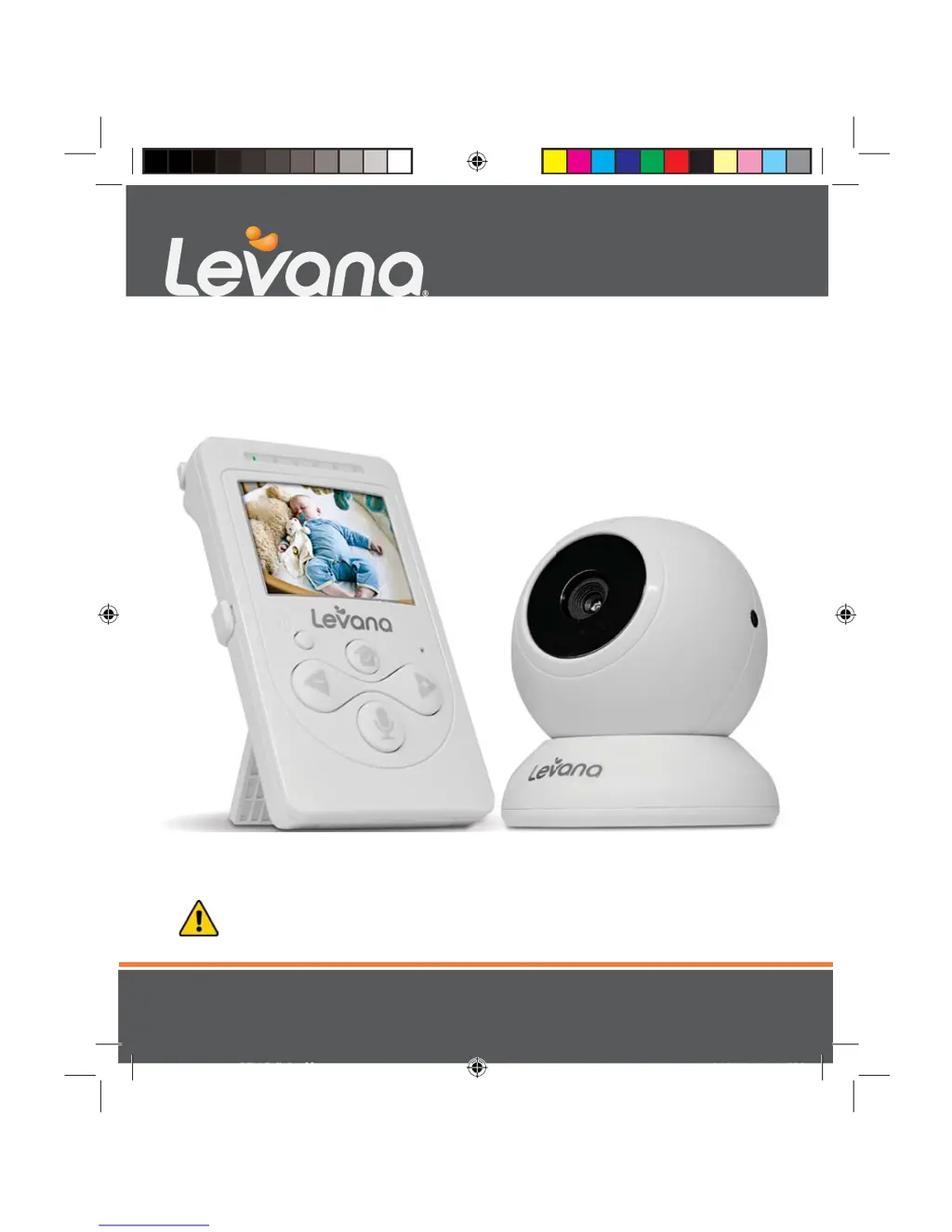
Levana Lila - User Manual

Levana Lila
20 pages
Print Icon
To Next Page IconTo Next Page
Loading...
mylevana.com
Manual / Manuel / Manual
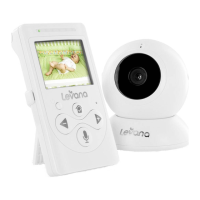
Digital Baby Video Monitor
CAUTION: Keep small parts away from children.
ATTENTION: Gardez les petites pièces hors de la portée des enfants.
PRECAUCIÓN: Mantenga las piezas pequeñas fuera del alcance de los niños.
Moniteur vidéo bébé numérique
Video Monitor Digital para Bebé
Lila
30000_31000_32000_LILA E_F_S.indd 1 07/01/2013 4:37:33 PM

Other manuals for Levana Lila

Questions and Answers

  • J
    Joshua CortezAug 13, 2025
    What to do if Levana Lila Baby Monitor rechargeable battery will not charge?
    • N
      nina69Aug 13, 2025
      If the rechargeable battery in your Levana Baby Monitor isn't charging, make sure the power adapters are properly connected. Also, check that the battery pack is correctly connected inside the battery compartment.
  • J
    Jason GutierrezAug 16, 2025
    What to do if my Levana Lila Baby Monitor has no reception?
    • J
      Jessica SmithAug 16, 2025
      If your Levana Baby Monitor isn't receiving a signal, ensure the camera and monitor are properly paired by following the pairing instructions. Also, consider that the camera might be too far from the monitor. Extending the antenna on the monitor can also improve reception.
  • C
    Crystal WillisAug 20, 2025
    How to fix Levana Lila Baby Monitor that does not function?
    • A
      Alexander HammondAug 20, 2025
      If your Levana Baby Monitor isn't working, first, check that both the camera and monitor are turned on. If they are on, the battery might be low, so try charging it. Also, ensure the power adapters are correctly connected.
  • J
    john95Aug 25, 2025
    Why does my Levana Lila Baby Monitor have static interference?
    • K
      Kirsten Green DDSAug 25, 2025
      If you are experiencing static interference with your Levana Baby Monitor, try these steps: First, reduce the distance between the camera and monitor. Low battery power can also cause interference, so ensure the battery is adequately charged. Other electronic devices or metal objects near the camera or monitor may also interfere with the signal; try moving them away.
  • S
    Scott GardnerAug 28, 2025
    How to stop feedback (screeching, static) on Levana Lila?
    • K
      Kyle ThomasAug 28, 2025
      If you're getting screeching or static feedback from your Levana Baby Monitor, the camera and monitor might be too close together. Also, check the volume level on the monitor, as it may be set too high.
  • A
    Anthony ButlerSep 1, 2025
    Why is my Levana Lila making noise (static, beeping)?
    • C
      Caroline BallSep 1, 2025
      If your Levana Baby Monitor is making static or beeping noises, the battery power may be too low. Try charging the battery.
  • W
    wcoleSep 4, 2025
    What to do if Levana Lila picture works but there is no sound?
    • M
      Malik BrownSep 4, 2025
      If you see a picture on your Levana Baby Monitor but can't hear any sound, the volume setting might be too low. Try increasing the volume.
  • A
    Abigail BaileySep 8, 2025
    Why is the picture on my Levana Lila black and white?
    • Z
      Zachary HarrisSep 9, 2025
      If the picture on your Levana Baby Monitor is black and white, the night vision LEDs might be on. Try increasing the amount of light in the room you're monitoring.

Summary

SAFETY INSTRUCTIONS

General Safety Precautions

Covers hazards like strangulation, small parts, and adult supervision.

Usage and Environment Guidelines

Details on water, moisture, ventilation, heat sources, and power source.

Servicing and Damage

Conditions that necessitate professional repair or servicing.

FCC STATEMENT

FCC Warning and Compliance

Outlines FCC rules, interference, and modification warnings.

FCC Radiation Exposure Statement

Specifies installation and operation distances for radiation exposure compliance.

IC Statement and Compliance

Details Industry Canada regulations for radio equipment.

WARRANTY

WHATS INCLUDED

BUTTONS AND CONNECTIONS - MONITOR

Monitor Controls

Details the buttons for power, volume, talk, and menu functions.

Monitor Display and Indicators

Explains the LED sound bar and LCD screen.

Monitor Audio and Antenna

Covers microphone, speaker, and antenna usage.

Monitor Physical Features

Describes the table stand and battery compartment.

BUTTONS AND CONNECTIONS - CAMERA

Camera Controls and Indicators

Explains the power button, pairing button, LEDs, and sensors.

Camera Audio and Power Input

Details the microphone, speaker, and power connection port.

Camera Lens

Identifies the main camera lens.

SETUP

Battery Installation

Step-by-step instructions for inserting the rechargeable battery.

Maximizing Battery Life

Tips for charging and extending the rechargeable battery's lifespan.

Connecting Power

Monitor Power Connection

How to connect the power adapter to the monitor.

Camera Power Connection

How to connect the power adapter to the camera.

SCREEN ICONS

Status Icons

Icons for signal strength, battery, brightness, and power save.

Operation Icons

Icons for camera selection, pairing, volume, and support.

OPERATION

Turning On the Monitor and Pairing

Steps to power on the monitor and connect the camera.

Camera Placement Guidelines

Initial advice on positioning the camera.

Camera Placement and Mounting

Monitor Placement

Instructions for positioning the monitor on a tabletop.

Camera Placement and Tabletop Mounting

Guidance for camera positioning and safe tabletop setup.

Wall Mounting the Camera

Wall Mounting Procedure

Step-by-step guide for securely mounting the camera on a wall.

Camera Features

Night Vision Functionality

Explanation of the infrared LEDs for low-light viewing.

Adjusting Camera Angle

How to pivot and turn the camera for optimal viewing.

Monitor Audio and Communication

Volume Control

How to adjust and mute the monitor's volume.

Two-Way Intercom

Using the talk-back feature to communicate with the baby.

Monitor Power and View Settings

Power Save Mode

How to enable standby mode to extend battery life.

Camera View Selection

Switching between different camera feeds.

Monitor Settings and Support

Screen Brightness Adjustment

How to adjust screen brightness and its impact on battery life.

Customer Support Access

Information on reaching customer support via web or chat.

TROUBLESHOOTING

Equipment Malfunction

Solutions for when the equipment does not function.

Reception Issues

Troubleshooting no reception or interference problems.

Audio Problems

Solutions for feedback, noise, or lack of sound.

Video Issues

Addressing black and white picture or no picture.

Charging Problems

Solutions for when the rechargeable battery does not charge.

MAINTENANCE

Cleaning and Care

Instructions for cleaning the monitor and camera units.

Levana Lila Specifications

General IconGeneral
Night VisionYes
Two-Way TalkYes
TypeDigital
WirelessYes
Talk-Back FunctionYes
Temperature SensorYes
Two-Way CommunicationYes
Display Size2.4 inches
Sound ActivationYes

Related product manuals