EasyManua.ls Logo

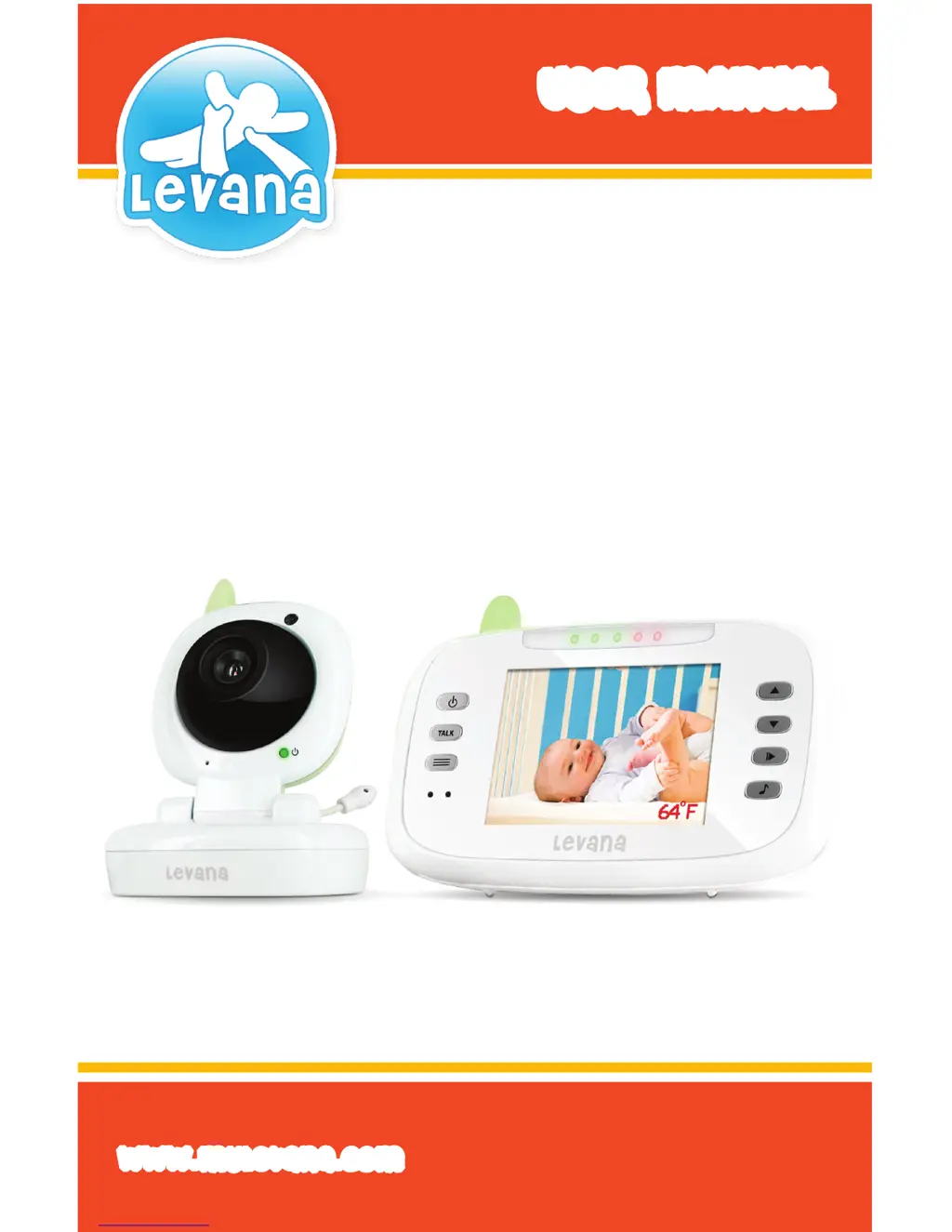
Levana LV-TW502 - User Manual

Levana LV-TW502
22 pages
Print Icon
To Next Page IconTo Next Page
Loading...
USeR MANUAL
www.myLevana.com
Model #:
Model #: LV-TW502
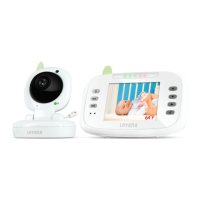
Safe N’ SeeAdvanced
Digital Video Monitor
With Talk To Baby™ Intercom

Questions and Answers

  • L
    Lisa MarquezAug 12, 2025
    Why is my Levana Baby Monitor rechargeable battery not charging?
    • J
      jorge63Aug 13, 2025
      If the rechargeable battery in your Levana Baby Monitor is not charging, ensure that the power adapters are properly connected. Also, verify that the battery pack is plugged in inside the battery compartment.
  • M
    Melissa AdamsAug 16, 2025
    How to fix a Levana LV-TW502 Baby Monitor that does not function?
    • E
      Eric CohenAug 16, 2025
      If your Levana Baby Monitor equipment isn't functioning, first ensure that both the camera and monitor are switched on. Next, check if the battery is dead or defective. Finally, verify that the power adapters are properly connected.
  • J
    Jennifer ClarkAug 20, 2025
    What to do if my Levana Baby Monitor has no reception or the screen freezes?
    • J
      Jennifer FrancoAug 20, 2025
      If your Levana Baby Monitor screen freezes or turns black, or you are experiencing no reception, ensure the camera and monitor are properly paired and that the camera is not too far from the monitor. Also, check that the VOX sensitivity is not set too low and that there is a signal.
  • A
    Alison LutzAug 25, 2025
    Why is my Levana LV-TW502 Baby Monitor having reception interference?
    • A
      Annette ClarkAug 25, 2025
      If you're experiencing static or reception interference with your Levana Baby Monitor, try these steps: * Ensure the camera and monitor are not too far apart. * Check the battery power, as low power can cause interference. * Identify and remove any nearby electronic devices that might be interfering with the signal. * Make sure the camera and monitor are not placed near metal objects.
  • K
    Kenneth WeissAug 28, 2025
    How to stop feedback (screeching, static) on Levana LV-TW502 Baby Monitor?
    • S
      Shannon DicksonAug 28, 2025
      If you are experiencing feedback, such as screeching or static, on your Levana Baby Monitor, make sure the camera and monitor are not too close together. Also, check that the volume on the monitor is not set too high.
  • D
    David ButlerAug 31, 2025
    Why is the picture on my Levana LV-TW502 black and white?
    • A
      aturnerAug 31, 2025
      If the picture on your Levana Baby Monitor is black and white, it may be because the night vision LEDs are on. Alternatively, try increasing the amount of light in the room being monitored.
  • P
    Peter JonesSep 4, 2025
    Why is my Levana Baby Monitor making noise?
    • S
      Sandra PattersonSep 4, 2025
      If your Levana Baby Monitor is making noise, it could be due to low battery power.
  • M
    Melissa FarmerSep 8, 2025
    What to do if my Levana Baby Monitor has picture but no sound?
    • M
      mary65Sep 8, 2025
      If your Levana Baby Monitor shows a picture but has no sound, the volume setting may be too low.

Summary

Need Help?

Contacting Customer Support

Provides Levana customer support contact methods: email, web chat, and toll-free phone.

Return Policy Reminder

Instructs users not to return the product to the store for issues.

Introduction

Product Overview

Congratulates the user on purchasing the Levana TW502 monitor and highlights its ClearVu technology.

Product Features

ClearVu Digital Wireless Technology

Ensures clear image and sound with a range of up to 500ft.

Large LCD for Superior Viewing

Features a 3.5" LCD screen for a clear view of the baby.

Temperature Monitoring

Monitors room temperature, suggesting an ideal range for baby comfort.

Talk to Baby Intercom

Allows two-way audio communication with the baby.

Soothing Lullabies

Offers five different lullabies to help soothe the baby.

Night Vision

Enables clear viewing in complete darkness up to 10ft away.

Relaxing Nightlight

Provides a gentle nightlight controllable from the parent unit.

Voice Activated Control (VOX)

Conserves power by activating the monitor only when sound is detected.

Rechargeable Monitor Battery

Offers up to four hours of continuous audio and video monitoring.

Additional Product Features

LED Noise Level Lights

Displays sound levels with up to five LED lights.

Table Stand and Belt Clip

Offers versatile usability with a stand and belt clip.

Energy Efficient Power Adapter

Features a Level V certified power adapter for energy saving.

Wall Mount Camera Option

Allows the camera to be wall mounted for optimal viewing.

24;7 Customer Support

Provides continuous access to expert customer support via phone and email.

Monitor Buttons and Connections

Antenna

Transmits and receives signals for communication.

Battery Compartment

Location for inserting the rechargeable battery.

Belt Clip;Support Stand

Functions as a stand or clip for portability.

Speaker

Outputs audio from the monitor.

ON;OFF Button

Turns the monitor unit on and off.

Talk Button

Enables two-way intercom communication.

Menu Button

Accesses the monitor's menu options.

Power LED

Indicates battery status (green for charged, red for low).

VOX LED

Illuminates green when VOX activation is enabled.

Volume Level LEDs

Shows the amount of sound detected by the camera.

Microphone

Captures audio from the baby's room.

Volume Buttons

Adjusts the audio volume and settings.

Play;Pause Button

Controls lullaby playback.

Lullaby Selector

Selects which lullaby to play.

LCD Screen

Displays the video feed from the camera.

Camera Buttons and Connections

Antenna

Transmits and receives signals.

Night Vision IR LEDs

Allows visibility in complete darkness up to 10 feet.

Camera Lens

The optical component for viewing.

Microphone

Captures sounds in the baby's room.

Night Light

Provides gentle light for the baby.

CDS Light Sensor

Detects light levels to activate night vision.

Power LED

Indicates when the camera is powered on.

Power Input

Connection point for the power adapter.

Temperature Sensor

Reads and transmits room temperature.

Battery Compartment

Holds 4 AAA batteries for wireless operation.

Camera Setup and Mounting

Tabletop Mounting

Instructions for safely placing the camera on a tabletop.

Wall Mounting

Guide for securely mounting the camera on a wall.

System Setup and Power

Camera Battery Operation

How to power the camera using AAA batteries.

Attaching Camera Power

Connecting the power adapter to the camera and wall outlet.

Monitor Setup and Charging

Installing Rechargeable Battery

Steps to install the monitor's rechargeable battery.

Charging Monitor Battery

How to charge the monitor and its battery.

Camera Operation

Switching Camera On;Off

Instructions for powering the camera unit on and off.

Camera Night Vision

Night Vision Functionality

Explains how the camera's IR LEDs provide visibility in darkness.

Monitor Operation

Switching Monitor On;Off

How to turn the parent monitor unit on and off.

Monitor Settings and Features

Setting Screen Brightness

Adjusting the display brightness level.

Adjusting Temperature Display

Setting the temperature unit (Celsius/Fahrenheit) or turning it off.

Night Light Control

Turning the camera's night light on or off.

Selecting a Lullaby

Choosing and playing lullabies from the monitor.

Advanced Monitor Functions

Adjusting VOX Sensitivity

Setting the voice activation sensitivity for sound detection.

Intercom Feature

Using the two-way audio intercom to communicate with the baby.

Adjusting Volume

Controlling the audio volume of the monitor.

Pairing the Devices

Manual Pairing Procedure

Steps to manually connect the camera and monitor if they don't auto-connect.

Troubleshooting Common Issues

Equipment Not Functioning

Solutions for when the equipment does not turn on or work.

Reception and Interference

Addresses issues like no reception, freezing screens, and static.

Audio Problems

Solutions for feedback, noise, no sound, or black and white picture.

Battery Charging Issues

Troubleshooting problems with the rechargeable battery not charging.

Maintenance Guide

Instructions for cleaning and caring for the units.

Product Specifications

Camera Specifications

Technical details for the camera unit.

Monitor Specifications

Technical details for the parent monitor unit.

Regulatory Compliance

FCC Statement

Compliance information with FCC rules and conditions for operation.

FCC Radiation Exposure

Exposure limits and guidelines for radio frequency energy.

IC Statement

Compliance information for Industry Canada regulations.

Safety Instructions

General Safety Guidelines

Instructions on water, ventilation, heat, and power source.

Regulatory Statement

Explains how the device is designed to provide protection against interference.

Product Warranty Information

Warranty Terms and Conditions

Details the one-year warranty against defects and voiding conditions.

Levana LV-TW502 Specifications

General IconGeneral
BrandLevana
ModelLV-TW502
CategoryBaby Monitor
LanguageEnglish

Related product manuals