5
DRIVE MODES
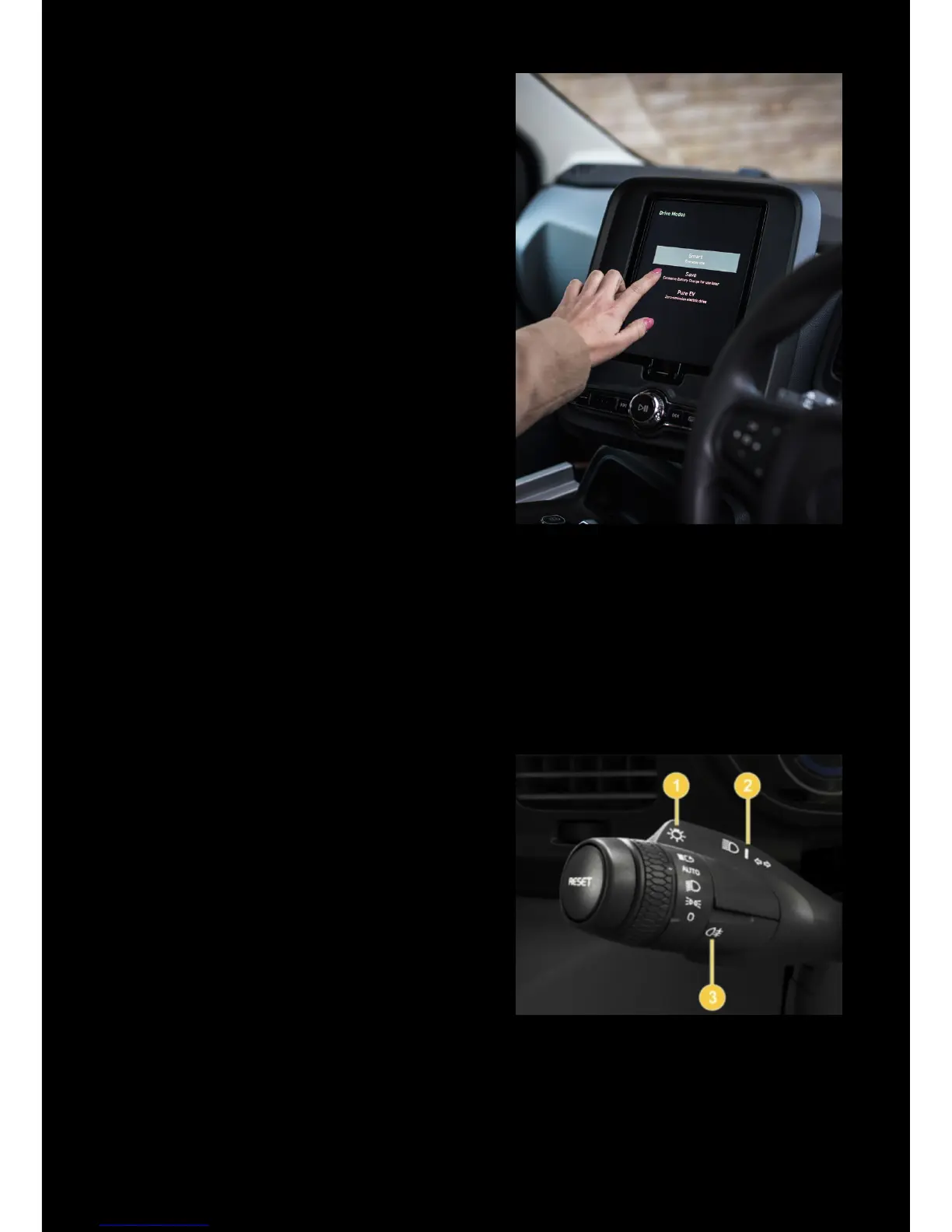
To change the drive mode, swipe the
touchscreen screen from right to left and
select the relevant icon (at any time):
Smart – uses the battery rst, before starting
the range-extender as the level of charge
becomes low.
Pure EV – will not engage the range
extender. The battery will be depleted until
the vehicle stops.
Save –will engage the range extender as
required to maintain the drive battery’s
current level of charge
! In Pure EV mode the battery will be
completely drained, so the remaining range
displayed will be a few miles more than in
shown in Smart mode.
! The vehicle will default to Smart mode
automatically on each re-start.
LIGHTS
TX is equipped with automatic headlights
with Main Beam Assist (which switches
between dipped and main beam
automatically)
• Turn the end of the left-hand stalk to
position three to select ‘AUTO’
• Turn to position four and release to turn
Main Beam Assist on/o
• Manual full beam is activated by
pushing the stalk towards the
dashboard
OTHER CONTROLS


 To Next Page