KVM-0850/1650 IP KVM switch
Warning
Please make sure to change the super user password immediately after you have
installed and accessed your KVM-0850/1650 for the first time. Not changing the pass
phrase for the super user is a severe security risk and might result in unauthorized
access to the KVM-0850/1650 and to the host system including all possible
consequences!
Warning
Your web browser has to accept cookies, if not, the login will be rejected. .
Navigation
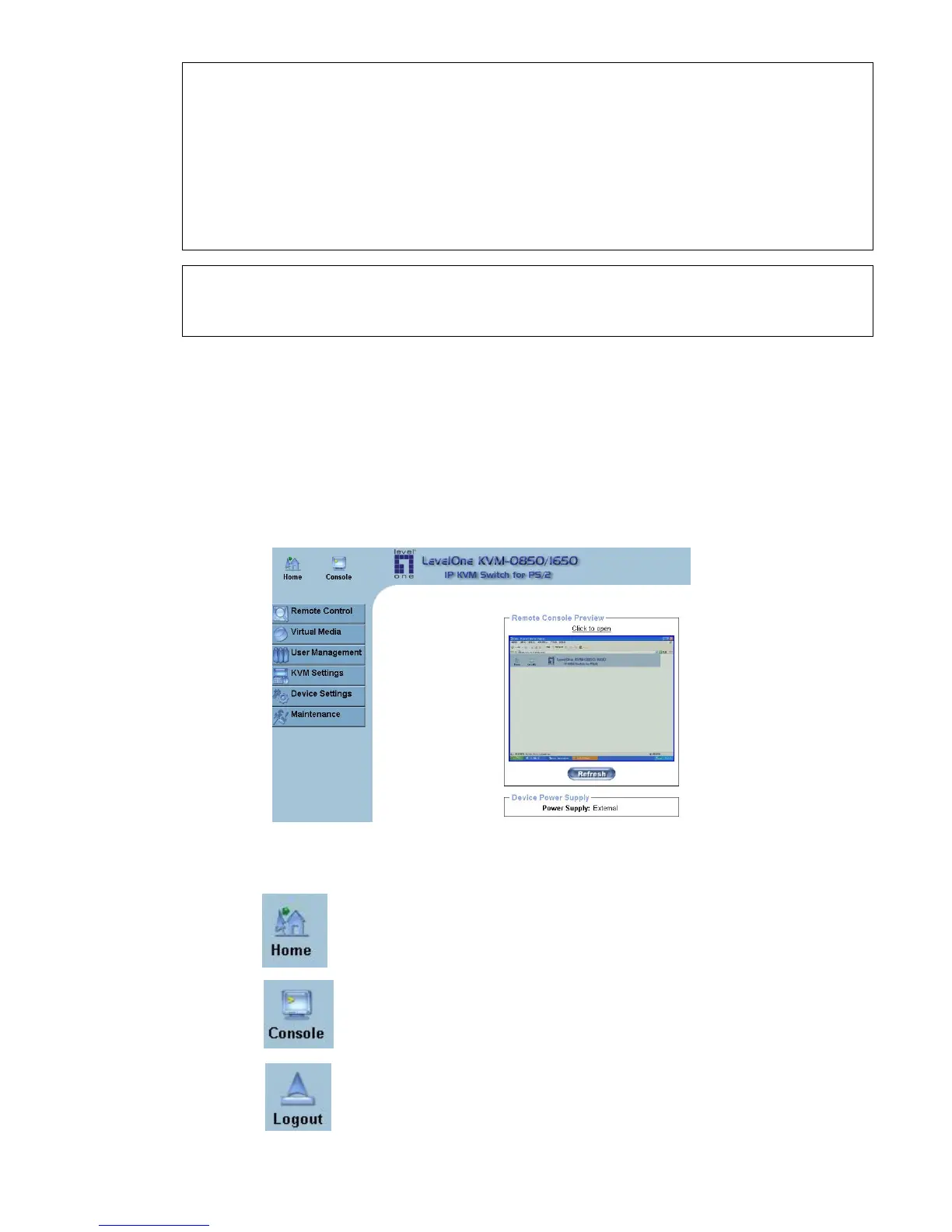
After logged in the KVM-0850/1650 successfully, the main page of the KVM-0850/1650 will
appear (see
Figure 5-4). This page consists of three parts; each of them contains specific
information. The buttons on the upper side allow you to navigate within the front end (see
Table 5-2 for details). The lower left frame contains a navigation bar and allows you to switch
between the different sections of the KVM-0850/1650. Within the right frame, task-specific
information is displayed.
Figure 5-4. Main page
Return to the main page of the
KVM-0850/1650 .
Open the KVM-0850/1650 remote console.
Exit from the KVM-0850/1650 front end.
29












 To Next Page