KVM-0850/1650 IP KVM switch
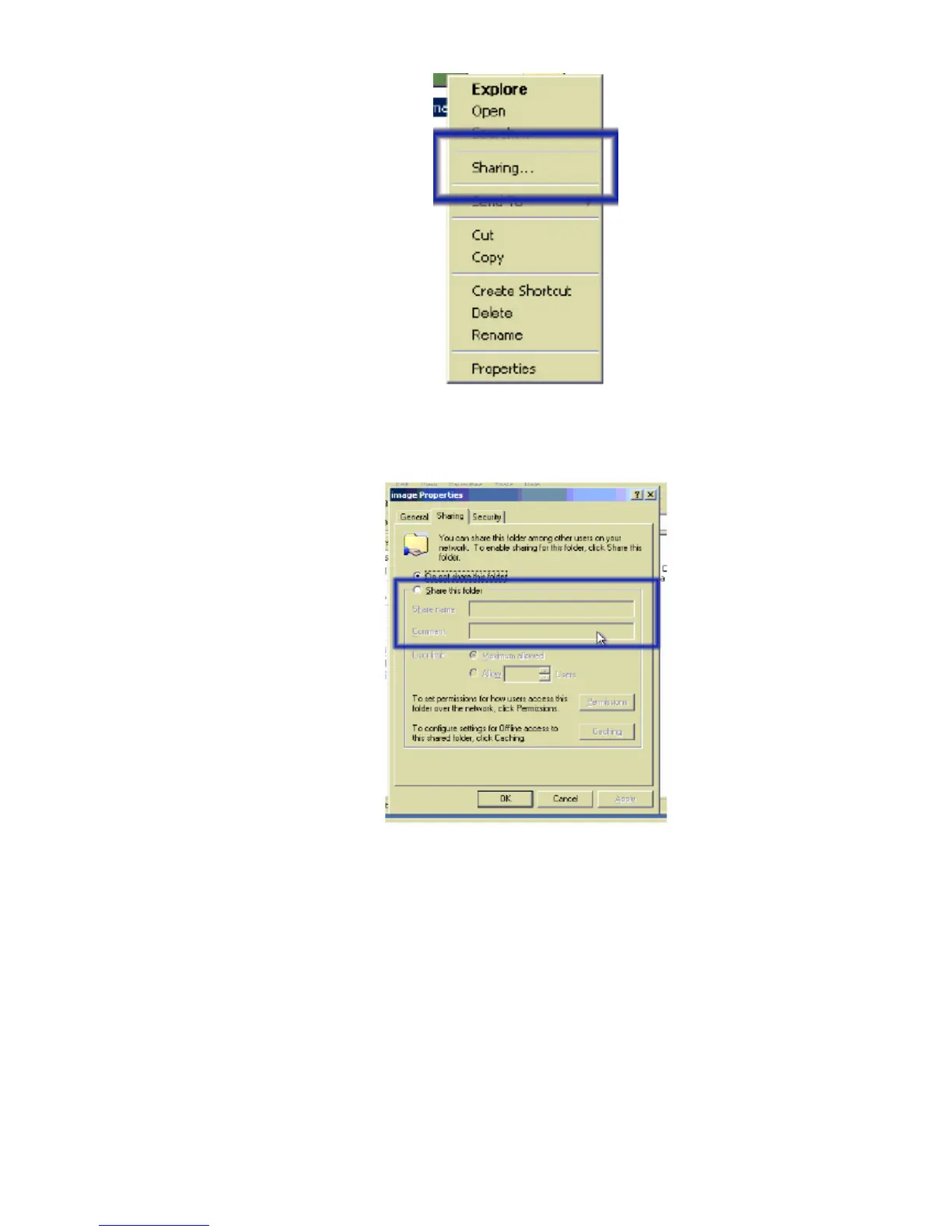
Figure 6-7 Explorer context menu
Select “Sharing” to open the configuration dialog.
Figure 6-8. Share configuration dialog
Adjust the settings for the selected directory.
• Activate the selected directory as a share. Select “ Sharing this folder ”.
• Choose an appropriate name for the share. You may also add a short description for
this folder (input field “ Comment ”).
• If necessary, adjust the permissions (button “permissions”).
• Click “ OK ” to set the options for this share.
UNIX and UNIX-like OS (UNIX, Solaris, Linux)
If you like to access the share via SAMBA, SAMBA has to be set up properly. You may
either edit the SAMBA configuration file /etc/samba/smb.conf, or use the Samba Web
Administration Tool (SWAT) or WebMin to set the correct parameters.
45












 To Next Page