KVM-0850/1650 IP KVM switch
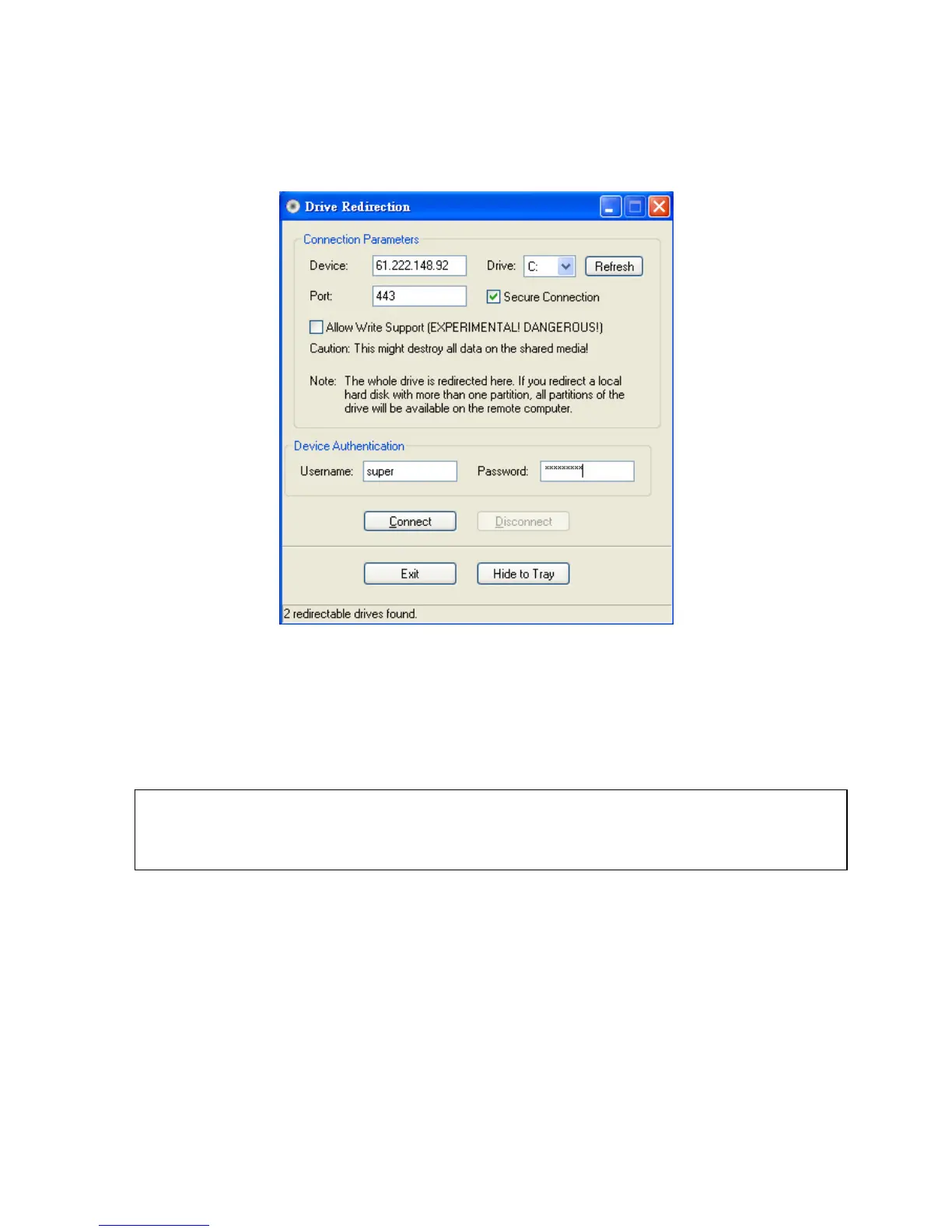
6.2.3.2 Drive Redirection Settings
¾ Start Drive Redirection
1. Enter the IP address of KVM-0850/1650 into the field of Device.
2. Select the local drive you want to share with the remote computer, which could be
Floppy disc, DC-ROMs, USB-Sticks and hard drives.
3. The number of the Port field is fixed as “443”
Warning
Please be cautious that if “Allow Write Support” is selected, all data on the shred media
mi
ed.
4. The factory default Username is “super” and the default Password is “pass”
5. Click Connect button for connection. “Successfully Connected!” shows on the bottom
when it is done.
50












 To Next Page